Troubleshooting pages
Problem and fix side by side.
 I Build Elementor.
Show if-then guidance you write, such as If the leaves turn yellow, then water less often, as cards or a table with optional See links.
Each example below is the actual published output of the Manual decision guide widget for a sample watercolour class. Links point to the sample site.
Content holds the rows, the cards or table layout, the labels and the text around the guide. The Style tab covers the rows, label colours and the icon.
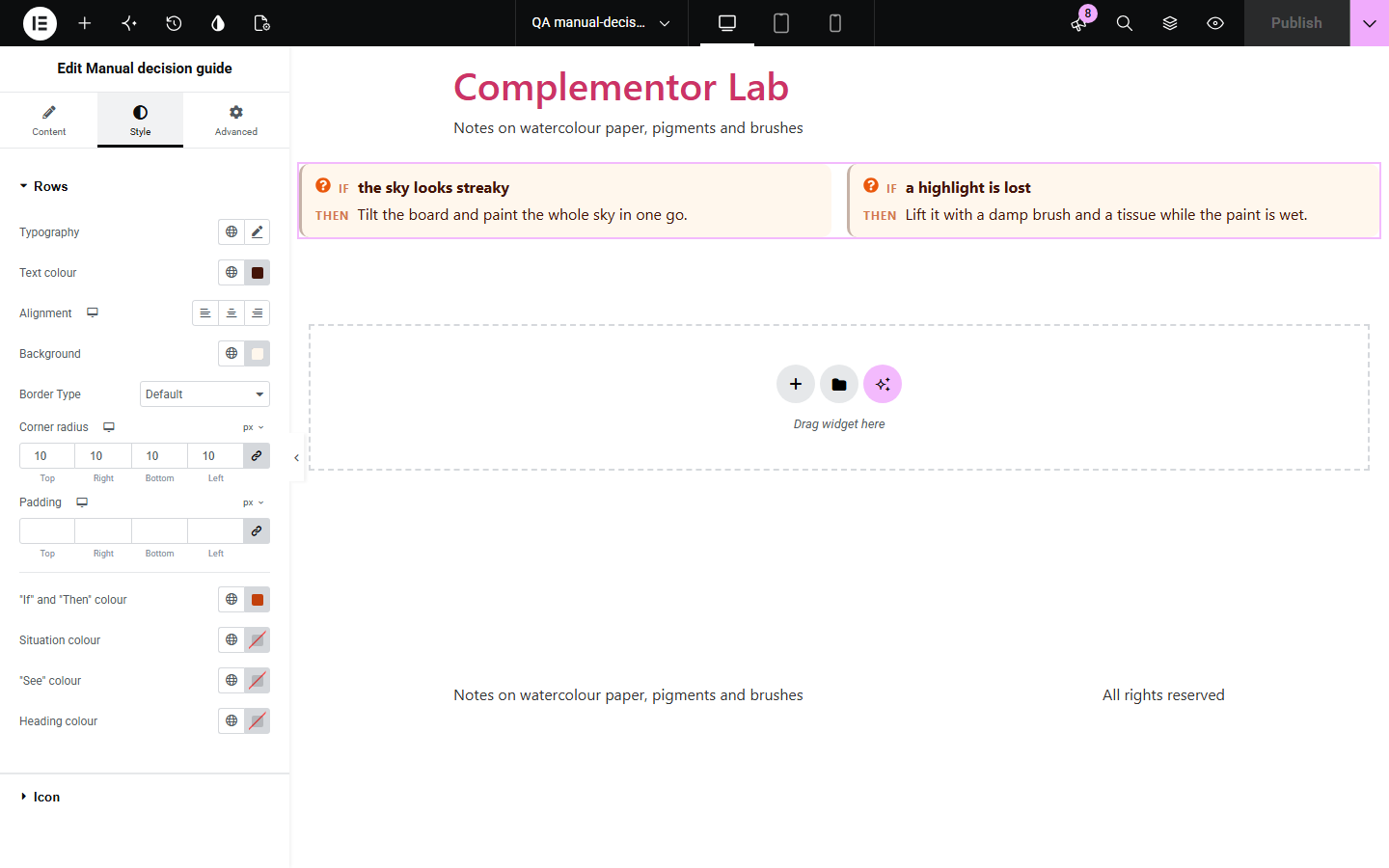
Help pages, courses and product guides often need a short list of situations and what to do about each: if the paint dries with hard edges, use more water. Written as paragraphs this is hard to scan, and Elementor has no widget for it. Manual decision guide shows each situation and its answer as a card or a table row, with an optional link to read more.
Problem and fix side by side.
Common mistakes and what to try.
Symptoms and next steps.
Start with Complementor installed and your license connected. Enable this module in the WordPress library, then configure it in Elementor.
Install Complementor, connect your license and enable Manual decision guide in the Complementor library.
Add the widget to a page, help article or template.
Add a row for each situation with what to do and an optional link.
Choose cards or a table and rename the If, Then and See labels if you like.
Style the rows, labels and icon.
Configure the settings available for this module to suit the page you are building.
Cards or a table.
One or two cards per row.
Optional See links.
Your own labels.
Heading and text below.
Icon before each situation.
Compare the existing Elementor workflow with this Complementor module before choosing your setup.
Hides the answers behind clicks.
Hard to edit and style.
Complementor uses classic Elementor APIs. Atomic-native controls are not implemented. Check your theme, cache and integrations on a staging site before release.
Check these settings if the published page behaves differently from the editor.
Rows need both a situation and what to do.
It only appears when a row has a reference.
Only http and https addresses are linked.
The icon is for cards; switch Show as to Cards.
No. It works with the free version of Elementor.
No. It shows the guidance you write.
Yes. Cards stack and the table scrolls sideways if it is too wide.
Yes. The table has column and row headers, and the cards are a list.
No. The guide is made on the server.
This module is included with all 1007 current Complementor solutions. Choose your production website allowance; every plan includes the same modules.
Renews at $29 USD each year.
Renews at $49 USD each year.
Renews at $99 USD each year.
Applicable taxes extra. Annual subscriptions renew automatically unless canceled in your customer account. Elementor Pro is required for Exclude current post. Read the terms and 14-day technical-issue refund policy.