Long product or service descriptions
Show the first lines and let interested visitors read the rest.
 I Build Elementor.
Collapse a long passage to a set height with a fade and a real Read more button, while the full text stays in the page.
These are the actual published outputs of the widget with its script running: the default collapsed passage, a styled purple toggle, an outlined toggle button, and a short passage that needs no button. Press the buttons to try them.
Content › Source holds the passage in the rich text editor. Behaviour sets the collapsed height for desktop, tablet and mobile. Display sets the expand and collapse labels and an optional icon. The Style tab covers the passage's typography, colour, alignment, background, border, radius and padding, the toggle's Normal, Hover and Focus colours, background, border, radius and padding, and the icon's colour, size and gap.
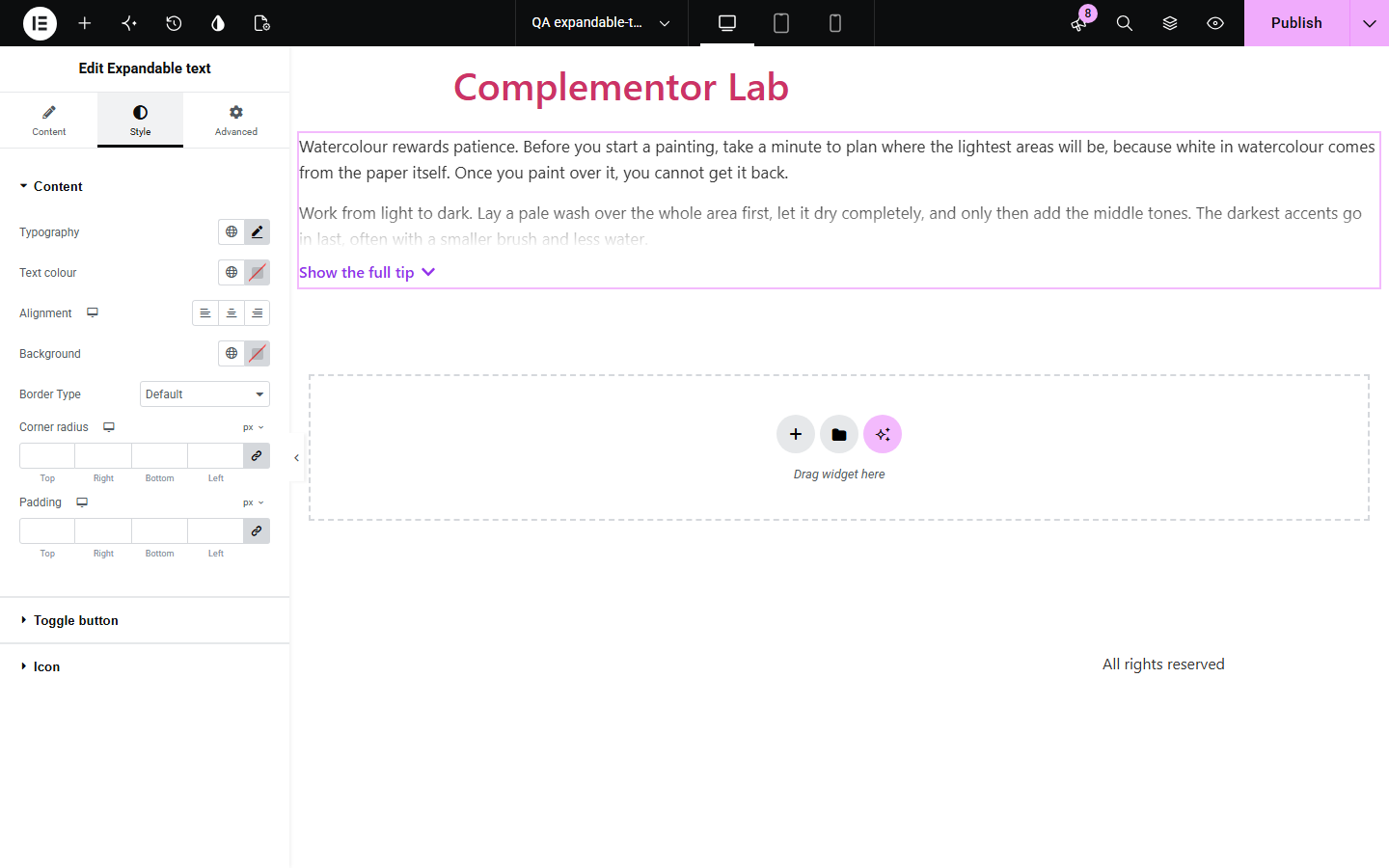
Long descriptions and answers push important content down the page, but hiding text in tabs or loading it later hurts readers and search engines. Expandable text shows a passage up to a height you choose, fades it out, and adds a real Read more button, while the full text always stays in the page. Short passages are simply shown in full.
Show the first lines and let interested visitors read the rest.
Keep pages compact without hiding content from search engines.
Use a shorter collapsed height on phones so key content stays near the top.
Start with Complementor installed and your license connected. Enable this module in the WordPress library, then configure it in Elementor.
Install Complementor, connect your license and enable Expandable text in the Complementor library.
Add the widget and paste your passage into Content › Source.
Set the collapsed height for desktop, tablet and mobile.
Edit the Read more and Read less labels and choose an icon.
Style the text and toggle, publish, and press the button to check it.
Configure the settings available for this module to suit the page you are building.
Rich text passage; safe HTML such as paragraphs, bold, links and lists is kept.
Responsive collapsed height (default 160px, 140px on phones) with a fade at the cut.
Toggle shown only when the passage is taller than the collapsed height.
Editable expand and collapse labels and an optional icon that turns when open.
Passage style: typography, colour, alignment, background, border, radius and padding.
Toggle style: Normal, Hover and Focus colours, background, border, radius and padding, plus icon colour, size and gap.
Compare the existing Elementor workflow with this Complementor module before choosing your setup.
Toggles hide whole sections behind titles. This widget shows the start of the text so readers can decide whether to continue.
The More block splits posts on archive pages. This widget collapses text in place inside any Elementor layout.
Complementor uses classic Elementor APIs. Atomic-native controls are not implemented. Check your theme, cache and integrations on a staging site before release.
Check these settings if the published page behaves differently from the editor.
The passage fits within the collapsed height, so it is shown in full. Lower the collapsed height or add more text.
Collapsed height is responsive. Set the tablet and mobile values in Behaviour as well as desktop.
Themes style buttons. The widget keeps the toggle neutral by default; use the Toggle button style controls to set your own look.
Yes. Without the script, the full passage is shown and the button stays hidden.
The full passage is always in the page HTML; only its visible height is limited.
No. It works with the free version of Elementor.
Yes. The toggle is a real button with aria-expanded and aria-controls, and screen readers can read the whole passage.
No. Each page view starts collapsed.
Safe HTML from the editor is kept, but the widget is designed for text; tall images change when the toggle appears.
This module is included with all 1007 current Complementor solutions. Choose your production website allowance; every plan includes the same modules.
Renews at $29 USD each year.
Renews at $49 USD each year.
Renews at $99 USD each year.
Applicable taxes extra. Annual subscriptions renew automatically unless canceled in your customer account. Elementor Pro is required for Exclude current post. Read the terms and 14-day technical-issue refund policy.