Supplier and product comparisons
Score options on price, quality and delivery with your own weights.
 I Build Elementor.
Let visitors score up to 12 criteria you define and get a weighted score out of 100, with a breakdown of how each criterion contributed.
These are the actual published outputs of the widget: a four-part painting feedback rubric, the same rubric styled, and a two-criterion supplier comparison. Enter scores and press Calculate.
Content › Criteria lists up to 12 criteria with a weight and lowest and highest score each, and sets whether weights are shares of their total or must add up to 100. Behaviour sets the decimal places, the breakdown table and the reset button. Display sets the button texts and icons, result label, prompt and note. The Style tab covers alignment, labels beside or above inputs, spacing and input width, labels and errors, inputs with Normal, Hover and Focus states, buttons with states and icons, and the result and breakdown.
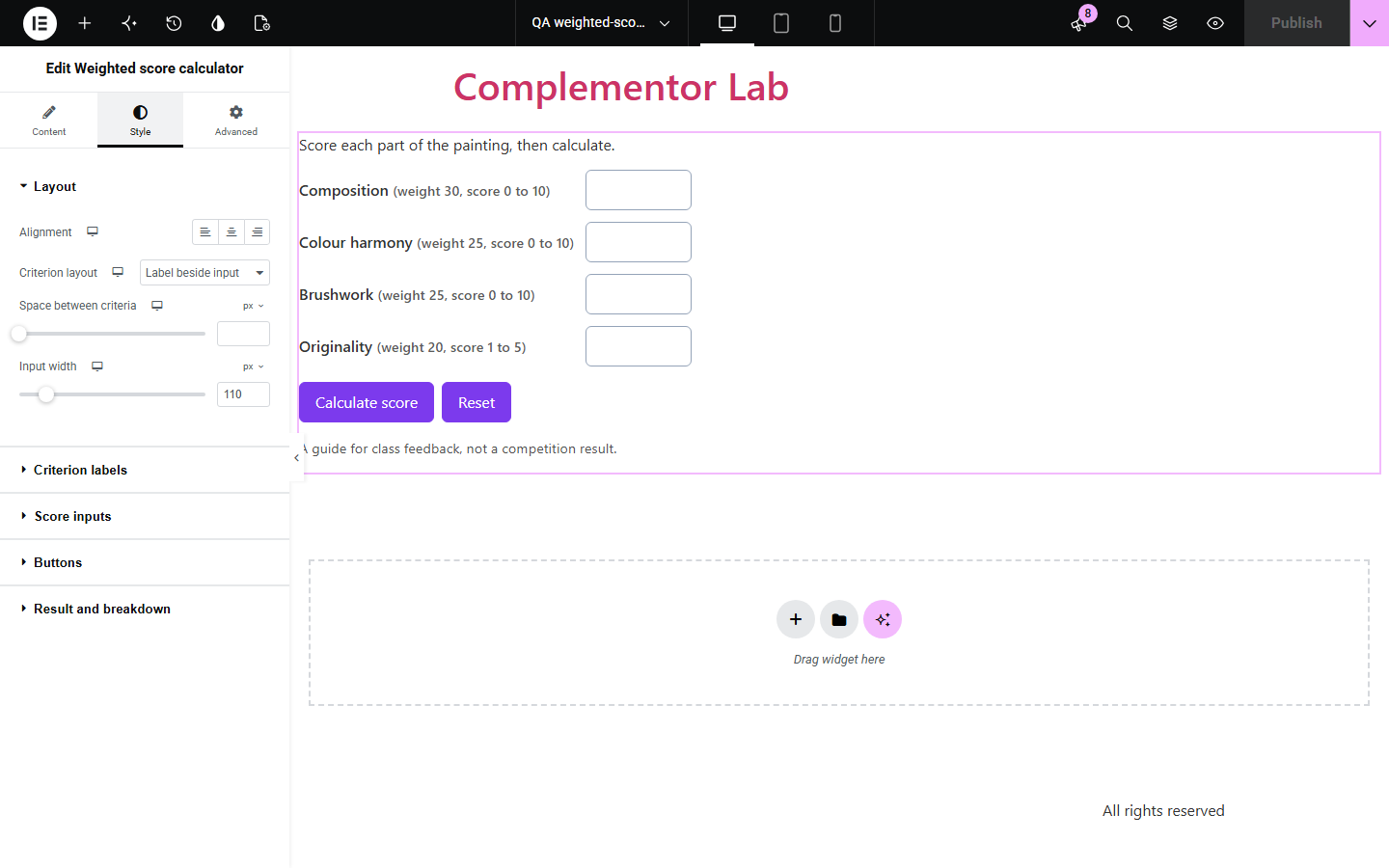
Comparing options fairly means some factors count more than others, but adding up weighted scores by hand is slow and easy to get wrong. Weighted score calculator lets visitors enter a score for each criterion you define and shows a weighted result out of 100, with a breakdown that makes the arithmetic visible. Nothing is sent anywhere.
Score options on price, quality and delivery with your own weights.
Give students a self-assessment against weighted marking criteria.
Share a transparent scoring sheet applicants can try themselves.
Start with Complementor installed and your license connected. Enable this module in the WordPress library, then configure it in Elementor.
Install Complementor, connect your license and enable Weighted score calculator in the Complementor library.
Add the widget and list your criteria with a weight and a score range for each.
Choose whether weights are shares of their total or must add up to 100.
Set the result label, the prompt and a note about how to read the score.
Publish, enter scores and check the breakdown adds up.
Configure the settings available for this module to suit the page you are building.
Up to 12 criteria, each with its own weight and score range.
Weights as shares of their total, or required to total exactly 100.
Weighted result out of 100 with 0 to 3 decimal places.
Breakdown table of each score, normalised value, weight share and contribution.
Clear messages for blank, non-numeric and out-of-range scores.
Style: layout, labels, input states, buttons with icons, result and breakdown.
Compare the existing Elementor workflow with this Complementor module before choosing your setup.
A spreadsheet works but sends visitors away from your page. This widget runs right on it.
Calculation forms store submissions and need setup. This widget only calculates, in the browser.
Complementor uses classic Elementor APIs. Atomic-native controls are not implemented. Check your theme, cache and integrations on a staging site before release.
Check these settings if the published page behaves differently from the editor.
No criterion has a valid weight and score range, the weights total zero, or they must total 100 and do not. The editor explains which.
Its highest score is not above its lowest score, or its weight is missing. Only the first 12 valid criteria are used.
Use digits and a dot for decimals, for example 7.5.
No. Scores stay in the visitor's browser and are cleared when the page closes.
No. It works with the free version of Elementor.
Yes. Every input has a label with its weight and range, errors are linked to their fields, and the result is announced.
Each score is turned into a fraction of its range, multiplied by its share of the total weight, and the results are added up and shown out of 100.
Yes. Each criterion has its own lowest and highest score, such as 0 to 10 or 1 to 5.
No. It shows a calculation; the note under the result can say how to use it.
This module is included with all 1007 current Complementor solutions. Choose your production website allowance; every plan includes the same modules.
Renews at $29 USD each year.
Renews at $49 USD each year.
Renews at $99 USD each year.
Applicable taxes extra. Annual subscriptions renew automatically unless canceled in your customer account. Elementor Pro is required for Exclude current post. Read the terms and 14-day technical-issue refund policy.