Delivery estimates
Show the date an order ships after a number of working days.
 I Build Elementor.
Let visitors count working days between two dates or find the date after a number of working days, choosing the working weekdays and holidays to skip.
These are the actual published widgets running in your browser; change the dates to try them.
Dates sets what to work out, the starting dates or days to add, the working days, the holidays and what visitors can change. Behaviour sets whether the start and end dates count, the breakdown and live updates. Labels names every field. The Style tab covers the layout, the answer, the weekday toggles, fields and the Calculate button.
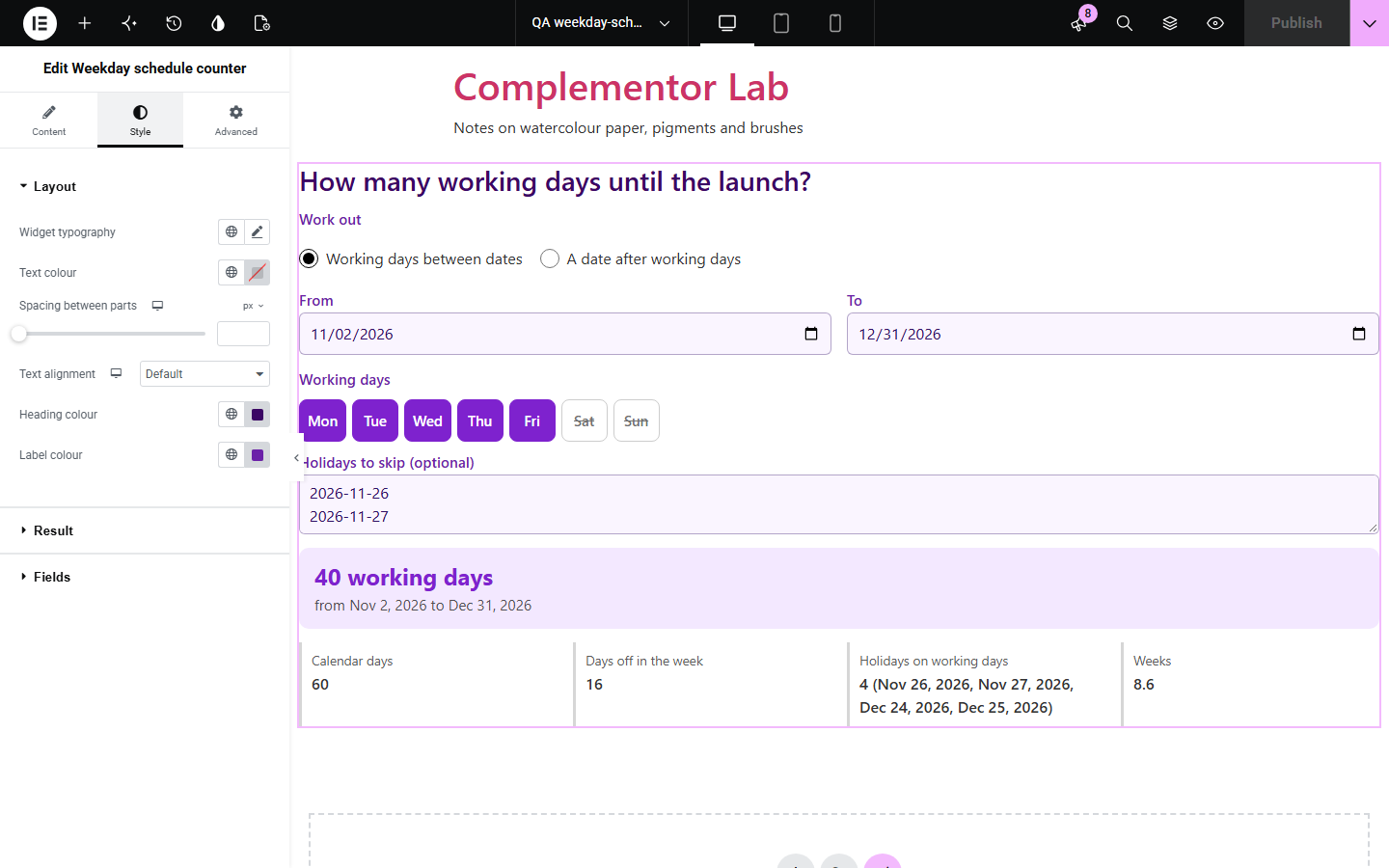
Delivery promises, notice periods and project plans are usually counted in working days, and counting them on a calendar while skipping weekends and holidays is slow and easy to get wrong. Weekday schedule counter counts the working days between two dates, or works out the date after a number of working days, for any working week and any list of holidays, and shows a breakdown of what was left out.
Show the date an order ships after a number of working days.
Count the business days in a notice period or payment term.
Count the working days left before a launch.
Start with Complementor installed and your license connected. Enable this module in the WordPress library, then configure it in Elementor.
Install Complementor, connect your license and enable Weekday schedule counter in the Complementor library.
Add the widget to a delivery, support or planning page.
Choose whether it counts days between dates or finds a date after a number of working days.
Set your working week and list your holidays, one per line.
Choose what visitors can change, then style the answer.
Configure the settings available for this module to suit the page you are building.
Working days between two dates, or the date after a number of working days.
Any working week, such as Monday to Friday, Monday to Saturday or Sunday to Thursday.
Holidays to skip, with entries that are not dates pointed out.
Whether the start and end dates count.
A breakdown of calendar days, days off, holidays on working days and weeks.
Date pickers, and reversed dates swapped with a note.
Compare the existing Elementor workflow with this Complementor module before choosing your setup.
Shows a meeting time in several time zones.
Splits a total into dated payments.
Complementor uses classic Elementor APIs. Atomic-native controls are not implemented. Check your theme, cache and integrations on a staging site before release.
Check these settings if the published page behaves differently from the editor.
It falls on a day that is not a working day, such as a Saturday, so it was already left out.
The start and end dates count by default; turn either off in the settings to match your rule.
It is not written as YYYY-MM-DD. The note under the answer lists entries that were not read as dates.
No. It works with the free version of Elementor.
No. Everything runs in the visitor’s browser.
No. List the holidays that apply to you; they differ by country and business.
Yes. Choose any working days, such as Monday to Saturday or Sunday to Thursday.
Yes. Switch to adding working days and it gives the date after that many working days.
This module is included with all 1007 current Complementor solutions. Choose your production website allowance; every plan includes the same modules.
Renews at $29 USD each year.
Renews at $49 USD each year.
Renews at $99 USD each year.
Applicable taxes extra. Annual subscriptions renew automatically unless canceled in your customer account. Elementor Pro is required for Exclude current post. Read the terms and 14-day technical-issue refund policy.