Online lessons
Let learners keep their answers.
 I Build Elementor.
A notes box that visitors can save as a .txt file, made in their browser with nothing sent to the site.
Each example below is the actual published output of the Visitor note download widget.
Content sets the box, the starting text, whether notes are kept, the file name and contents, and the buttons and messages. The Style tab covers the label, the box, the messages and the buttons.
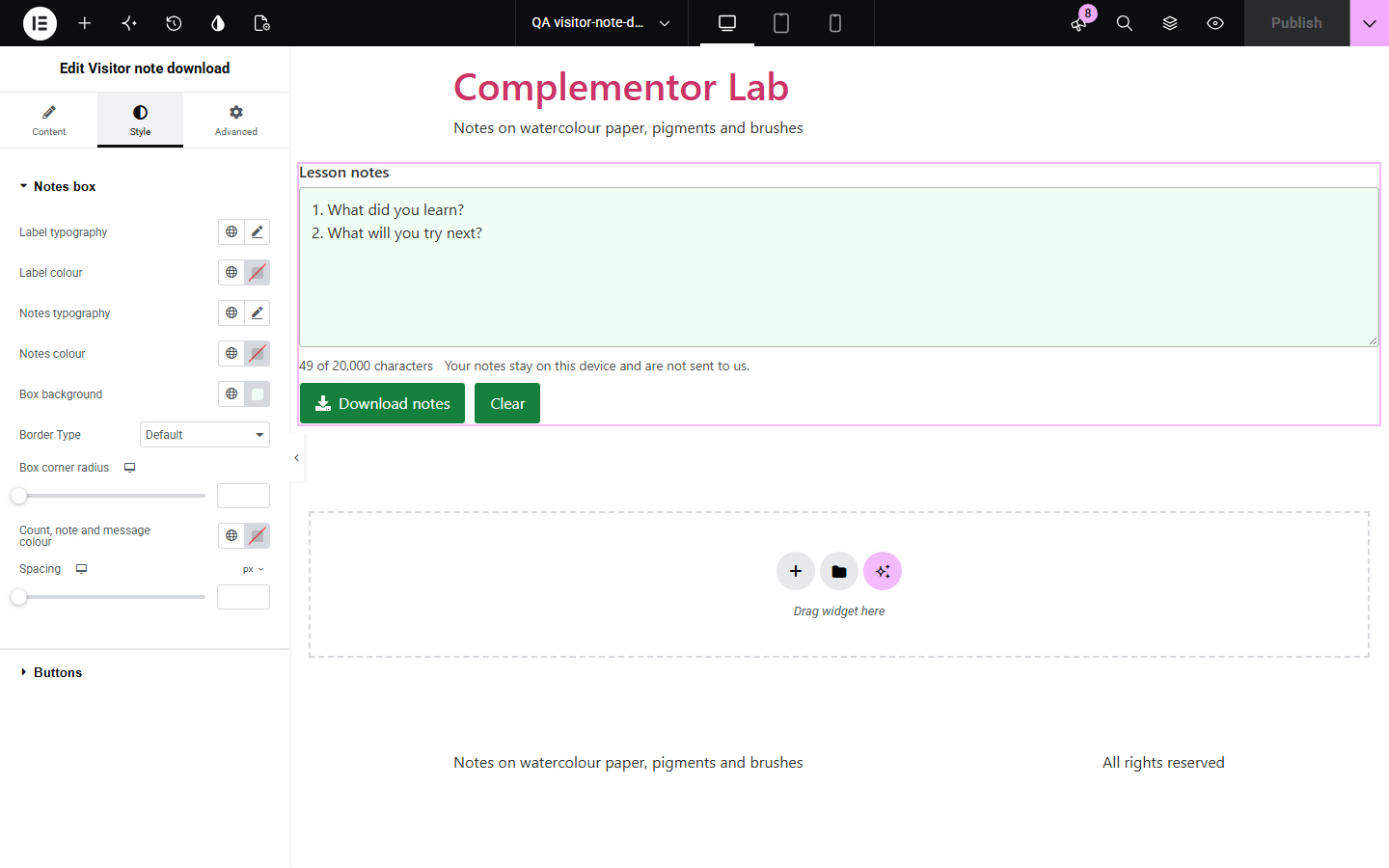
Lessons, worksheets and planning pages invite visitors to write things down, but a text box on its own loses everything when the page closes. Visitor note download gives them a notes box that keeps their text in the browser and saves it as a .txt file with a sensible name. Nothing is sent to your site.
Let learners keep their answers.
Give a page for planning notes.
Let readers note their changes.
Start with Complementor installed and your license connected. Enable this module in the WordPress library, then configure it in Elementor.
Install Complementor, connect your license and enable Visitor note download in the Complementor library.
Add the widget to the page.
Set the box label and any starting questions.
Choose the file name and whether the page title and address go at the top.
Style the box and buttons.
Configure the settings available for this module to suit the page you are building.
Saves a .txt file in the browser.
Safe file name with {date}.
Notes kept until cleared.
Character count.
Clear asks first.
Nothing sent to the site.
Compare the existing Elementor workflow with this Complementor module before choosing your setup.
Sends the text to the site instead of giving it to the visitor.
Easy to lose text when the page closes.
Complementor uses classic Elementor APIs. Atomic-native controls are not implemented. Check your theme, cache and integrations on a staging site before release.
Check these settings if the published page behaves differently from the editor.
To the browser’s downloads folder, with the name shown in the message.
Keep notes in this browser is on. Clear removes them.
Only .txt and .md are kept, so the file opens as text.
No. They stay on the visitor’s device.
No. It works with the free version of Elementor.
A plain text file, by default named notes- with the date, such as notes-2026-10-11.txt.
Yes, when Keep notes is on, in that browser only, until the visitor clears them.
Yes. The box has a visible label, the count and privacy note describe it, and messages are announced.
No. It works in the visitor’s browser and makes no requests of its own.
This module is included with all 1007 current Complementor solutions. Choose your production website allowance; every plan includes the same modules.
Renews at $29 USD each year.
Renews at $49 USD each year.
Renews at $99 USD each year.
Applicable taxes extra. Annual subscriptions renew automatically unless canceled in your customer account. Elementor Pro is required for Exclude current post. Read the terms and 14-day technical-issue refund policy.