Webinars and online classes
Show international attendees when to join in their own time.
 I Build Elementor.
Show an event's start time converted to each visitor's own time zone, with the zone name, from a time you enter in the event's city.
These are the actual published outputs of the widget for a sample online class at 6:00 pm New York time on 20 March 2027, a week when the US has changed its clocks and Europe has not. Your browser converts it for you.
Content › Source sets the event date and time with a date picker and the time zone of the event's city, from WordPress's own list. Display sets the fallback date format, whether the fallback names the city, whether the converted time shows the zone name, and optional text before the time. The Style tab covers the time's typography, colour and alignment and the text before it.
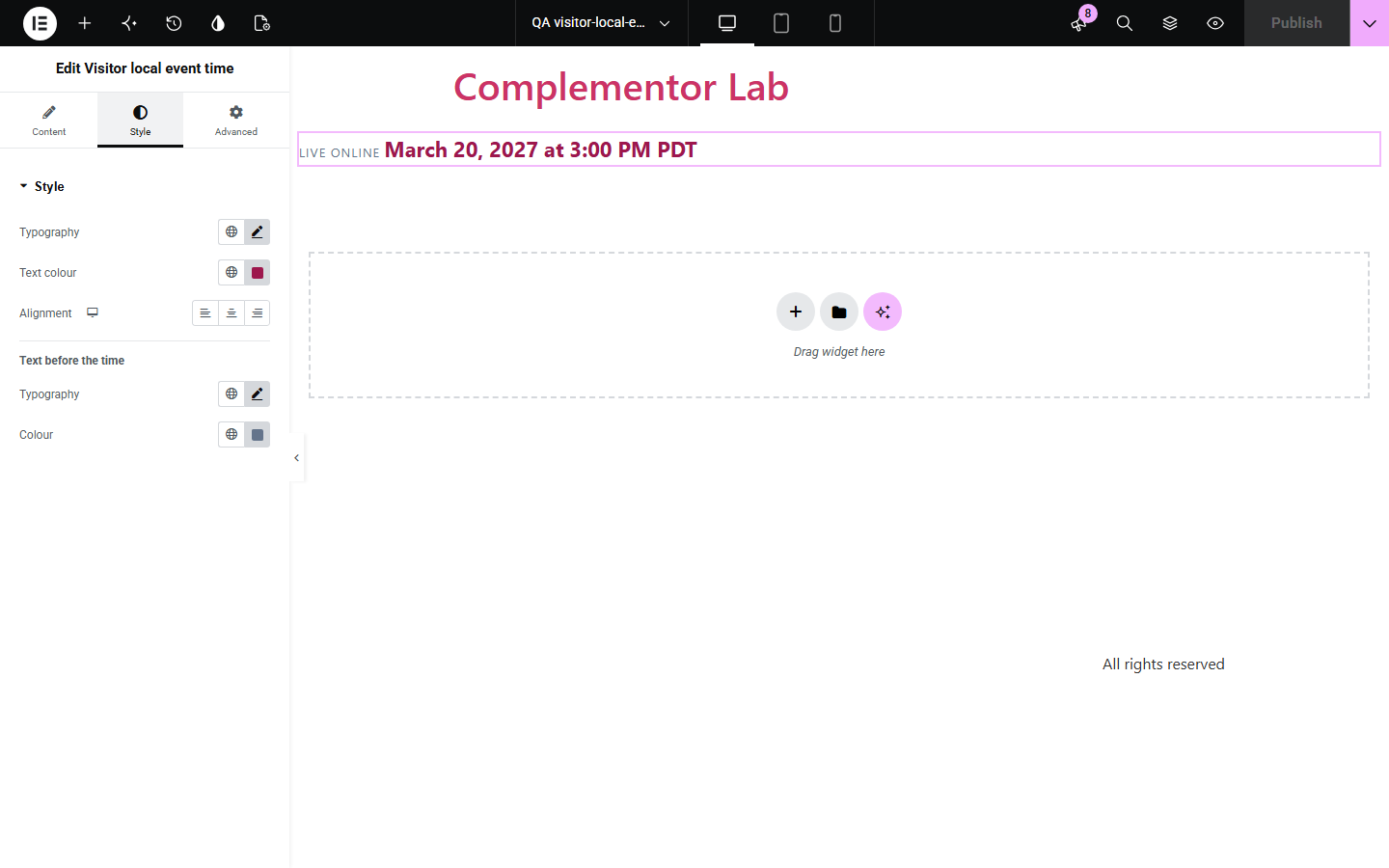
An online class at 6:00 pm New York time means nothing to a visitor in London or Tokyo unless they work out the difference themselves, and daylight saving changes on different dates make it easy to get wrong. Visitor local event time takes the time in the event's own city and shows every visitor the same moment in their own time zone and language.
Show international attendees when to join in their own time.
Give every visitor the right local start time for the announcement.
Avoid time zone mix-ups for meetups spread across countries.
Start with Complementor installed and your license connected. Enable this module in the WordPress library, then configure it in Elementor.
Install Complementor, connect your license and enable Visitor local event time in the Complementor library.
Add the widget to your event page.
Pick the event date and time as it happens in the event's city.
Choose that city's time zone, such as America/New_York.
Publish and open the page: the time shows in your own zone.
Configure the settings available for this module to suit the page you are building.
Event date and time entered in the event's own time zone.
Converted in each visitor's browser to their time zone and language.
Daylight saving handled by the time zone rules on both sides.
Short zone name such as GMT or JST, on by default.
Fallback text in the event's zone, labelled with its city, when JavaScript is off.
Style: time typography, colour and alignment, and optional text before the time.
Compare the existing Elementor workflow with this Complementor module before choosing your setup.
Writing 6 pm ET / 11 pm UK / 7 am JST still leaves most visitors to work it out. This widget shows each visitor their own time.
Sending visitors to a converter adds a step. The converted time is right on your page.
Complementor uses classic Elementor APIs. Atomic-native controls are not implemented. Check your theme, cache and integrations on a staging site before release.
Check these settings if the published page behaves differently from the editor.
JavaScript is off or blocked, so the fallback in the event's time zone is shown, labelled with its city.
Fixed offsets have no daylight saving rules. Pick a city in that zone instead so the time stays right all year.
The date and time are empty or could not be read. Pick them again with the date picker.
Visitors far east or west can be on the next or previous day at the same moment.
No. It works with the free version of Elementor.
No. It uses the time zone their device is already set to.
Yes. The time is a time element with the exact moment in its datetime attribute, read as normal text.
Yes. Both the event's zone and the visitor's zone use their real daylight saving rules.
No. It shows the start time; use a countdown widget alongside it if you need one.
This module is included with all 1007 current Complementor solutions. Choose your production website allowance; every plan includes the same modules.
Renews at $29 USD each year.
Renews at $49 USD each year.
Renews at $99 USD each year.
Applicable taxes extra. Annual subscriptions renew automatically unless canceled in your customer account. Elementor Pro is required for Exclude current post. Read the terms and 14-day technical-issue refund policy.