Recipes
Brewing, resting or baking times next to the method.
 I Build Elementor.
Give visitors a countdown timer with Start, Pause, Resume and Reset, for brewing, exercises, exam practice or short tasks.
These are the actual published outputs of the widget. Try each one on this page.
Content sets the minutes and seconds, whether visitors can change them, the progress bar, the beep, the tab title alert and every label. The Style tab covers the time, the colour when time is up, the progress bar, messages and the buttons.
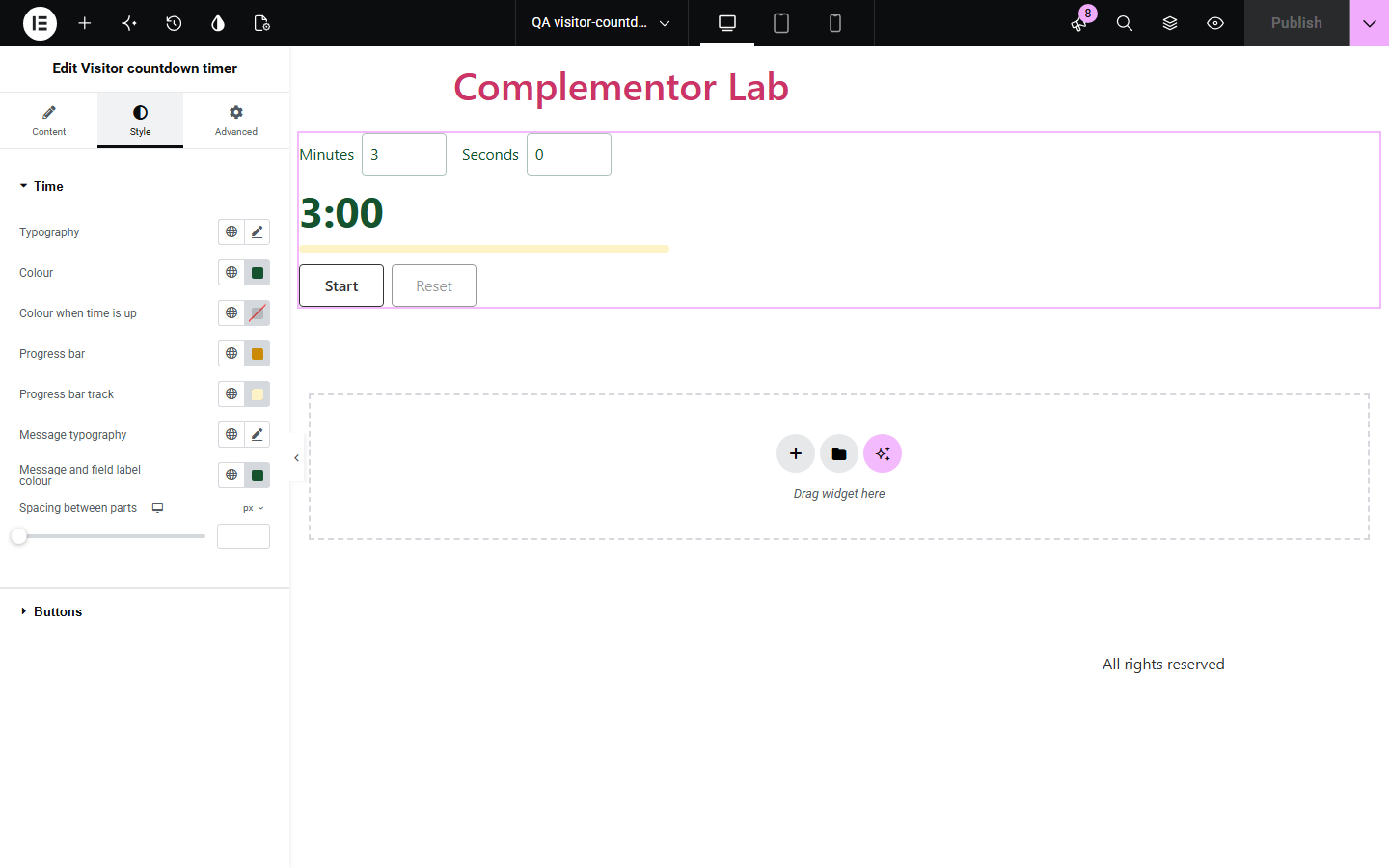
Recipe sites, fitness pages and teachers need a simple countdown on the page, but many web timers drift or stop when the tab is in the background, and the end goes unnoticed. Visitor countdown timer counts down to an end time on the browser’s clock, announces the end, can beep and can show the end in the tab title. Visitors can be allowed to set their own time.
Brewing, resting or baking times next to the method.
Planks, stretches and rest periods.
Exam practice and focus sessions.
Start with Complementor installed and your license connected. Enable this module in the WordPress library, then configure it in Elementor.
Install Complementor, connect your license and enable Visitor countdown timer in the Complementor library.
Set the minutes and seconds.
Choose whether visitors can change the time and whether it beeps.
Style the time, progress bar and buttons.
Publish the page and try it.
Configure the settings available for this module to suit the page you are building.
Start, Pause, Resume and Reset.
Accurate in background tabs.
Visitors can set the time.
End message, beep and tab title alert.
Progress bar.
Respects reduced motion.
Compare the existing Elementor workflow with this Complementor module before choosing your setup.
Counts down to a date for everyone; visitors cannot start or pause it.
Takes the visitor away from your page.
Complementor uses classic Elementor APIs. Atomic-native controls are not implemented. Check your theme, cache and integrations on a staging site before release.
Check these settings if the published page behaves differently from the editor.
Beep at the end is off, or the browser or device does not allow sound.
Browsers may delay timers in background tabs. The time shown is correct when the tab is in view.
The time is up or the visitor’s time is not valid. Press Reset or fix the minutes and seconds.
No. It counts down a length of time that each visitor starts.
No. It works with the free version of Elementor.
Yes. It counts down to an end time on the clock, so the time is right when you return.
Yes. The buttons are real buttons and start, pause, reset and the end are announced.
Yes. Without it a short message is shown instead.
Yes. Each copy works on its own.
This module is included with all 1007 current Complementor solutions. Choose your production website allowance; every plan includes the same modules.
Renews at $29 USD each year.
Renews at $49 USD each year.
Renews at $99 USD each year.
Applicable taxes extra. Annual subscriptions renew automatically unless canceled in your customer account. Elementor Pro is required for Exclude current post. Read the terms and 14-day technical-issue refund policy.