Tutorials and recipes
Let readers tick off ingredients or steps while they follow along.
 I Build Elementor.
Add a checklist visitors can tick off on the page, with a live completed count and a reset button, without saving anything.
These are the actual published outputs of the widget with its script running: the default checklist, a styled lesson checklist with strike-through, a packing list with icons and no count, and your own count and reset wording.
Content › Checklist items is a repeater of items you write. Behaviour turns on the completed count with your own wording and the reset button with its text. Display sets the heading and its tag, an accessible name when there is no heading, and an optional icon before each item. The Style tab covers the heading, item typography, alignment, spacing, padding, radius, checkbox size and accent colour, completed colour and strike-through, Hover and Focus states, the count and the reset button's Normal, Hover and Focus styles.
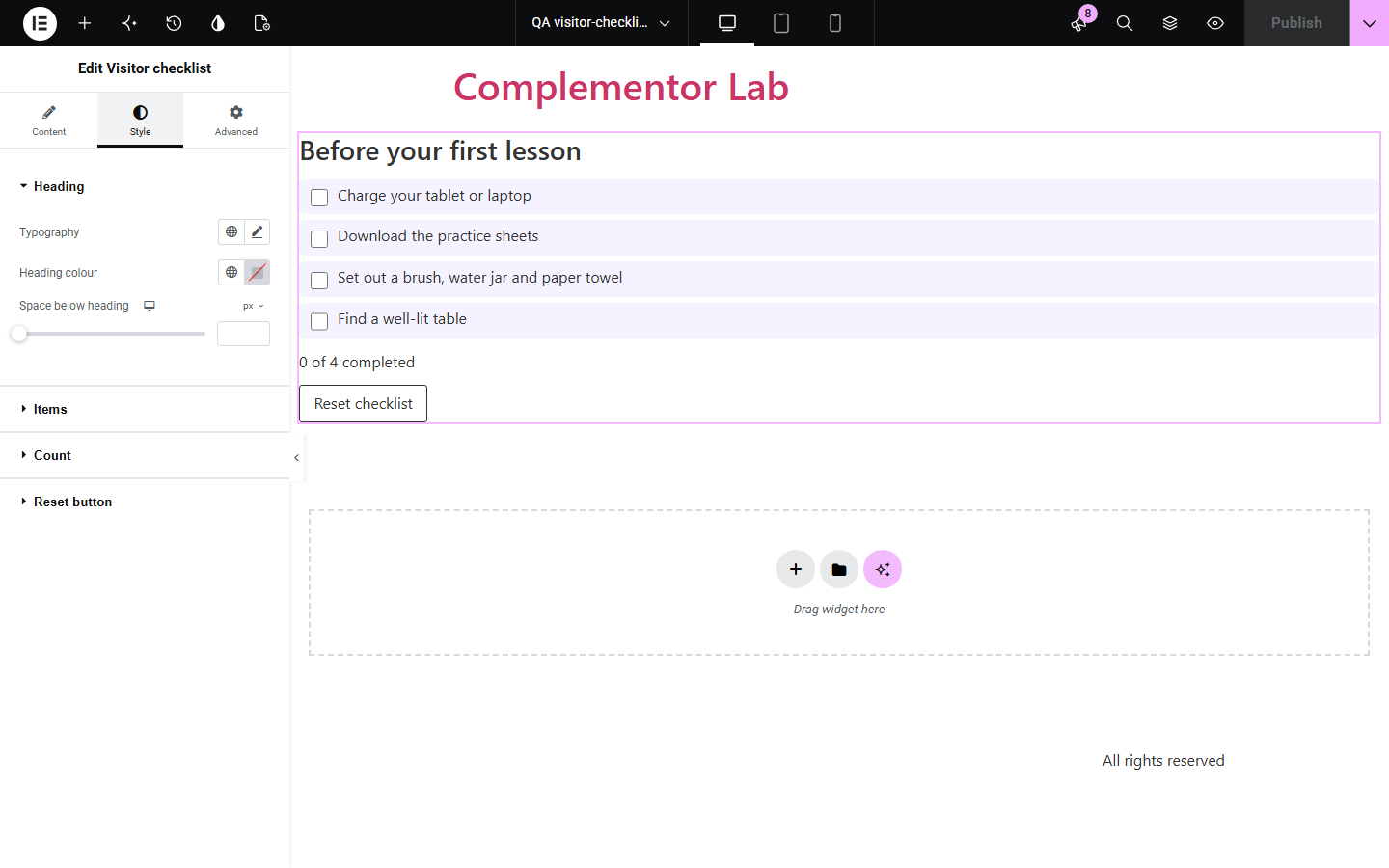
Tutorials, event pages and onboarding guides often list steps that readers want to tick off as they go, but a plain bullet list can't be checked and a full to-do app is overkill. Visitor checklist adds real, labelled checkboxes with a live count and a reset button, and keeps the ticks in the page only, with no storage, accounts or tracking.
Let readers tick off ingredients or steps while they follow along.
Give visitors a packing or preparation list they can check on their phone.
Walk new customers through setup steps with a visible progress count.
Start with Complementor installed and your license connected. Enable this module in the WordPress library, then configure it in Elementor.
Install Complementor, connect your license and enable Visitor checklist in the Complementor library.
Add the widget and write your items in Content › Checklist items.
Choose whether to show the completed count and the reset button, and edit their wording.
Set a heading, optional icons, and style completed items, for example with strike-through.
Publish, tick a few boxes and press Reset to check it works.
Configure the settings available for this module to suit the page you are building.
Repeater of items you write; up to 100 items.
Native, labelled checkboxes; clicking the text ticks the box.
Live completed count with {done} and {total}, announced politely to screen readers.
Reset button with your own text.
Heading with tag, or an accessible name, and an optional icon before each item.
Style: items, checkbox size and accent colour, completed colour and strike-through, Hover and Focus states, count and reset button.
Compare the existing Elementor workflow with this Complementor module before choosing your setup.
Icon List shows a static list with icons. Use it when nothing needs ticking; use this widget when visitors should check items off.
A form with checkboxes collects and stores answers. This widget stores nothing and sends nothing, so it needs no privacy notice for the ticks.
Complementor uses classic Elementor APIs. Atomic-native controls are not implemented. Check your theme, cache and integrations on a staging site before release.
Check these settings if the published page behaves differently from the editor.
Ticks are kept only for the current page view. Some browsers restore them when you go back; the count updates to match.
They appear once the widget's script runs, and only when turned on in Behaviour.
All items are empty. Add at least one item with text.
No. Items are plain text so that the whole label ticks the box.
No. Nothing is stored in cookies, local storage or the database, and nothing is sent anywhere.
No. It works with the free version of Elementor.
Yes. It uses native checkboxes with labels, a named group, a visible focus outline and a polite live count.
No. Items are written by you in the editor.
It is a small script with no dependencies that only updates the count and handles Reset.
This module is included with all 1007 current Complementor solutions. Choose your production website allowance; every plan includes the same modules.
Renews at $29 USD each year.
Renews at $49 USD each year.
Renews at $99 USD each year.
Applicable taxes extra. Annual subscriptions renew automatically unless canceled in your customer account. Elementor Pro is required for Exclude current post. Read the terms and 14-day technical-issue refund policy.