Developer resources
Offer quick test IDs on a documentation or tools page.
 I Build Elementor.
Give visitors fresh version 4 UUIDs made in their own browser, with a choice of how many, capital letters, no hyphens and a Copy all button.
These are the actual published outputs of the widget. Change the number or the options, press Generate new, or copy the list.
Content sets how many UUIDs are made, whether visitors can change the number, the capital letters and hyphens options, and every label and message. The Style tab covers the number field and list, the labels and checkboxes, the error colour and the buttons.
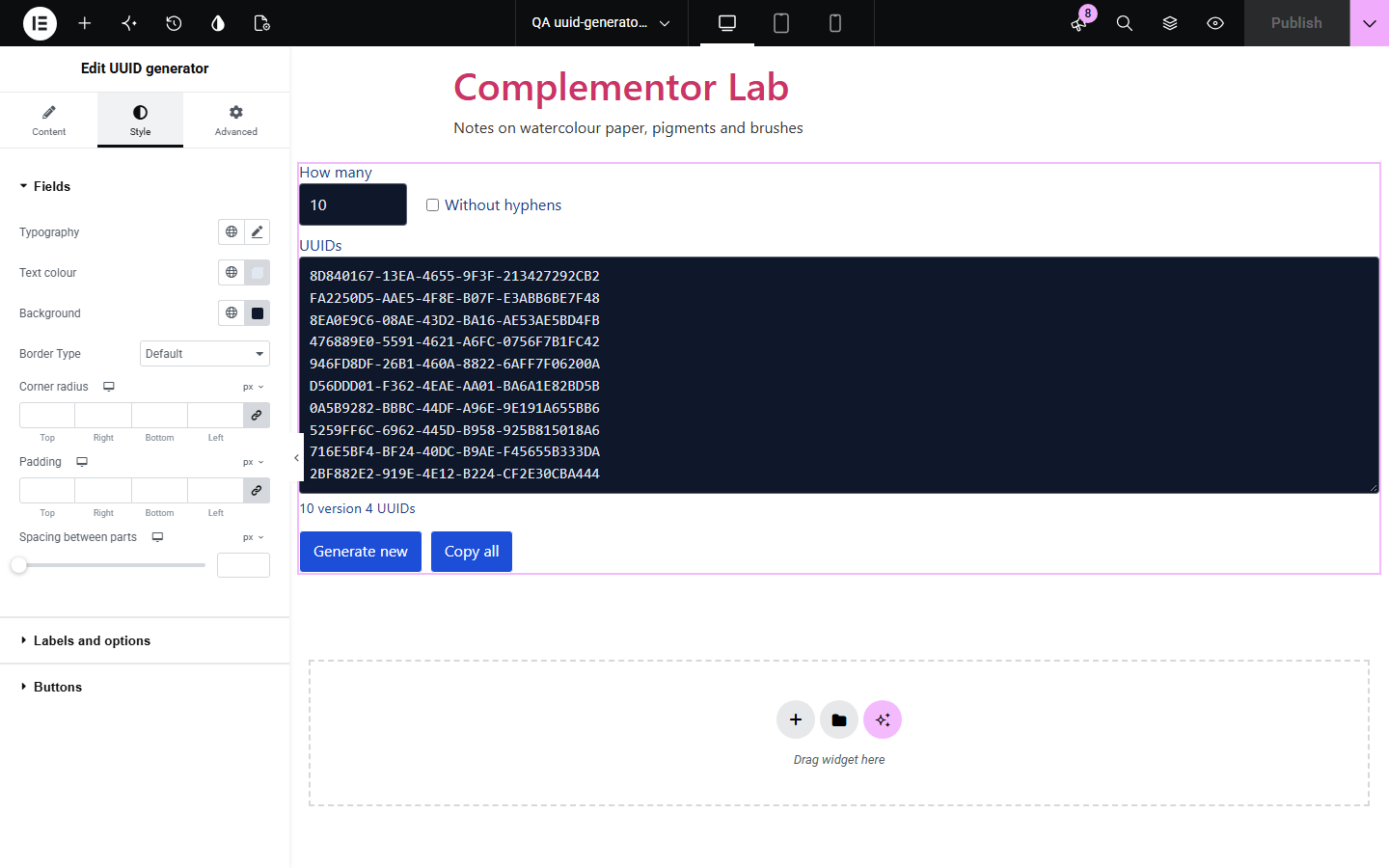
Developers, testers and database users often need a few random identifiers, but many generator sites are slow, full of adverts or make UUIDs on their server. UUID generator runs on your own page: each visitor's browser makes version 4 UUIDs with its built-in cryptography, so cached pages never share a list. Visitors choose how many, switch to capital letters or drop the hyphens, and copy the whole list with one button.
Offer quick test IDs on a documentation or tools page.
Let staff copy a batch of keys for imports.
Show students what random identifiers look like.
Start with Complementor installed and your license connected. Enable this module in the WordPress library, then configure it in Elementor.
Install Complementor, connect your license and enable UUID generator in the Complementor library.
Add the widget to a page.
Choose how many UUIDs to show at first.
Decide which options visitors can change.
Style the list and the buttons.
Configure the settings available for this module to suit the page you are building.
Version 4 UUIDs, 1 to 100 at a time.
Made in the visitor's browser.
Capital letters option.
Without hyphens option.
Copy all and Generate new buttons.
Options fixed or left to visitors.
Compare the existing Elementor workflow with this Complementor module before choosing your setup.
They take visitors off your page and may make UUIDs on their server.
Work well for developers but not for every visitor.
Complementor uses classic Elementor APIs. Atomic-native controls are not implemented. Check your theme, cache and integrations on a staging site before release.
Check these settings if the published page behaves differently from the editor.
The options change how the same UUIDs are written. Press Generate new for a fresh list.
The number must be a whole number from 1 to 100.
The Clipboard API works only on HTTPS pages. Elsewhere the list is selected and copied the older way.
The option is set to Always on (hidden). Choose a visitor setting in the Generator section.
No. It works with the free version of Elementor.
No. Each visitor's browser makes them, and nothing is sent or saved.
Version 4, the random kind, with the version and variant bits set as the standard requires.
Yes. The fields are labelled, errors are linked to the number field, and the summary is announced.
Yes. Without it a short message is shown instead.
This module is included with all 1007 current Complementor solutions. Choose your production website allowance; every plan includes the same modules.
Renews at $29 USD each year.
Renews at $49 USD each year.
Renews at $99 USD each year.
Applicable taxes extra. Annual subscriptions renew automatically unless canceled in your customer account. Elementor Pro is required for Exclude current post. Read the terms and 14-day technical-issue refund policy.