Database and API limits
Check text against byte-limited fields before saving.
 I Build Elementor.
Let visitors measure text in UTF-8 bytes beside characters and words, check it against a byte limit and trim it without breaking characters.
These are the actual published widgets running in your browser; paste your own text to try them.
Text and limit sets the starting text, an optional byte limit, whether visitors can change it and the Trim to limit button. Behaviour chooses which counts, the size breakdown and the character table show, and live updates. Labels sets the heading and every label and button. The Style tab covers the layout, box height, counts and meter, table lines, fields and buttons.
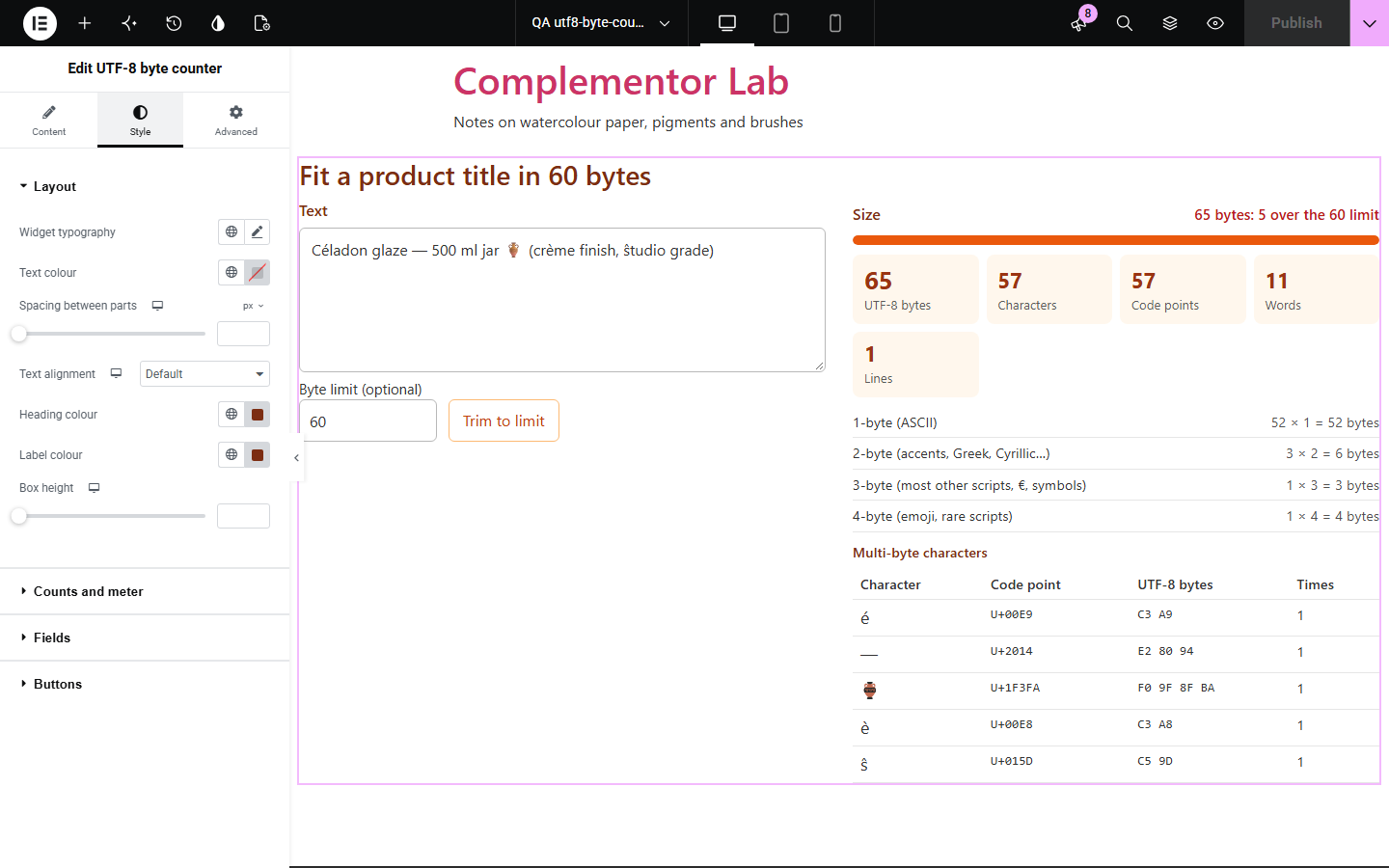
Databases, APIs, SMS gateways and file formats often limit text by bytes, not characters, and accented letters, other scripts and emoji take two to four bytes each. UTF-8 byte counter shows the real byte size next to the character count, which characters cost more, and trims text to a byte limit without cutting a character in half.
Check text against byte-limited fields before saving.
See which characters push a title over a limit.
Show why emoji and other scripts take more bytes.
Start with Complementor installed and your license connected. Enable this module in the WordPress library, then configure it in Elementor.
Install Complementor, connect your license and enable UTF-8 byte counter in the Complementor library.
Add the widget to a developer, content or support page.
Set a byte limit if your field or system has one, such as 255 or 4096.
Choose which counts show and whether visitors can change the limit.
Style the counts and meter, then paste text to check it.
Configure the settings available for this module to suit the page you are building.
UTF-8 bytes, characters (as people see them), code points, UTF-16 units, words and lines.
An optional byte limit with a meter and how many bytes are left or over.
Trim to limit, which never splits a character or emoji.
Bytes per character size: 1-byte ASCII, 2-, 3- and 4-byte characters.
A table of multi-byte characters with code point and UTF-8 bytes; invisible ones are named.
Each count can be shown or hidden.
Live updates or a Count button.
Compare the existing Elementor workflow with this Complementor module before choosing your setup.
Another Complementor text tool.
Decodes percent-encoded text in links.
Complementor uses classic Elementor APIs. Atomic-native controls are not implemented. Check your theme, cache and integrations on a staging site before release.
Check these settings if the published page behaves differently from the editor.
Characters outside basic ASCII take 2 to 4 bytes in UTF-8; the size breakdown shows how many of each.
Some characters people see as one, such as a family emoji or a skin-tone emoji, are several code points joined together.
It removes whole characters, so a multi-byte character that does not fit is removed entirely.
The length JavaScript and some systems report; emoji count as two.
No. It works with the free version of Elementor.
No. Everything runs in the visitor’s browser.
Yes. It matches the browser’s own UTF-8 encoder.
Yes, unless you turn off Let visitors set the limit.
Yes. Each count has its own switch.
This module is included with all 1007 current Complementor solutions. Choose your production website allowance; every plan includes the same modules.
Renews at $29 USD each year.
Renews at $49 USD each year.
Renews at $99 USD each year.
Applicable taxes extra. Annual subscriptions renew automatically unless canceled in your customer account. Elementor Pro is required for Exclude current post. Read the terms and 14-day technical-issue refund policy.