Editorial teams
Agree on slugs before drafting.
 I Build Elementor.
Let visitors type a title and get a clean URL slug that follows WordPress's own rules, with an address preview on your site and a Copy button.
These are the actual published outputs of the widget. Type a title in any of them; the slug updates as you type. The preview shows a sample site address here.
Content sets the separator, whether letters from other alphabets are kept, a maximum length, common words to leave out (switchable by visitors or fixed), the address preview and the path before the slug, and every label. The Style tab covers the fields, labels and preview, and the Copy button.
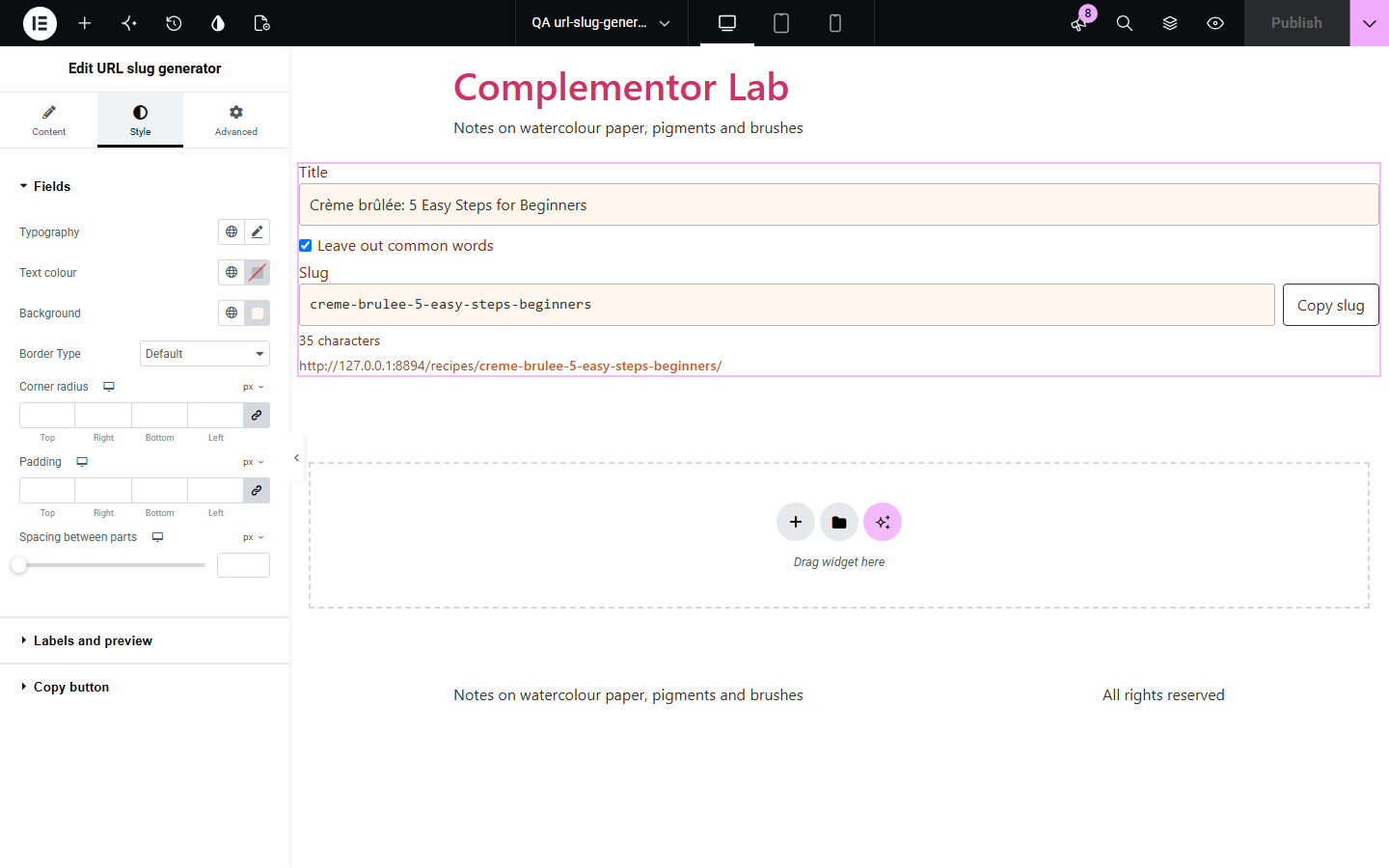
Writers and shop owners often need a tidy slug before a page exists, and generic slug tools strip Greek or Cyrillic titles to nothing or spell accents differently from WordPress. URL slug generator turns any title into the slug WordPress would make: accents removed, apostrophes dropped, other alphabets kept, optional common words left out and a maximum length cut at a word. Visitors see the full address on your site and copy the slug, and nothing is sent anywhere.
Agree on slugs before drafting.
Plan product and category addresses.
Show readers how a good slug looks.
Start with Complementor installed and your license connected. Enable this module in the WordPress library, then configure it in Elementor.
Install Complementor, connect your license and enable URL slug generator in the Complementor library.
Add the widget to a page.
Choose the separator, length limit and common words.
Set the path shown before the slug in the preview.
Style it and type a title.
Configure the settings available for this module to suit the page you are building.
Same slugs as WordPress for common titles.
Keeps Greek, Cyrillic and other alphabets.
German ä, ö, ü spelled out on German sites.
Leave out common words, editable.
Maximum length cut at a word.
Address preview and Copy button.
Compare the existing Elementor workflow with this Complementor module before choosing your setup.
Often drop non-Latin titles or spell accents differently from WordPress.
Makes a real post just to see its slug.
Complementor uses classic Elementor APIs. Atomic-native controls are not implemented. Check your theme, cache and integrations on a staging site before release.
Check these settings if the published page behaves differently from the editor.
Keep letters from other alphabets is on, as in WordPress. Turn it off for a-z only.
Leave out common words is on. Untick it or edit the list.
The maximum length cuts it at the last whole word.
No. WordPress adds -2 if a slug is already used.
No. It works with the free version of Elementor.
For the titles we tested, yes: accents, apostrophes, spaces and other alphabets are handled the same way.
No. The slug is made in the visitor's browser.
Yes. Fields are labelled and the length note is announced.
Yes. Without it a short message is shown instead.
This module is included with all 1007 current Complementor solutions. Choose your production website allowance; every plan includes the same modules.
Renews at $29 USD each year.
Renews at $49 USD each year.
Renews at $99 USD each year.
Applicable taxes extra. Annual subscriptions renew automatically unless canceled in your customer account. Elementor Pro is required for Exclude current post. Read the terms and 14-day technical-issue refund policy.