Recipes and baking
Let readers convert grams to ounces and oven temperatures.
 I Build Elementor.
Add a converter for one family of units, such as length, mass or temperature, that updates as visitors type and swaps units with one button.
These are the actual published outputs of the widget: centimetres to inches, oven temperatures with an icon-only swap button, and grams to ounces. Type a value or swap the units.
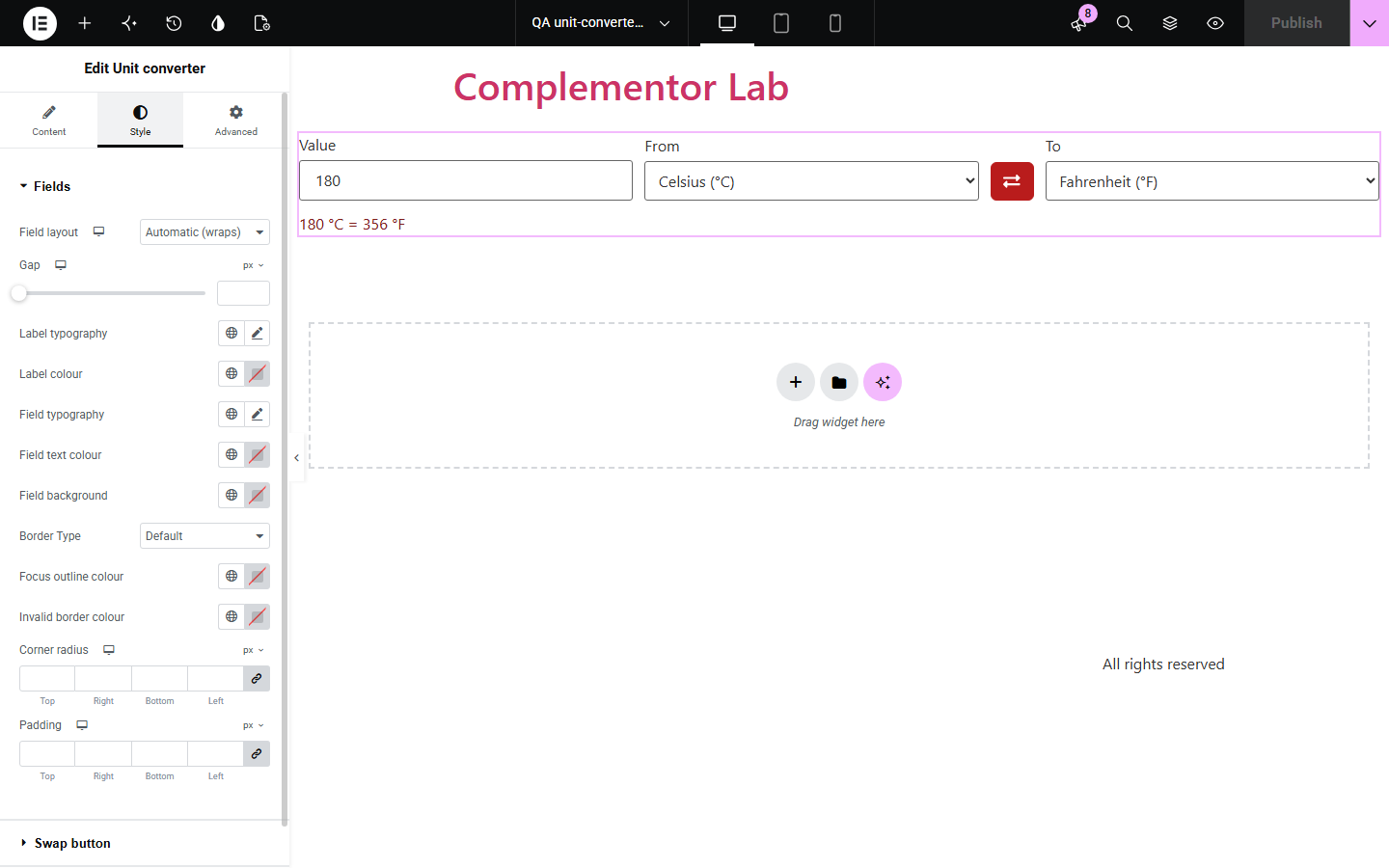
Content › Units picks the family, which units are offered, and the starting units and value. Behaviour sets the number input style, decimal places, trailing zeros, the swap button and whether the original value is repeated in the result. Display sets the labels, swap label and icon, and the messages for invalid or impossible values. The Style tab covers labels, fields, the swap button with states, and the result and message colours.
Recipes, product sizes and instructions often use units your visitors do not, sending them to a search engine to convert them. Unit converter adds a converter for the unit family you choose, using exact conversion factors, that updates as visitors type and explains invalid input.
Let readers convert grams to ounces and oven temperatures.
Show sizes in centimetres and inches for international shoppers.
Convert distances, weights or temperatures in place.
Start with Complementor installed and your license connected. Enable this module in the WordPress library, then configure it in Elementor.
Install Complementor, connect your license and enable Unit converter in the Complementor library.
Add the widget and choose the unit family, such as length or temperature.
Pick which units to offer and the starting units.
Set the starting value and decimal places.
Publish and type a value to check the result.
Configure the settings available for this module to suit the page you are building.
Unit families such as length, mass and temperature with exact conversion factors.
Choose which units are offered and the starting pair.
Results update as visitors type, with a swap button.
Decimal places and trailing-zero trimming.
Messages for invalid numbers and impossible values such as below absolute zero.
Style: labels, fields, swap button states, result and message colours.
Compare the existing Elementor workflow with this Complementor module before choosing your setup.
Visitors leave your page to convert. This converter keeps them on it.
Listing every value twice clutters text. A converter covers any value.
Complementor uses classic Elementor APIs. Atomic-native controls are not implemented. Check your theme, cache and integrations on a staging site before release.
Check these settings if the published page behaves differently from the editor.
The value is impossible, such as below absolute zero, or too large to convert accurately.
Number input accepts a dot by default. Change Number input in Behaviour to accept a comma.
Only the units chosen in Allowed units are offered.
Lower Decimal places, and keep Trim trailing zeros on.
No. It works with the free version of Elementor.
Yes. Fields have labels, the swap button has a spoken name, and results and errors are announced.
It uses the exact definitions, such as 1 inch = 2.54 cm and 1 ounce = 28.349523125 g.
No. Each converter handles one family; add another widget for another family.
No. A message explains that JavaScript is needed to convert.
This module is included with all 1007 current Complementor solutions. Choose your production website allowance; every plan includes the same modules.
Renews at $29 USD each year.
Renews at $49 USD each year.
Renews at $99 USD each year.
Applicable taxes extra. Annual subscriptions renew automatically unless canceled in your customer account. Elementor Pro is required for Exclude current post. Read the terms and 14-day technical-issue refund policy.