Cleaning pasted text
Replace ligatures, full-width letters and fractions copied from PDFs.
 I Build Elementor.
Let visitors normalize text to NFC, NFD, NFKC or NFKD, compare all four forms and see which characters change, then copy the result.
These are the actual published widgets running in your browser; paste your own text to try them.
Text and form sets the starting text, the starting form and whether visitors can choose it. Behaviour turns the comparison, the list of changes, Use as input and live updates on or off. Labels sets the heading and every label and button. The Style tab covers the layout, box height, comparison and change colours, fields and buttons.
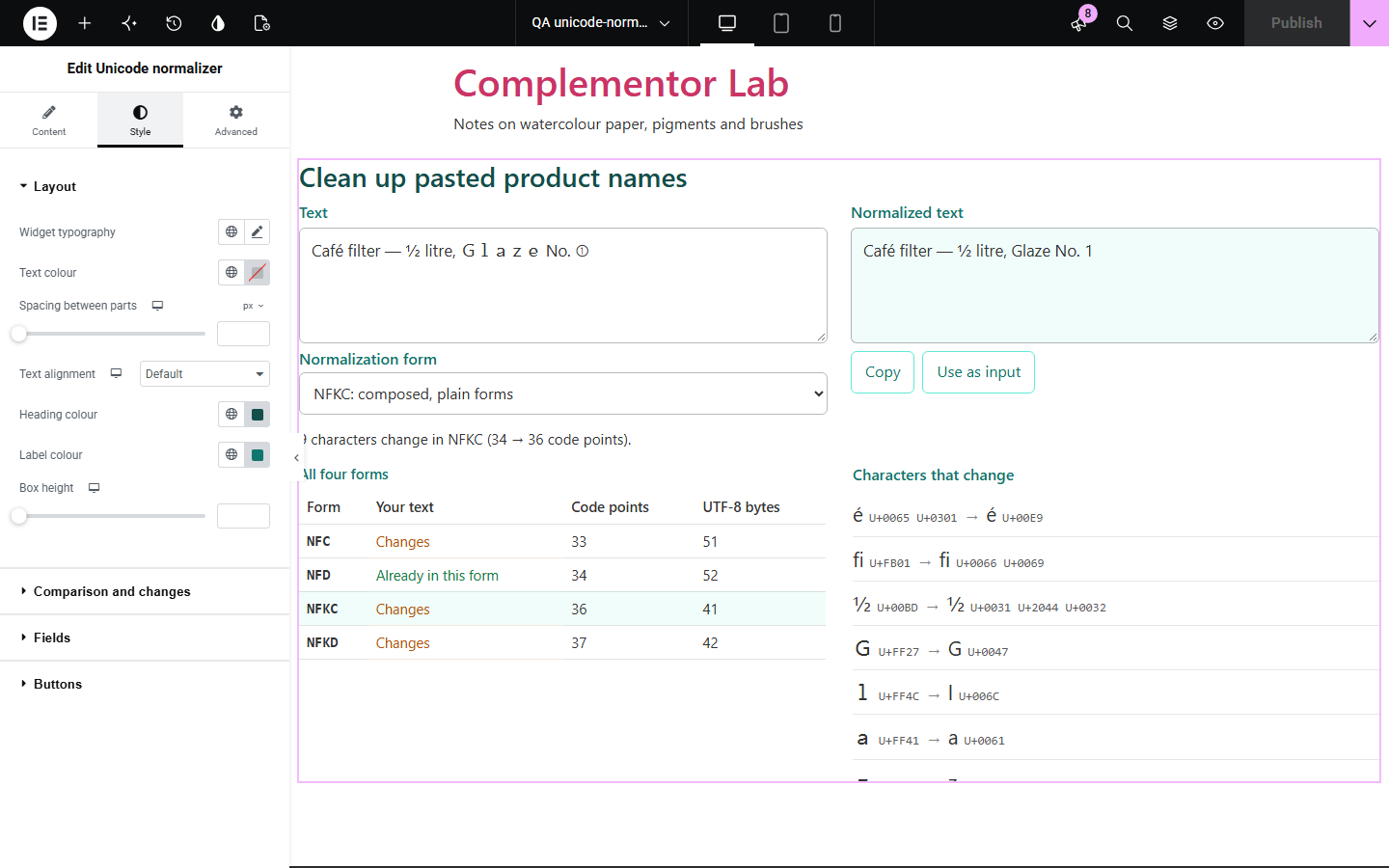
Two pieces of text can look identical and still fail to match: an accent stored as a separate mark, a ligature, a full-width letter or a fraction pasted from a PDF. Unicode normalizer converts text to one of the four standard forms, shows which forms the text is already in and lists every character that changes, with its code points, so visitors can clean up text before they search, compare or store it.
Replace ligatures, full-width letters and fractions copied from PDFs.
See why two strings that look the same are not equal.
Show how composed and decomposed forms differ.
Start with Complementor installed and your license connected. Enable this module in the WordPress library, then configure it in Elementor.
Install Complementor, connect your license and enable Unicode normalizer in the Complementor library.
Add the widget to a developer, data or language page.
Paste starting text to show an example, such as a name with accents.
Choose the starting form and whether visitors can change it.
Style the fields, comparison and buttons, then paste text to check it.
Configure the settings available for this module to suit the page you are building.
NFC, NFD, NFKC and NFKD, chosen by the visitor or fixed.
A table showing whether the text is already in each form, with code points and UTF-8 bytes.
Every character that changes, with its code points before and after and how often it appears.
Copy and Use as input buttons.
Live updates or a Normalize button.
Compare the existing Elementor workflow with this Complementor module before choosing your setup.
Lists every code point with its category and script.
Counts bytes and checks byte limits.
Complementor uses classic Elementor APIs. Atomic-native controls are not implemented. Check your theme, cache and integrations on a staging site before release.
Check these settings if the published page behaves differently from the editor.
The text is already in the chosen form. The comparison table shows which forms would change it.
NFC is the usual choice for the web. NFKC also replaces compatibility characters such as ligatures and full-width letters, which can change meaning, so use it for cleaning text rather than for storing what people wrote.
The compatibility forms NFKC and NFKD replace superscripts, fractions and similar characters with plain ones. NFC and NFD keep them.
No. It works with the free version of Elementor.
No. Everything runs in the visitor’s browser.
NFC, NFD, NFKC and NFKD.
Yes. Copy puts the normalized text on the clipboard, and Use as input moves it into the box.
Yes. Turn off Let visitors choose the form and the starting form is always used.
This module is included with all 1007 current Complementor solutions. Choose your production website allowance; every plan includes the same modules.
Renews at $29 USD each year.
Renews at $49 USD each year.
Renews at $99 USD each year.
Applicable taxes extra. Annual subscriptions renew automatically unless canceled in your customer account. Elementor Pro is required for Exclude current post. Read the terms and 14-day technical-issue refund policy.