Spotting spoofed links and names
Find lookalike letters from other alphabets.
 I Build Elementor.
Let visitors break text into Unicode code points with categories, scripts and encodings, spot lookalike letters and invisible characters, and copy escapes.
These are the actual published widgets running in your browser; paste your own text to try them.
Text sets the starting text, the output format, whether visitors can change it and how many code points are listed. Behaviour turns the encoding columns, the output and live updates on or off. Labels sets the heading and every label and button. The Style tab covers the layout, box height, table, notes and output colours, fields and buttons.
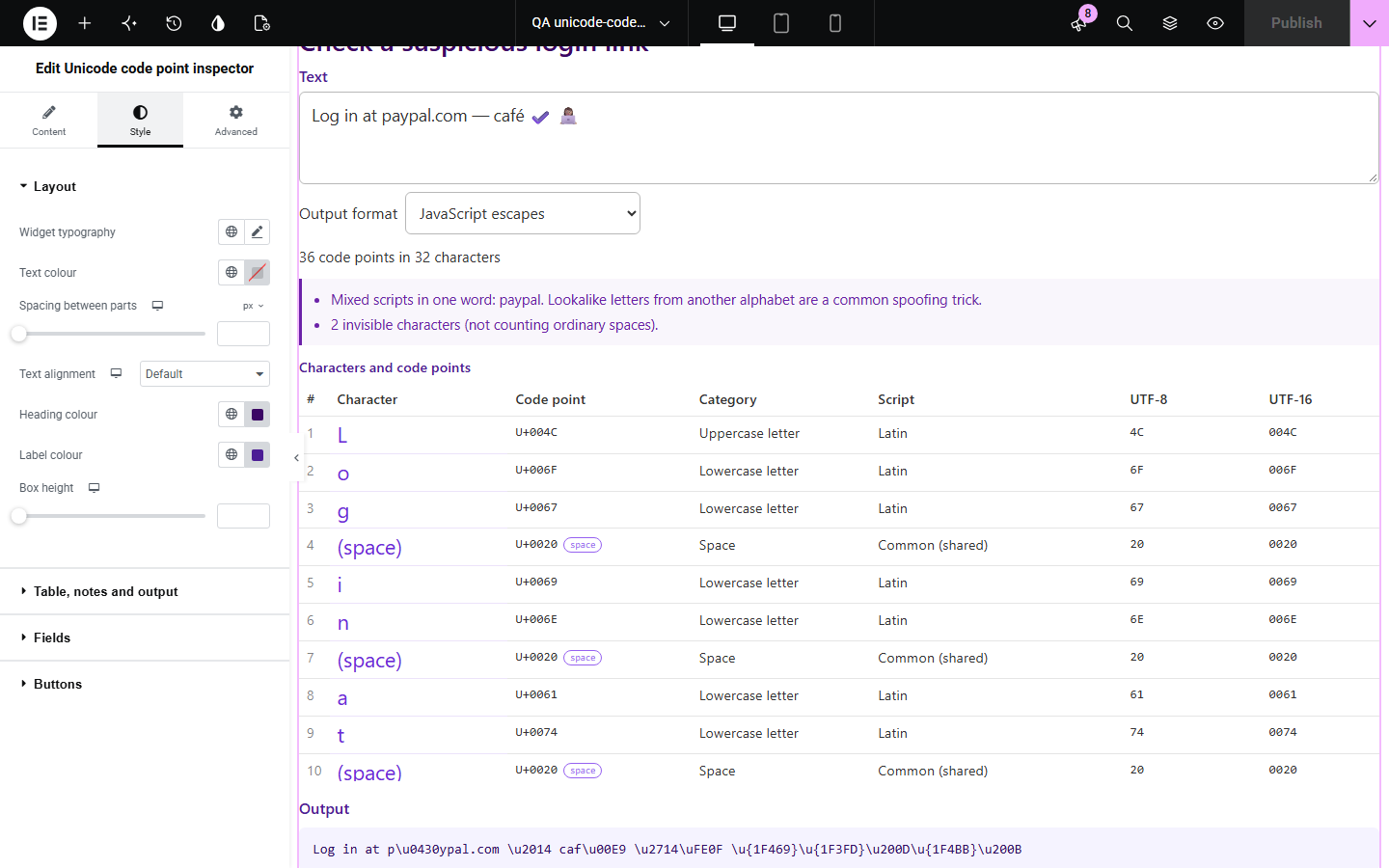
Text can look right and still hide problems: a Cyrillic letter that passes for a Latin one, a zero-width space, an accent stored as a separate mark, or an emoji built from several pieces. Unicode code point inspector lists every character and the code points inside it, with category, script and encodings, flags lookalikes and invisible characters, and gives escapes to copy.
Find lookalike letters from other alphabets.
See invisible characters and combining marks.
Copy the right escape for JavaScript, HTML or CSS.
Start with Complementor installed and your license connected. Enable this module in the WordPress library, then configure it in Elementor.
Install Complementor, connect your license and enable Unicode code point inspector in the Complementor library.
Add the widget to a developer, security or language page.
Paste starting text to show an example, such as a name with accents or an emoji.
Choose the output format and whether the encoding columns show.
Style the table and notes, then paste text to check it.
Configure the settings available for this module to suit the page you are building.
Each character as people see it, with the code points inside it.
Category, script, UTF-8 bytes and UTF-16 units for every code point.
Warnings for words mixing scripts, invisible characters and text that changes under NFC.
Invisible characters and spaces named rather than left blank.
Output as U+ code points, JavaScript escapes, HTML character references or CSS escapes.
Copy output and a limit on how many code points are listed.
Live updates or an Inspect button.
Compare the existing Elementor workflow with this Complementor module before choosing your setup.
Counts bytes and checks byte limits.
Finds the links in pasted text.
Complementor uses classic Elementor APIs. Atomic-native controls are not implemented. Check your theme, cache and integrations on a staging site before release.
Check these settings if the published page behaves differently from the editor.
Some characters, such as a skin-tone emoji or an accent written as a separate mark, are built from several code points.
It contains letters from more than one alphabet, such as a Cyrillic а among Latin letters, a common trick in fake links.
The text contains characters that can be stored two ways; searches and comparisons may treat the two as different.
Names would need a large data file; the code point can be looked up in any Unicode reference.
No. It works with the free version of Elementor.
No. Everything runs in the visitor’s browser.
U+ code points, JavaScript, HTML character references and CSS escapes.
Yes. They are listed, named and counted in a note.
500 code points by default; the limit is a setting.
This module is included with all 1007 current Complementor solutions. Choose your production website allowance; every plan includes the same modules.
Renews at $29 USD each year.
Renews at $49 USD each year.
Renews at $99 USD each year.
Applicable taxes extra. Annual subscriptions renew automatically unless canceled in your customer account. Elementor Pro is required for Exclude current post. Read the terms and 14-day technical-issue refund policy.