Holiday lets and venues
How long to get there.
 I Build Elementor.
Estimate how long a trip takes from the distance and average speed, with regular breaks and an arrival time for a chosen departure.
Each example below is the actual published output of the Trip duration planner widget for a sample travel site. Visitors can change every value.
Content sets the unit, starting values, breaks, departure and labels. The Style tab covers the layout, answer, fields and button.
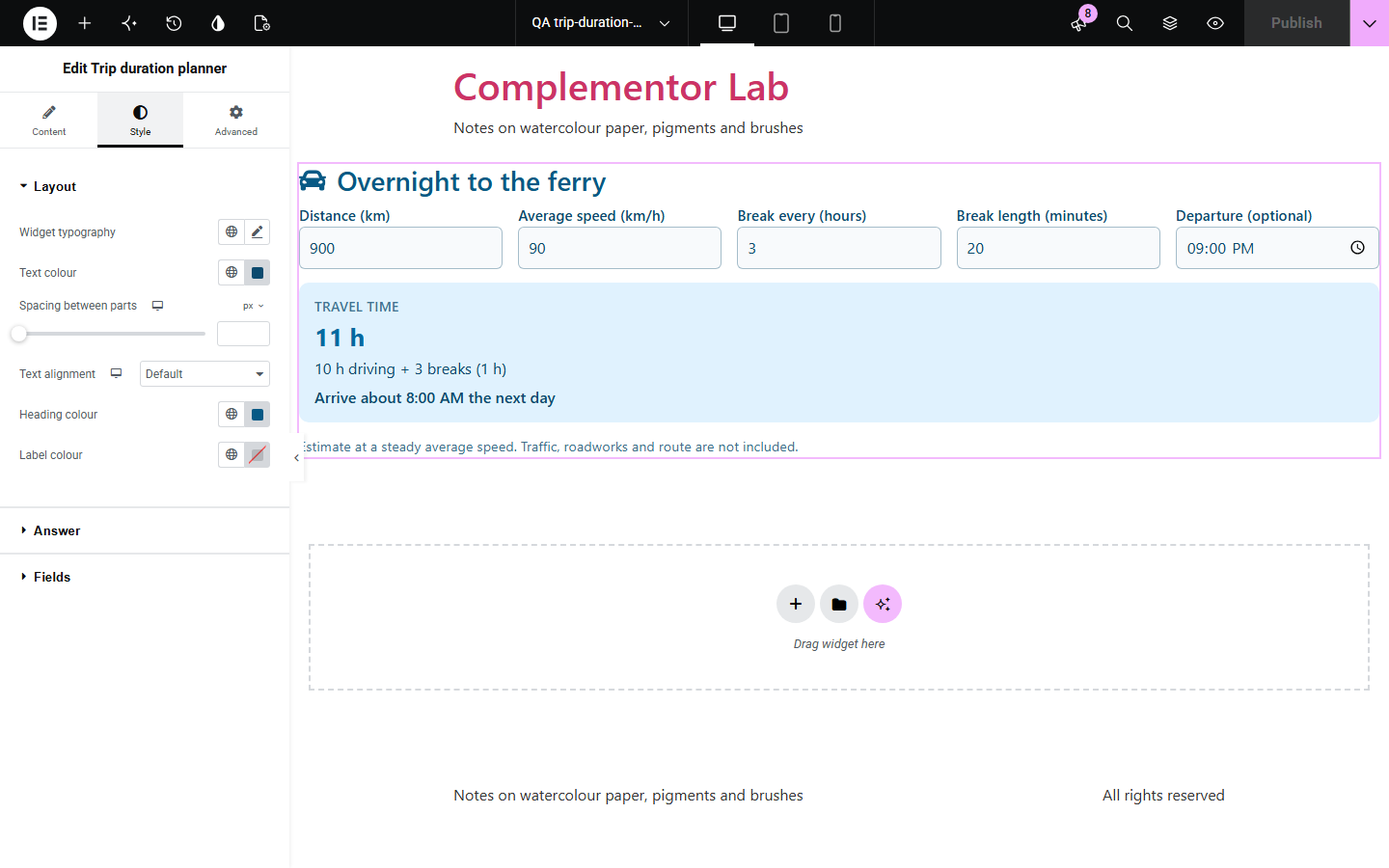
Travel sites, holiday lets and event pages are often asked how long the drive takes. A map embed needs an address and an API key, and a plain sentence cannot adapt to the visitor. Trip duration planner lets visitors enter the distance and their speed and shows the travel time with breaks, and the arrival time if they give a departure.
How long to get there.
Each leg with breaks.
When to leave to arrive in time.
Start with Complementor installed and your license connected. Enable this module in the WordPress library, then configure it in Elementor.
Install Complementor, connect your license and enable Trip duration planner in the Complementor library.
Add the widget to a travel, venue or holiday page.
Choose kilometres or miles and set a starting distance and speed.
Set the breaks and whether to ask for a departure time.
Style the answer, fields and labels.
Configure the settings available for this module to suit the page you are building.
Kilometres or miles.
Breaks every few hours.
Arrival time.
Live or button.
Starting values.
Your own labels.
Compare the existing Elementor workflow with this Complementor module before choosing your setup.
Need an address and an API key.
Cannot adapt to the visitor.
Complementor uses classic Elementor APIs. Atomic-native controls are not implemented. Check your theme, cache and integrations on a staging site before release.
Check these settings if the published page behaves differently from the editor.
The drive is shorter than the break interval, or the interval is 0.
It only shows when a departure time is entered.
It uses a steady average speed, with no route or traffic.
A value is missing or outside the allowed range.
No. It works with the free version of Elementor.
No. It is an estimate from the distance and average speed.
Yes. Choose miles and the speed is in mph.
No. It runs in the browser.
Yes. Every field has a label and the answer is announced.
This module is included with all 1007 current Complementor solutions. Choose your production website allowance; every plan includes the same modules.
Renews at $29 USD each year.
Renews at $49 USD each year.
Renews at $99 USD each year.
Applicable taxes extra. Annual subscriptions renew automatically unless canceled in your customer account. Elementor Pro is required for Exclude current post. Read the terms and 14-day technical-issue refund policy.