Appointment pages
Show the slots a practice or salon offers in a day.
 I Build Elementor.
Let visitors list the appointment or class slots that fit between two times, with a slot length, a gap between slots and breaks such as lunch.
These are the actual published widgets running in your browser; change the times to try them.
Times sets the starting times, slot length, gap, breaks and what visitors can change. Behaviour sets the clock, the summary and live updates. Labels names every field and button. The Style tab covers the layout, the slots and breaks, the fields and the buttons.
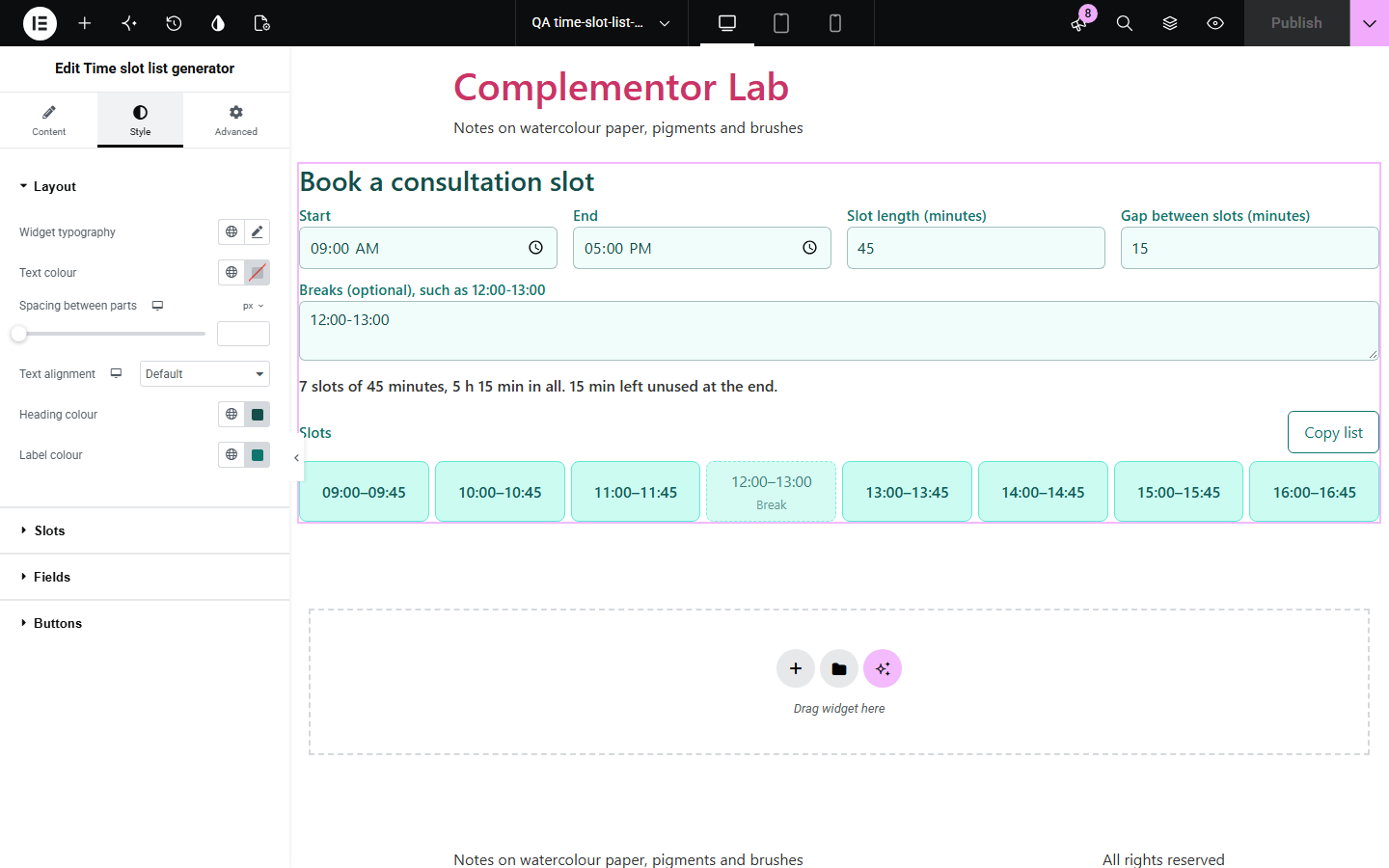
Booking pages, timetables and rotas start with a list of slots, and working them out by hand gets slow once there are gaps between appointments and a lunch break to skip. Time slot list generator lists every full slot between a start and an end time, skips breaks, runs past midnight when needed, and shows how much time is used and left over, ready to copy.
Show the slots a practice or salon offers in a day.
Split a session into talks or classes with breaks between them.
Plan back-to-back interviews or shifts and copy the list.
Start with Complementor installed and your license connected. Enable this module in the WordPress library, then configure it in Elementor.
Install Complementor, connect your license and enable Time slot list generator in the Complementor library.
Add the widget to a booking, timetable or planning page.
Enter the start and end times and the slot length.
Add a gap between slots and any breaks, one per line.
Choose whether visitors can change the times, then style the slots.
Configure the settings available for this module to suit the page you are building.
Start and end times, with slots past midnight when the end is earlier.
Slot length in minutes and a gap between slots.
Breaks such as lunch that no slot overlaps, with lines that are not time ranges pointed out.
A 24-hour or 12-hour clock.
A summary of the slots, the time they take and the time left over.
A copy button for the list, and visitor fields or a fixed list.
Compare the existing Elementor workflow with this Complementor module before choosing your setup.
Shows a meeting time in several time zones.
Counts working days between dates.
Complementor uses classic Elementor APIs. Atomic-native controls are not implemented. Check your theme, cache and integrations on a staging site before release.
Check these settings if the published page behaves differently from the editor.
The time left is shorter than one slot. The summary says how much is left unused.
The end time is earlier than the start, which is read as running past midnight. Check the end time if that was not meant.
It is not written as HH:MM-HH:MM. The note under the summary lists the lines that were not read.
No. It works with the free version of Elementor.
No. Everything runs in the visitor’s browser.
No. It lists the slots; pair it with your booking form or calendar.
Yes. Choose the 12-hour clock in Behaviour; times are typed in 24-hour HH:MM.
Yes. List breaks such as 12:00-13:00, one per line, and no slot overlaps them.
This module is included with all 1007 current Complementor solutions. Choose your production website allowance; every plan includes the same modules.
Renews at $29 USD each year.
Renews at $49 USD each year.
Renews at $99 USD each year.
Applicable taxes extra. Annual subscriptions renew automatically unless canceled in your customer account. Elementor Pro is required for Exclude current post. Read the terms and 14-day technical-issue refund policy.