Recipes and instructions
Turn a list of steps into numbered steps readers can copy.
 I Build Elementor.
Let visitors paste text and get it back with a number in front of each line, updated as they type and ready to copy.
These are the actual published outputs of the widget. Type or paste text into any of them; the numbered copy updates as you type.
Content sets the start number, the count-by step, the separator, number padding, blank-line handling, whether visitors can change the start and blank lines, the line limit and every label and message. The Style tab covers the layout and labels, the text area and fields, the numbered text with separate number and line colours, and the Copy and Clear buttons.
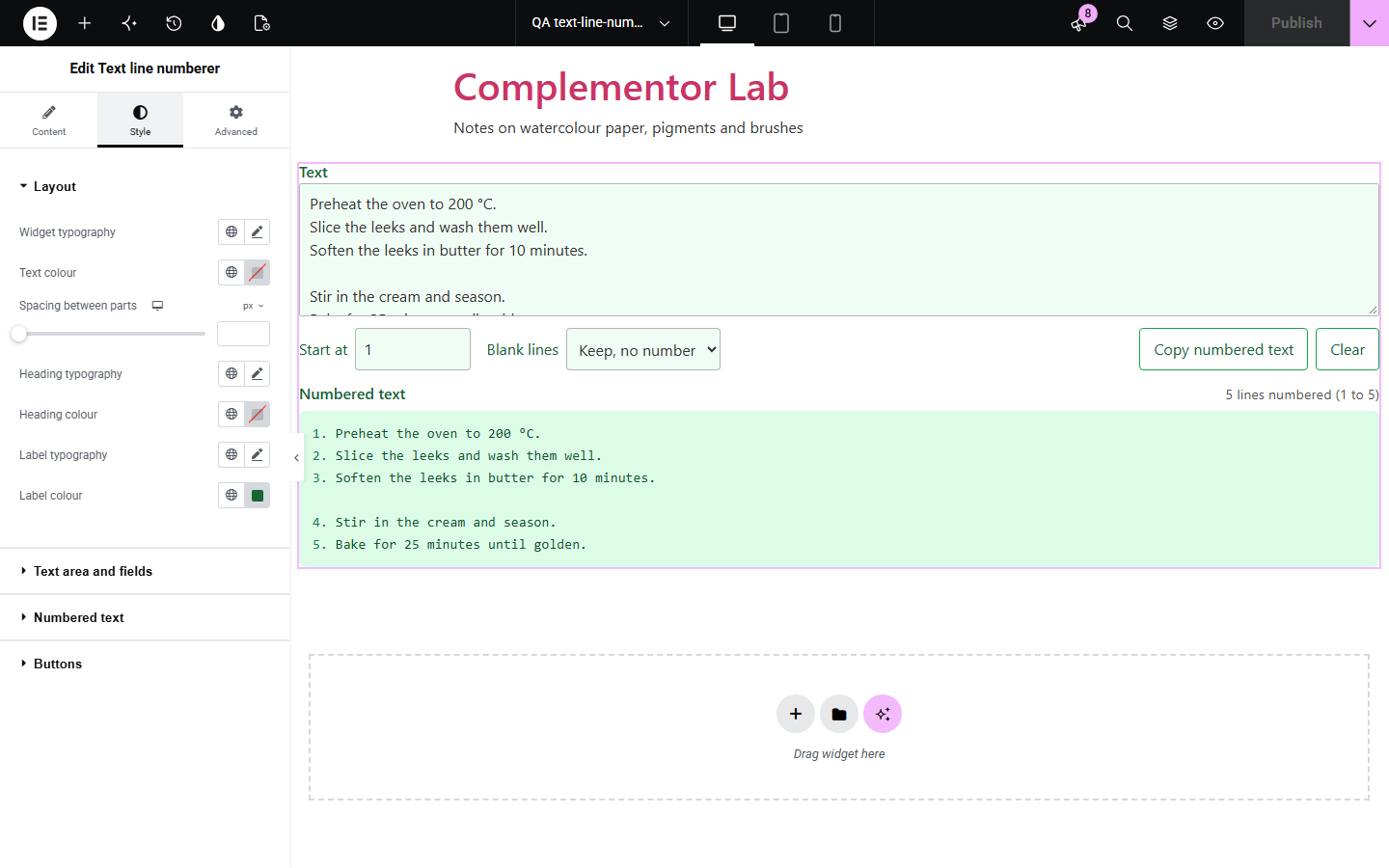
Numbered lines make lists, scripts, code excerpts and instructions easy to refer to, but numbering them by hand is slow and breaks as soon as a line is added. Text line numberer runs on your own page: visitors paste text and get it back numbered, with the start number, separator and blank-line handling they need, ready to copy.
Turn a list of steps into numbered steps readers can copy.
Number a code excerpt from the right line so reviewers can refer to it.
Add line numbers for rehearsals, lessons or citing a passage.
Start with Complementor installed and your license connected. Enable this module in the WordPress library, then configure it in Elementor.
Install Complementor, connect your license and enable Text line numberer in the Complementor library.
Add the widget to a page.
In Numbering, choose Start at, Count by, the separator and how blank lines are handled.
In Labels, optionally add starting text and adjust the labels and messages.
Style the text area, numbered text and buttons, then paste some text to test it.
Configure the settings available for this module to suit the page you are building.
Numbering updates as visitors type, with a line count announced to screen readers.
Start at any whole number from 0 and count by 1 or more.
Separator after the number: colon, full stop, bracket, bar, tab or space.
Numbers can be lined up with spaces or zeros (001, 010, 100).
Blank lines can be numbered, kept without a number or removed, and visitors can change this and the start number.
Copy numbered text copies exactly what is shown, also on sites without HTTPS.
Separate colours for numbers and line text, a maximum height that scrolls, and wrapping on or off.
Compare the existing Elementor workflow with this Complementor module before choosing your setup.
Better for a fixed list you write yourself; it does not let visitors number their own text.
Better for showing your own code with syntax colouring and line numbers; visitors cannot paste text into it.
Fine for one-off documents but take visitors away from your page.
Complementor uses classic Elementor APIs. Atomic-native controls are not implemented. Check your theme, cache and integrations on a staging site before release.
Check these settings if the published page behaves differently from the editor.
A final line break does not start a new line, so the empty line after it is not numbered.
Blank lines are numbered by default. Choose Keep, no number or Remove under Blank lines.
Start at accepts whole numbers from 0 to 1,000,000,000. Clear the field to go back to the saved start.
Only the first 5,000 lines are numbered by default. Raise Most lines numbered in Numbering, up to 50,000.
No. It works with the free version of Elementor.
No. The numbering happens in the visitor's browser and nothing is saved.
Yes. Line up numbers pads them with spaces or zeros to the width of the largest number.
Yes. Choose Tab as the separator and the numbers land in their own column.
Yes. Without it a short message is shown instead.
This module is included with all 1007 current Complementor solutions. Choose your production website allowance; every plan includes the same modules.
Renews at $29 USD each year.
Renews at $49 USD each year.
Renews at $99 USD each year.
Applicable taxes extra. Annual subscriptions renew automatically unless canceled in your customer account. Elementor Pro is required for Exclude current post. Read the terms and 14-day technical-issue refund policy.