Writing tools pages
Offer a quick word swap next to your other free text tools.
 I Build Elementor.
Give visitors a find and replace tool: paste text, choose the words to swap, match case or whole words, and copy the result, all in the browser.
These are the actual published widgets. Change the text, the Find or Replace with fields or the options and press Replace all, or type in the live example; the result updates in your browser.
Content sets the heading and its tag, the labels for the text, Find and Replace with fields, example values, the button and result labels and an optional icon. Behaviour sets Match case and Whole words defaults, whether visitors see those checkboxes, live updating, the replacement count and the copy button. The Presentation tab styles text, gap, alignment, inputs and text box height, both buttons with hover states, and the result box.
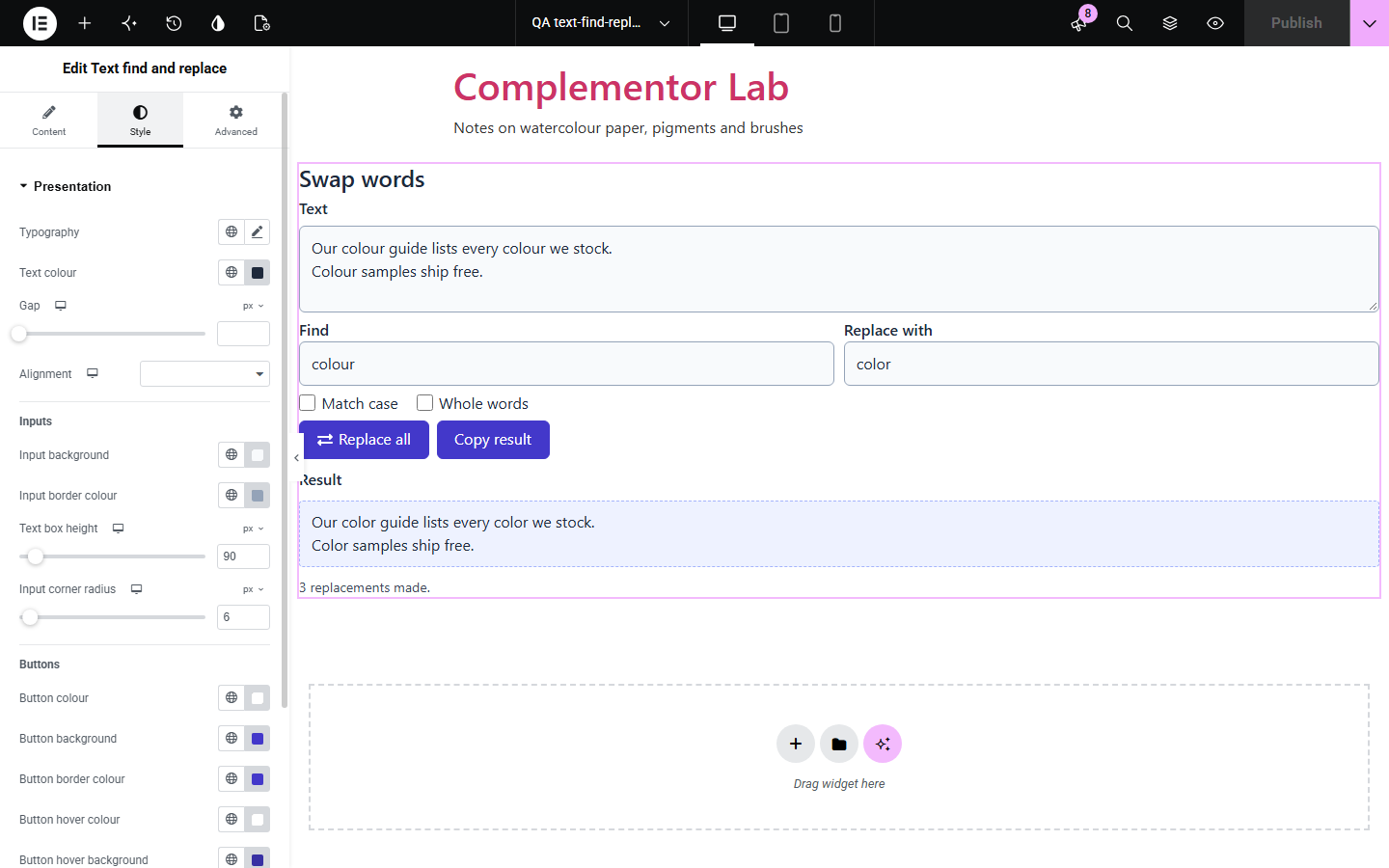
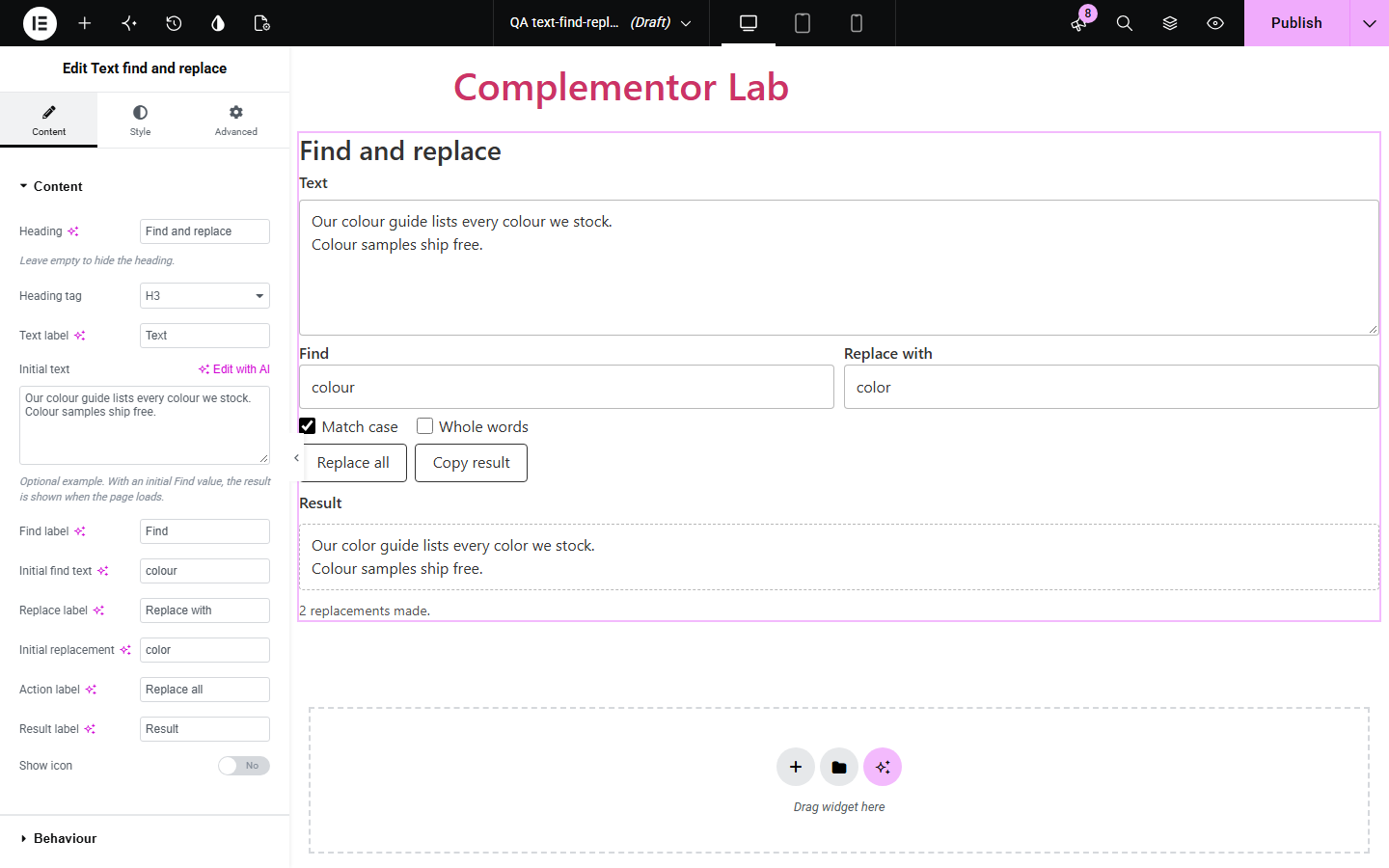
Visitors who need to swap a word throughout a block of text, such as a product name, a spelling or a placeholder, usually have to open another app. Text find and replace puts a small tool on your page: paste the text, enter what to find and what to replace it with, choose Match case or Whole words, and copy the result. Nothing leaves the browser.
Offer a quick word swap next to your other free text tools.
Let visitors swap a placeholder name throughout a sample letter or policy.
Convert British to American spellings, such as colour to color, in pasted copy.
Start with Complementor installed and your license connected. Enable this module in the WordPress library, then configure it in Elementor.
Install Complementor, connect your license and enable Text find and replace in the Complementor library.
Drag the Text find and replace widget onto the page in Elementor.
In Content, set the labels and optional example text, Find and Replace with values.
In Behaviour, set Match case and Whole words, and choose live updating, the count and the copy button.
Style the inputs, buttons and result in Presentation, then publish and try it.
Configure the settings available for this module to suit the page you are building.
Separate Find and Replace with fields; any characters, including | and $, are matched and inserted literally.
Match case and Whole words, as defaults and optional visitor checkboxes.
Shows “3 replacements made.” or “No matches found.”
Copy result button with a fallback for sites without the Clipboard API.
Optional live updating while visitors type.
Example text is replaced on the server so the page shows a before and after.
Style the inputs, buttons with hover colours and the result box.
Compare the existing Elementor workflow with this Complementor module before choosing your setup.
Word processors and code editors do this for private files. Use this widget when your visitors need the tool on your site.
These change text in your WordPress database. Use them to edit your own site; this widget only changes text a visitor pastes and never touches your content.
You can write your own tool in an HTML widget. This widget adds options, counts, copying, translations and native styling.
Complementor uses classic Elementor APIs. Atomic-native controls are not implemented. Check your theme, cache and integrations on a staging site before release.
Check these settings if the published page behaves differently from the editor.
The text has no match. Check Match case and Whole words; the summary says “No matches found.”
Whole words is off. Tick Whole words so “cat” does not change “category”.
With Match case off, every match is replaced with exactly what you typed in Replace with.
Yes. A saved value with a single | is split into the Find and Replace with fields.
No. It works with the free version of Elementor.
No. Replacing and copying happen in the visitor's browser; nothing is submitted or stored.
No. Find text is matched literally, so symbols such as $, | and . work as typed.
Yes. Every field and checkbox has a label, buttons and checkboxes work with the keyboard, Enter in the Find field runs it, and the count is announced as a status message.
Yes. Leave Replace with empty to delete every match.
This module is included with all 1007 current Complementor solutions. Choose your production website allowance; every plan includes the same modules.
Renews at $29 USD each year.
Renews at $49 USD each year.
Renews at $99 USD each year.
Applicable taxes extra. Annual subscriptions renew automatically unless canceled in your customer account. Elementor Pro is required for Exclude current post. Read the terms and 14-day technical-issue refund policy.