Developer documentation
Let readers encode a value for an API call in place.
 I Build Elementor.
Add a converter that URL-encodes, Base64-encodes or HTML-escapes text, and decodes it again, entirely in the visitor's browser.
These are the actual published outputs of the widget: the default URL encoder, an encode-only query value, a Base64 decoder with dark text areas, and an HTML escaper for code snippets. Type or paste to convert.
Content › Mode picks URL, Base64 or HTML entities and whether visitors encode, decode or choose. Behaviour sets the input limit and, for HTML, whether non-ASCII characters become numeric entities. Labels sets every label, the starting text, placeholder, limit message and the message shown without JavaScript. The Style tab covers the text areas, labels and messages, and the Reset button with its states and position.
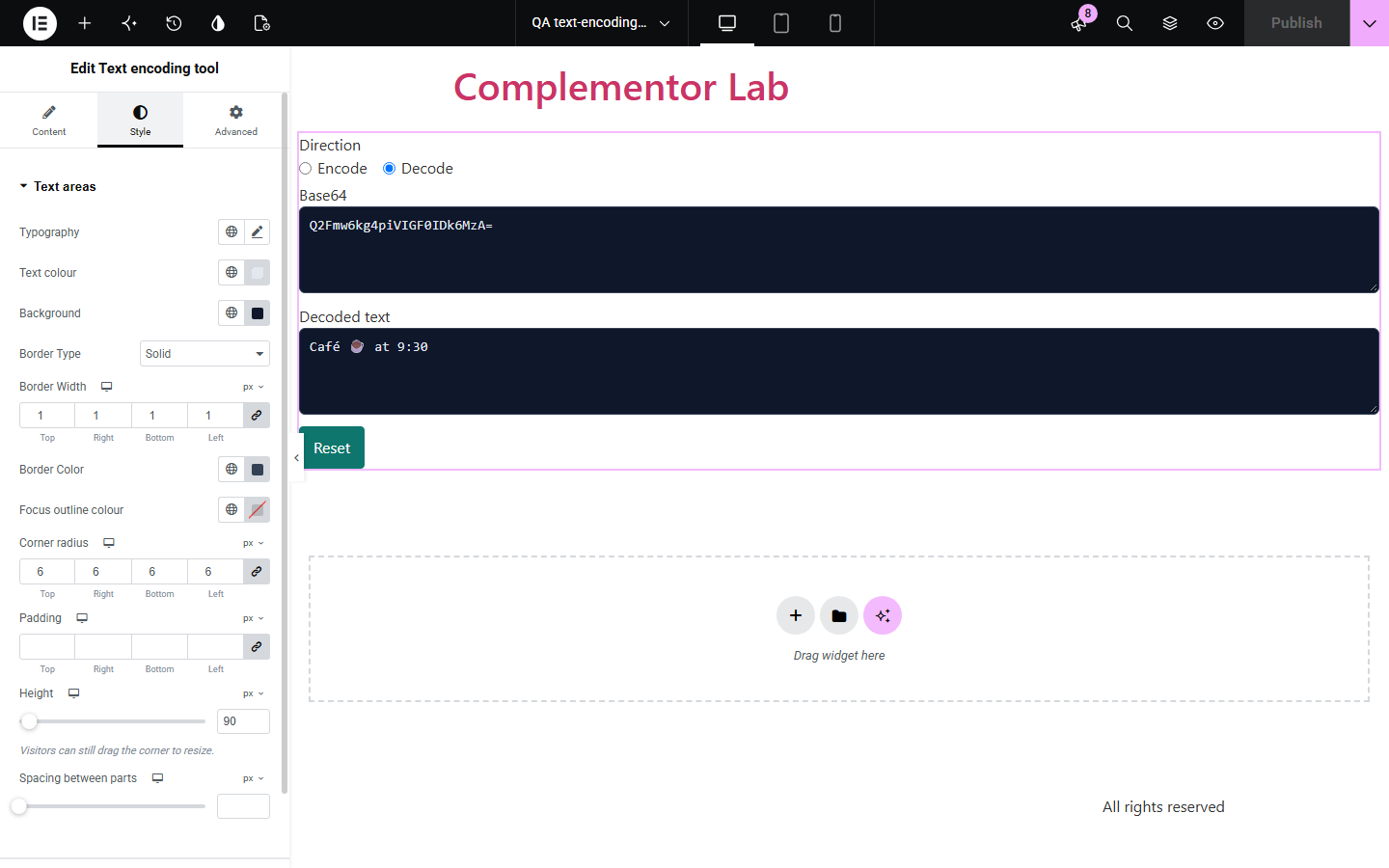
Developer guides, support pages and tutorials often ask readers to encode a URL value, decode Base64 or escape HTML, sending them to third-party sites that may log what they paste. Text encoding tool converts text in the browser as visitors type, explains invalid input precisely, and never sends the text anywhere.
Let readers encode a value for an API call in place.
Help customers decode or encode values you ask them for.
Show how HTML escaping or Base64 works with live examples.
Start with Complementor installed and your license connected. Enable this module in the WordPress library, then configure it in Elementor.
Install Complementor, connect your license and enable Text encoding tool in the Complementor library.
Add the widget and choose URL, Base64 or HTML entities.
Choose encode, decode, or let visitors pick.
Optionally add starting text and rename the labels.
Publish and convert some text to check it.
Configure the settings available for this module to suit the page you are building.
URL percent-encoding, Base64 of UTF-8 text, or HTML entities.
Encode only, decode only, or a visitor choice.
Converts as visitors type; text never leaves the browser.
Precise messages for invalid Base64, URL escapes or entities.
Optional starting example and input limit.
Style: text areas, labels, messages, Reset button states.
Compare the existing Elementor workflow with this Complementor module before choosing your setup.
Visitors paste text into a third-party site. This tool converts it in their own browser.
Hand-written snippets lack labels, limits and error handling. This widget includes them.
Complementor uses classic Elementor APIs. Atomic-native controls are not implemented. Check your theme, cache and integrations on a staging site before release.
Check these settings if the published page behaves differently from the editor.
It contains characters outside A-Z, a-z, 0-9, + / (or - _), or wrong padding. Check for spaces or a missing character.
The Base64 decodes to binary data, such as an image, rather than text.
It is longer than the input limit set in Behaviour; raise the limit up to 10,000 characters.
Only &, <, >, ", ' and numeric entities are decoded; other named entities are left as text.
No. It works with the free version of Elementor.
No. Conversion happens in the visitor's browser and nothing is sent.
No. Anyone can decode encoded text; it does not protect secrets.
Yes. Text is encoded as UTF-8, so any language and emoji round-trip.
Yes. Both text areas are labelled, the result is read-only, and errors are announced.
This module is included with all 1007 current Complementor solutions. Choose your production website allowance; every plan includes the same modules.
Renews at $29 USD each year.
Renews at $49 USD each year.
Renews at $99 USD each year.
Applicable taxes extra. Annual subscriptions renew automatically unless canceled in your customer account. Elementor Pro is required for Exclude current post. Read the terms and 14-day technical-issue refund policy.