Policy updates
Show customers exactly what changed in terms or shipping rules.
 I Build Elementor.
Let visitors paste two versions of a text and see which lines and words were added or removed, live in the browser.
These are the actual published widgets running in your browser; edit either text to see the differences update.
Comparison sets live or button comparison, ignoring case and extra spaces, showing unchanged lines, marking changed words, visitor options and the most lines per text. Labels sets the heading, the text area labels and starting texts, and every button and message. The Style tab covers the layout, text areas, the added and removed colours, line numbers and the buttons.
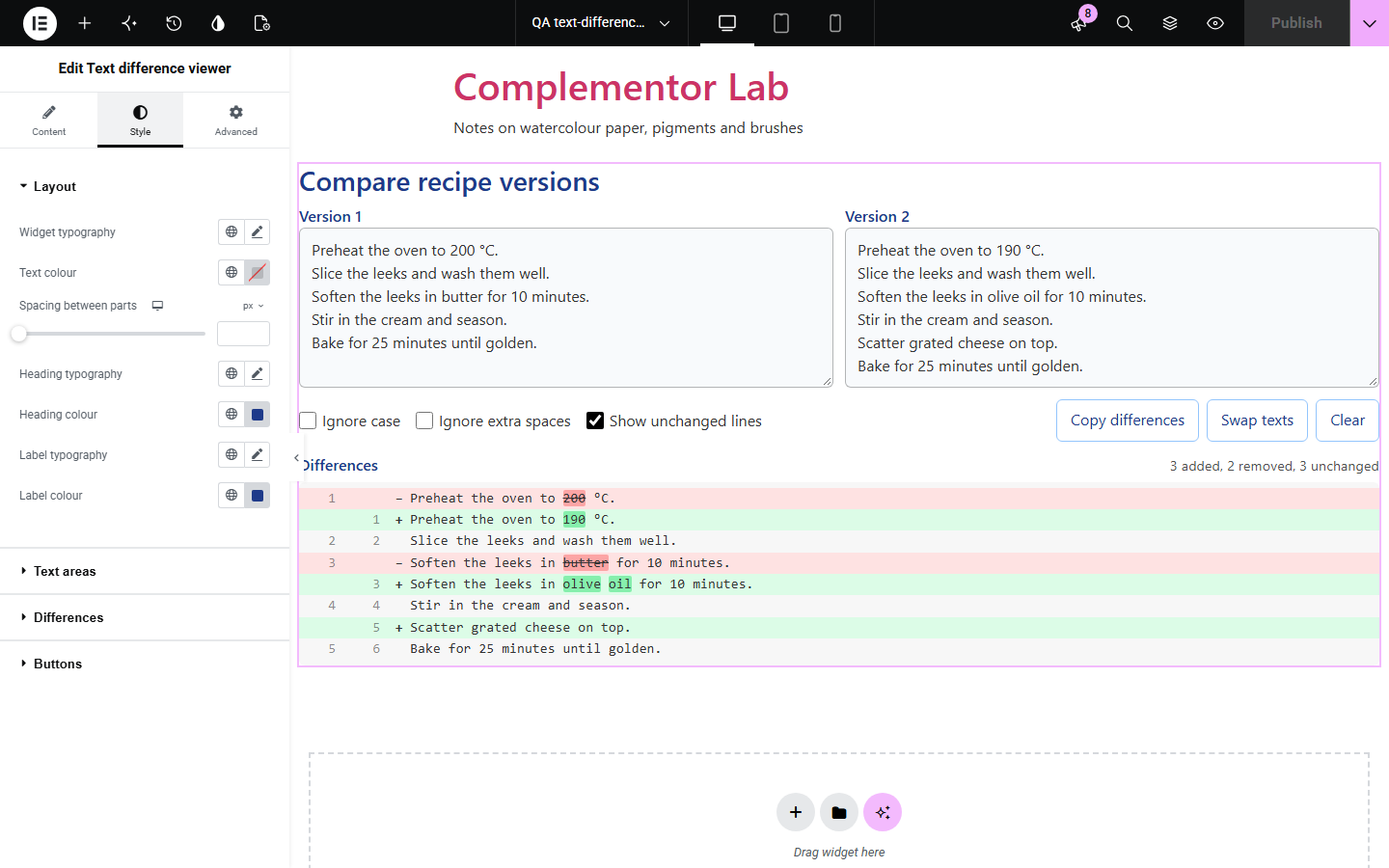
Spotting what changed between two versions of a policy, recipe, contract clause or code snippet by eye is slow and unreliable. Text difference viewer lines the two texts up and marks every added and removed line, and the changed words inside edited lines, right on your page.
Show customers exactly what changed in terms or shipping rules.
Compare drafts of an article or product description.
Compare two versions of a code or settings snippet.
Start with Complementor installed and your license connected. Enable this module in the WordPress library, then configure it in Elementor.
Install Complementor, connect your license and enable Text difference viewer in the Complementor library.
Add the widget to a page and set the text area labels, such as Old policy and New policy.
Optionally fill both starting texts so visitors see a comparison straight away.
Choose whether to ignore case or extra spaces, and whether to show unchanged lines.
Style the added and removed colours, then paste two texts to check the result.
Configure the settings available for this module to suit the page you are building.
Live comparison as visitors type, or a Compare button.
Ignore case and ignore extra spaces, also as visitor checkboxes.
Show or hide unchanged lines.
Changed words marked inside edited lines.
Copy differences as a unified diff, Swap texts and Clear.
Line numbers for both texts and a spoken summary of the changes.
Colours for added and removed lines and words.
Compare the existing Elementor workflow with this Complementor module before choosing your setup.
Compare files on a computer; this widget works on any page, for any visitor.
Compare post revisions in the admin only; this widget compares any two texts on the page.
Complementor uses classic Elementor APIs. Atomic-native controls are not implemented. Check your theme, cache and integrations on a staging site before release.
Check these settings if the published page behaves differently from the editor.
Turn on Ignore extra spaces to treat spaces at the ends and repeated spaces as the same.
Very long, very different texts are shown as removed then added so the page stays fast.
Each text is limited to the Most lines per text setting; raise it up to 5,000.
Browsers allow copying from secure (HTTPS) pages; the widget falls back to the older copy command elsewhere.
No. It works with the free version of Elementor.
No. The comparison runs in the visitor’s browser and nothing is sent anywhere.
Yes. Lines are labelled Added or Removed, and a short summary is announced after each change.
Yes. Copy differences gives a plain text diff with + and - markers.
Up to 5,000 lines each; the default limit is 2,000.
This module is included with all 1007 current Complementor solutions. Choose your production website allowance; every plan includes the same modules.
Renews at $29 USD each year.
Renews at $49 USD each year.
Renews at $99 USD each year.
Applicable taxes extra. Annual subscriptions renew automatically unless canceled in your customer account. Elementor Pro is required for Exclude current post. Read the terms and 14-day technical-issue refund policy.