Writing and marketing tools pages
Give visitors a quick way to fix headlines and product names.
 I Build Elementor.
Let visitors paste text and convert it to UPPERCASE, lowercase, Title Case or Sentence case, then copy the result, with correct rules for languages such as Turkish.
These are the actual published outputs of the widget: the default four rules, a styled version starting with Title Case, Turkish casing, and compact layouts. Paste text and try each rule.
Content › Source sets the text length limit and what happens to longer text. Behaviour chooses which rules are offered, the default rule, the language rules (neutral, the visitor's browser language or a fixed tag such as tr) and the copy and reset buttons. Labels and messages sets every label, placeholder and message. The Style tab covers labels, the input, rule and result fields with a text area height, buttons with states and icons, and layout and status text.
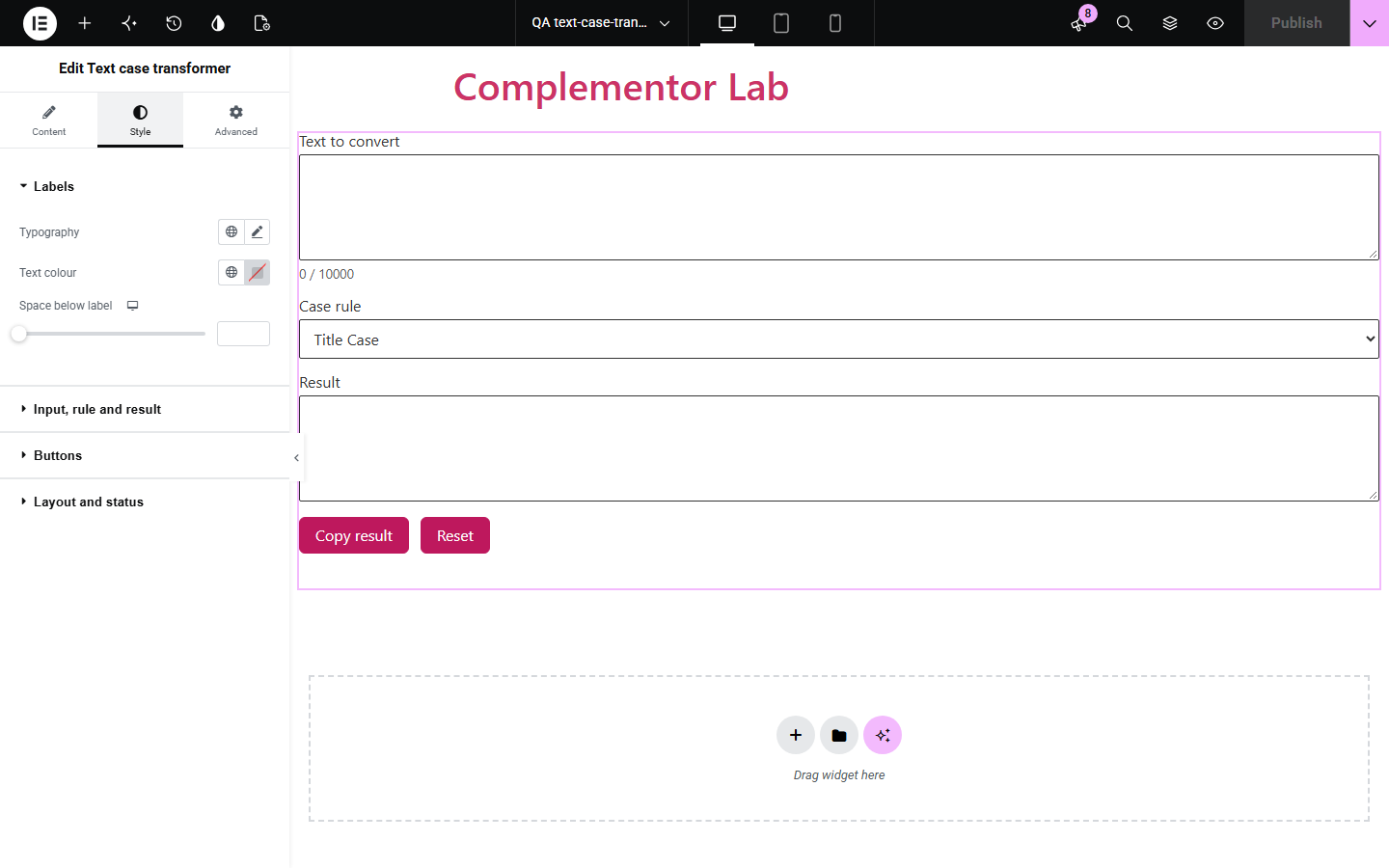
Text pasted from emails, spreadsheets or with caps lock on often needs its capital letters fixed, and retyping it is slow. Text case transformer converts pasted text to the case visitors choose and copies the result, following the rules of a chosen language so letters like the Turkish dotted i come out right.
Give visitors a quick way to fix headlines and product names.
Help customers tidy names copied from spreadsheets.
Offer correct casing for Turkish, Azerbaijani or Lithuanian text.
Start with Complementor installed and your license connected. Enable this module in the WordPress library, then configure it in Elementor.
Install Complementor, connect your license and enable Text case transformer in the Complementor library.
Add the widget to a tools or help page.
Choose which conversions to offer and the default one.
Pick the language rules, for example tr for Turkish text.
Publish, paste some text and try each rule.
Configure the settings available for this module to suit the page you are building.
UPPERCASE, lowercase, Title Case and Sentence case; choose which to offer.
Language-neutral, browser-language or fixed-language casing rules.
Copy result button with a spoken confirmation, and a reset button.
Length limit with a live character count.
Editable labels, placeholders and messages.
Style: labels, fields and text area height, button states and icons, layout and status.
Compare the existing Elementor workflow with this Complementor module before choosing your setup.
Desktop apps can change case but visitors have to leave your site to use them.
Many send the text to a server. This widget converts it in the browser.
Complementor uses classic Elementor APIs. Atomic-native controls are not implemented. Check your theme, cache and integrations on a staging site before release.
Check these settings if the published page behaves differently from the editor.
Every word is capitalised; style guides that keep small words lower case vary by language.
The language rules are set to Turkish (tr). Choose language-neutral for English-style casing.
It is longer than the length limit. Raise the limit or choose to refuse longer text instead.
Some browsers block the clipboard in embedded frames; select the result and copy it by hand.
No. It works with the free version of Elementor.
No. Conversion and copying happen in the visitor's browser.
Yes. Fields and the rule menu have labels, and copy and limit messages are announced.
Any language the browser supports; set a fixed tag for languages with special casing rules.
Yes. Choose which rules appear and which is selected first.
This module is included with all 1007 current Complementor solutions. Choose your production website allowance; every plan includes the same modules.
Renews at $29 USD each year.
Renews at $49 USD each year.
Renews at $99 USD each year.
Applicable taxes extra. Annual subscriptions renew automatically unless canceled in your customer account. Elementor Pro is required for Exclude current post. Read the terms and 14-day technical-issue refund policy.