Local businesses
Let mobile visitors call the shop or salon with one tap.
 I Build Elementor.
Show a phone number as a real call link from a number typed in any common format, with your own text, an icon, an opening-hours note and a button style.
These are the actual published outputs of the widget. The numbers are reserved for examples, so the calls will not connect.
Content sets the phone number (dynamic tags allowed), the country code for local numbers, the link text, whether the number is shown, the icon, a text-link or button look, a note, and whether the link shows only on phones and tablets. The Style tab covers the link or button, the icon, the number and the note.
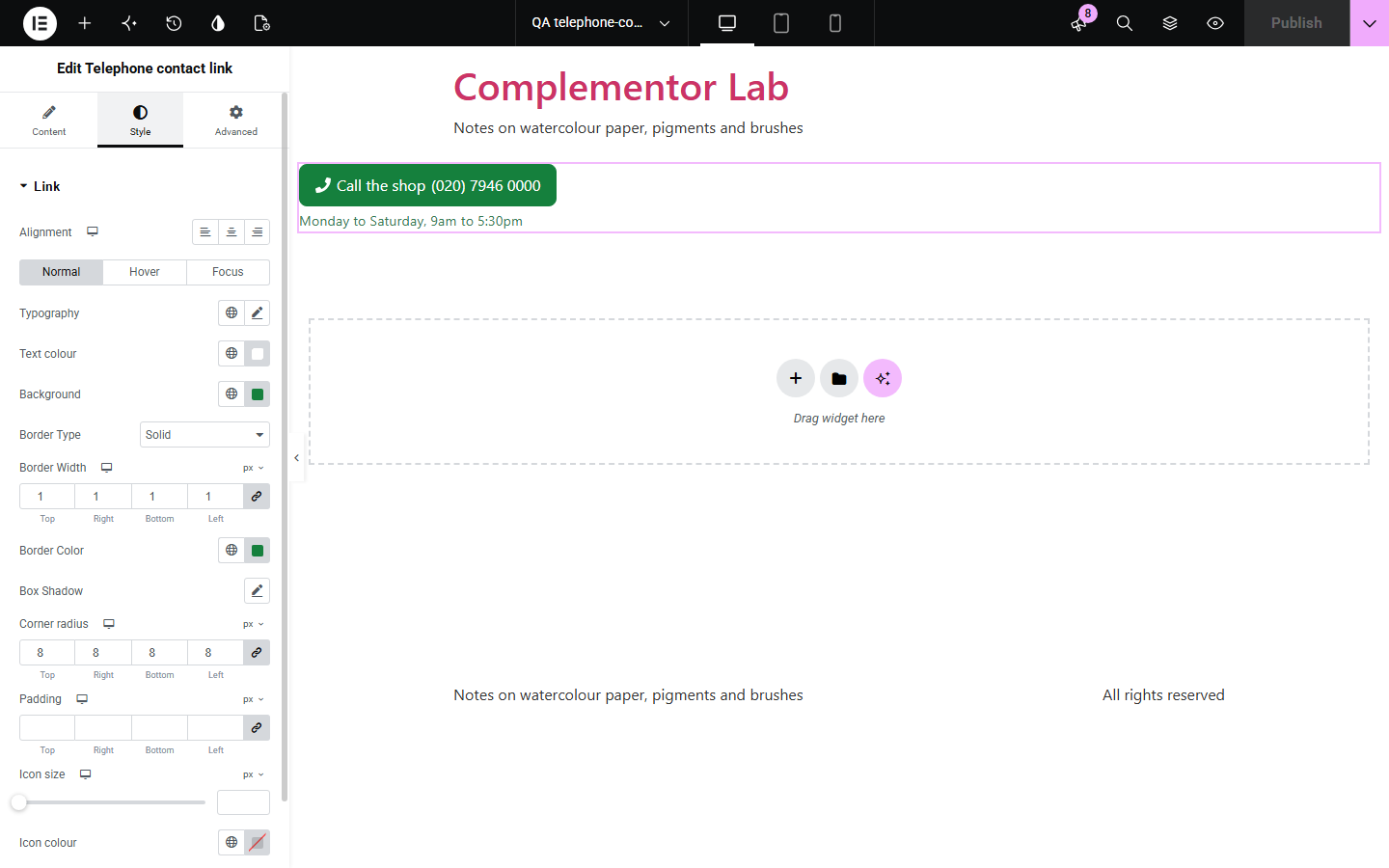
Local businesses want visitors on a phone to call with one tap, but a tel: link only works when the number is written in international form without spaces, and a mistyped number gives a dead link. Telephone contact link takes the number as you would write it, such as (020) 7946 0000 or +44 (0)20 7946 0000, turns it into a correct call link, and hides the link on the live site if the number cannot be dialled. You can add your own text, an icon, opening hours and a button style.
Let mobile visitors call the shop or salon with one tap.
Put a call button in the header for urgent jobs.
Link to departments with their extensions.
Start with Complementor installed and your license connected. Enable this module in the WordPress library, then configure it in Elementor.
Install Complementor, connect your license and enable Telephone contact link in the Complementor library.
Add the widget to a page, header or footer.
Type the phone number, and the country code if it is a local number.
Choose the link text, icon, look and an optional note.
Style the link and tap it on a phone to test.
Configure the settings available for this module to suit the page you are building.
Numbers typed in any common format.
Correct international tel: link.
Extensions such as ext. 12.
Text link or button look.
Opening-hours note.
Hidden when the number is invalid.
Compare the existing Elementor workflow with this Complementor module before choosing your setup.
Works if you write the number correctly yourself; mistakes give a dead link.
Visitors have to copy the number into their phone by hand.
Complementor uses classic Elementor APIs. Atomic-native controls are not implemented. Check your theme, cache and integrations on a staging site before release.
Check these settings if the published page behaves differently from the editor.
The number cannot be dialled. The editor shows why: add + and the country code, or set the country code for local numbers.
Italian numbers keep their leading 0. Type them with +39, for example +39 06 1234 5678.
Show only on phones and tablets is on. It hides the link on devices with a mouse.
Yes. The number field accepts dynamic tags.
No. It works with the free version of Elementor.
Yes, when a calling app such as FaceTime, Teams or Skype is set up. You can also hide it on computers.
Yes. Write ext. 12 or x 12 after the number and it becomes part of the link.
Yes. It is a real link with visible text, and the icon is hidden from screen readers.
No. The link is plain HTML.
This module is included with all 1007 current Complementor solutions. Choose your production website allowance; every plan includes the same modules.
Renews at $29 USD each year.
Renews at $49 USD each year.
Renews at $99 USD each year.
Applicable taxes extra. Annual subscriptions renew automatically unless canceled in your customer account. Elementor Pro is required for Exclude current post. Read the terms and 14-day technical-issue refund policy.