Contact pages
Help visitors reach the right person first time.
 I Build Elementor.
Show who to contact as cards or a list, with photos, roles, availability, and phone and email links that work on any device.
These are the actual published outputs of the widget with sample contacts.
Content sets the people in a repeater (name, role, photo, phone, email, other details, availability and profile link), the country code for local numbers, grid or list, columns, photos, visible labels and the name tag. The Style tab covers spacing, cards, photos, text colours and typography, and link colours.
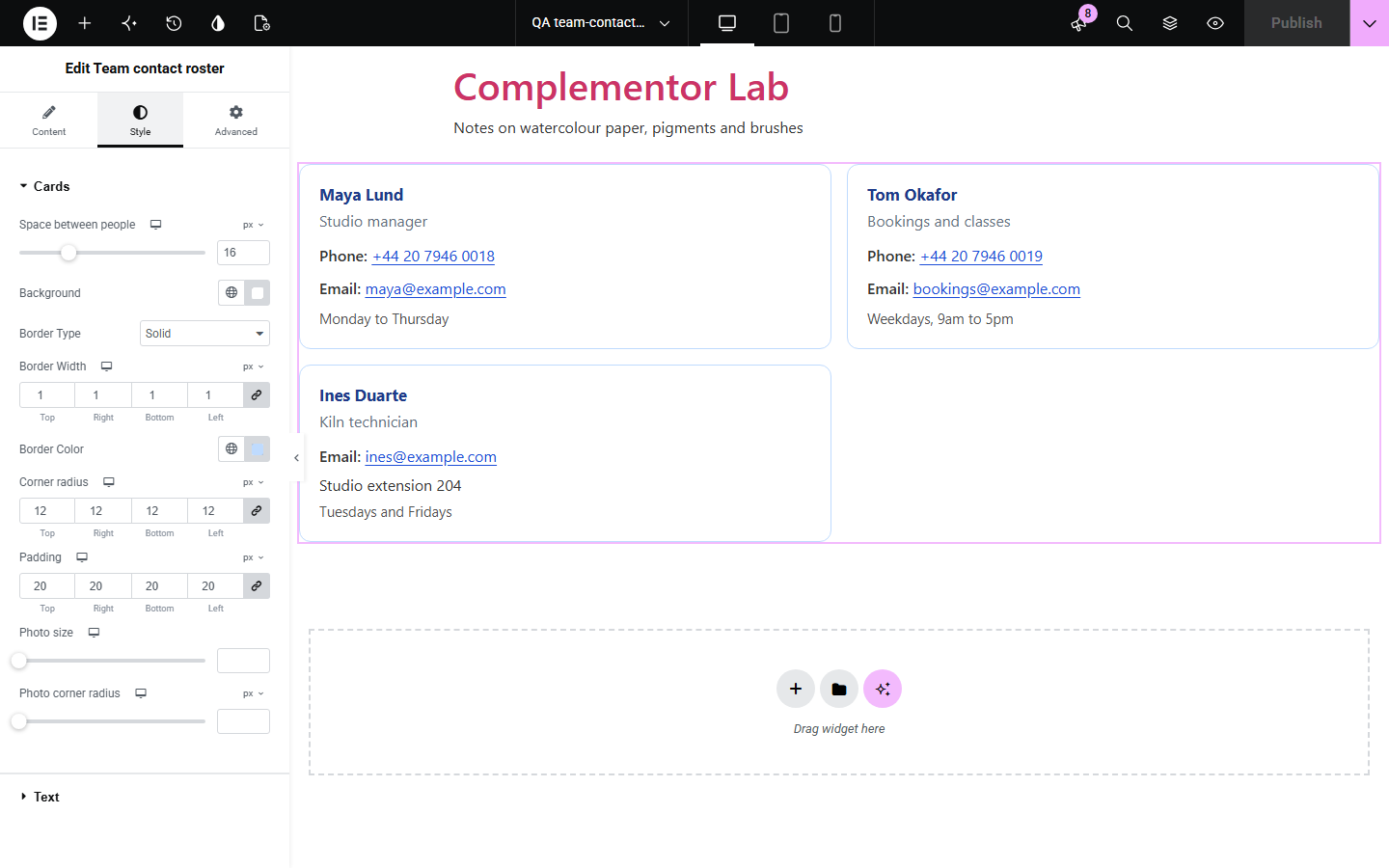
Contact pages often list staff as plain text, so visitors on phones have to copy numbers by hand, local numbers fail from abroad, and email addresses sit open for harvesters. Team contact roster shows each person as a card or list item with a photo, role and availability. Phone numbers become tel: links in international form, and email addresses are checked and encoded before they become mailto: links.
Help visitors reach the right person first time.
Show who works which days and how to reach them.
List committee members and their public contact details.
Start with Complementor installed and your license connected. Enable this module in the WordPress library, then configure it in Elementor.
Install Complementor, connect your license and enable Team contact roster in the Complementor library.
Add the widget to a contact or about page.
Add each person with their role, phone and email.
Set a country code if you write local numbers.
Choose cards or a list, then style it.
Configure the settings available for this module to suit the page you are building.
Cards in a grid or a list.
Working tel: and mailto: links.
Email addresses encoded.
Country code for local numbers.
Photos, roles and availability.
Contact details in address markup.
Compare the existing Elementor workflow with this Complementor module before choosing your setup.
Easy to get wrong, with numbers that fail from abroad.
Adds a whole post type when you only need a contact list.
Complementor uses classic Elementor APIs. Atomic-native controls are not implemented. Check your theme, cache and integrations on a staging site before release.
Check these settings if the published page behaves differently from the editor.
Start it with + and the country code, or set “Country code for local numbers”. The editor lists numbers it could not link.
It must be a valid address using plain letters, digits, dots, hyphens, plus or underscore.
People without a name are skipped. Add the name.
Choose the photo from the Media Library and make sure “Show photos” is on.
No. It works with the free version of Elementor.
It encodes them with the WordPress antispambot function, which stops simple harvesters but not every bot.
No. It shows only the details you type, so nothing private is shown.
Yes. It uses a real list, address markup and labels that screen readers hear.
No. The roster is plain HTML.
This module is included with all 1007 current Complementor solutions. Choose your production website allowance; every plan includes the same modules.
Renews at $29 USD each year.
Renews at $49 USD each year.
Renews at $99 USD each year.
Applicable taxes extra. Annual subscriptions renew automatically unless canceled in your customer account. Elementor Pro is required for Exclude current post. Read the terms and 14-day technical-issue refund policy.