Cart pages
Answer why a code was not accepted.
 I Build Elementor.
Explain how discount codes work in your WooCommerce store, from its coupon setting and coupon restrictions, without showing any code, with a link to the cart.
These are the actual published widgets reading the demo store’s coupons.
Coupon note sets the heading and its tag, the text when coupons are on and off, which policy points show, a link to the cart and its text, a note or plain look, and an icon. The Style tab covers the text and surface, the icon, and the heading, accent, background, point and link colours with spacing.
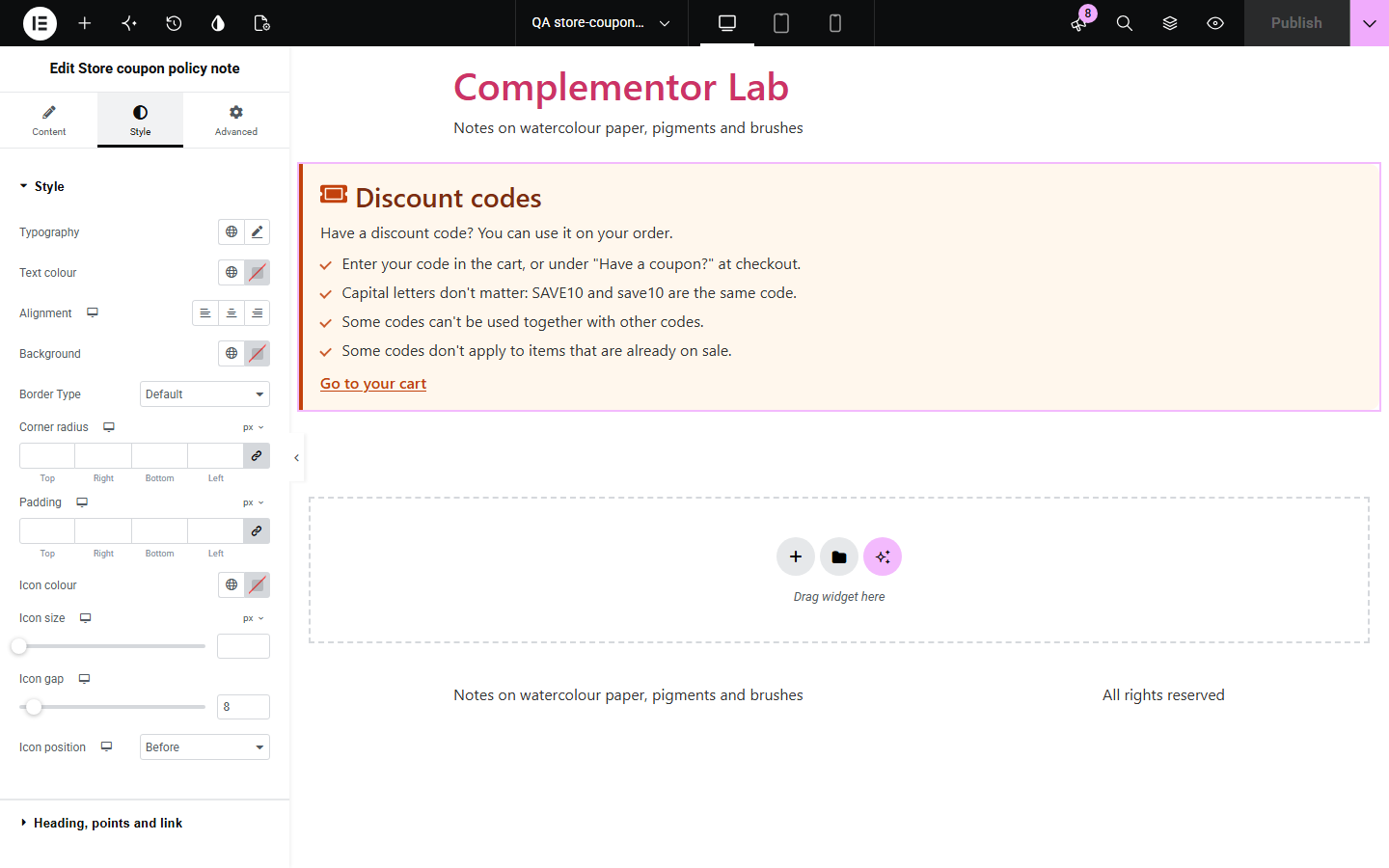
Shoppers with a code want to know where to enter it and why it might not work, and a hand-written note drifts from your actual coupons. This note says whether the store takes codes and, from the restrictions on your published coupons that have not expired, adds only the rules that apply: codes that can’t be combined, codes that skip sale items, codes limited to an email address and how several codes add up. It never shows a code.
Answer why a code was not accepted.
Set the rules next to the offer.
Explain codes with your real settings.
Start with Complementor installed and your license connected. Enable this module in the WordPress library, then configure it in Elementor.
Install WooCommerce and Complementor, connect your license and enable Store coupon policy note in the Complementor library.
Check that coupons are on in WooCommerce › Settings › General and set up your coupons under Marketing › Coupons.
Add the widget to the cart page, a promotions page or an FAQ.
Choose the policy points and whether to link to the cart.
Style the note and its accent colour.
Configure the settings available for this module to suit the page you are building.
Where to enter a code in the cart or at checkout.
That capital letters don’t matter.
Codes that can’t be combined, when you have any.
Codes that skip sale items, when you have any.
Codes limited to an email address, when you have any.
Whether several codes come off the full price or one after another.
Compare the existing Elementor workflow with this Complementor module before choosing your setup.
Whether shoppers need an account.
How reviews work in your store.
Complementor uses classic Elementor APIs. Atomic-native controls are not implemented. Check your theme, cache and integrations on a staging site before release.
Check these settings if the published page behaves differently from the editor.
None of your published, unexpired coupons uses that restriction.
It only shows when the store has at least two published, unexpired coupons.
Coupons are turned off in WooCommerce › Settings › General.
No. It works with the free version of Elementor and WooCommerce.
No. It only reads which restrictions your coupons use.
Yes. It reads the coupons each time the page is built.
No. Shoppers enter codes in the cart or at checkout as usual.
Yes. It uses a real heading, a list for the points and a link with a visible focus outline.
This module is included with all 1007 current Complementor solutions. Choose your production website allowance; every plan includes the same modules.
Renews at $29 USD each year.
Renews at $49 USD each year.
Renews at $99 USD each year.
Applicable taxes extra. Annual subscriptions renew automatically unless canceled in your customer account. Elementor Pro is required for Exclude current post. Read the terms and 14-day technical-issue refund policy.