Speeches and toasts
Check a wedding speech or toast fits its slot before the day.
 I Build Elementor.
Let visitors paste a speech or script and see how long it takes to say at their pace, with pauses, a time range, a target check and paragraph start times.
These are the actual published widgets running in your browser; paste your own text to try them.
Speech sets the starting text, the text box height, the pace and extra time, the pause between paragraphs, the target and what visitors can change. Behaviour turns the range, the counts, the paragraph start times and live updates on or off. Labels names every field. The Style tab covers the layout, the answer and target bar, the fields and the Estimate button.
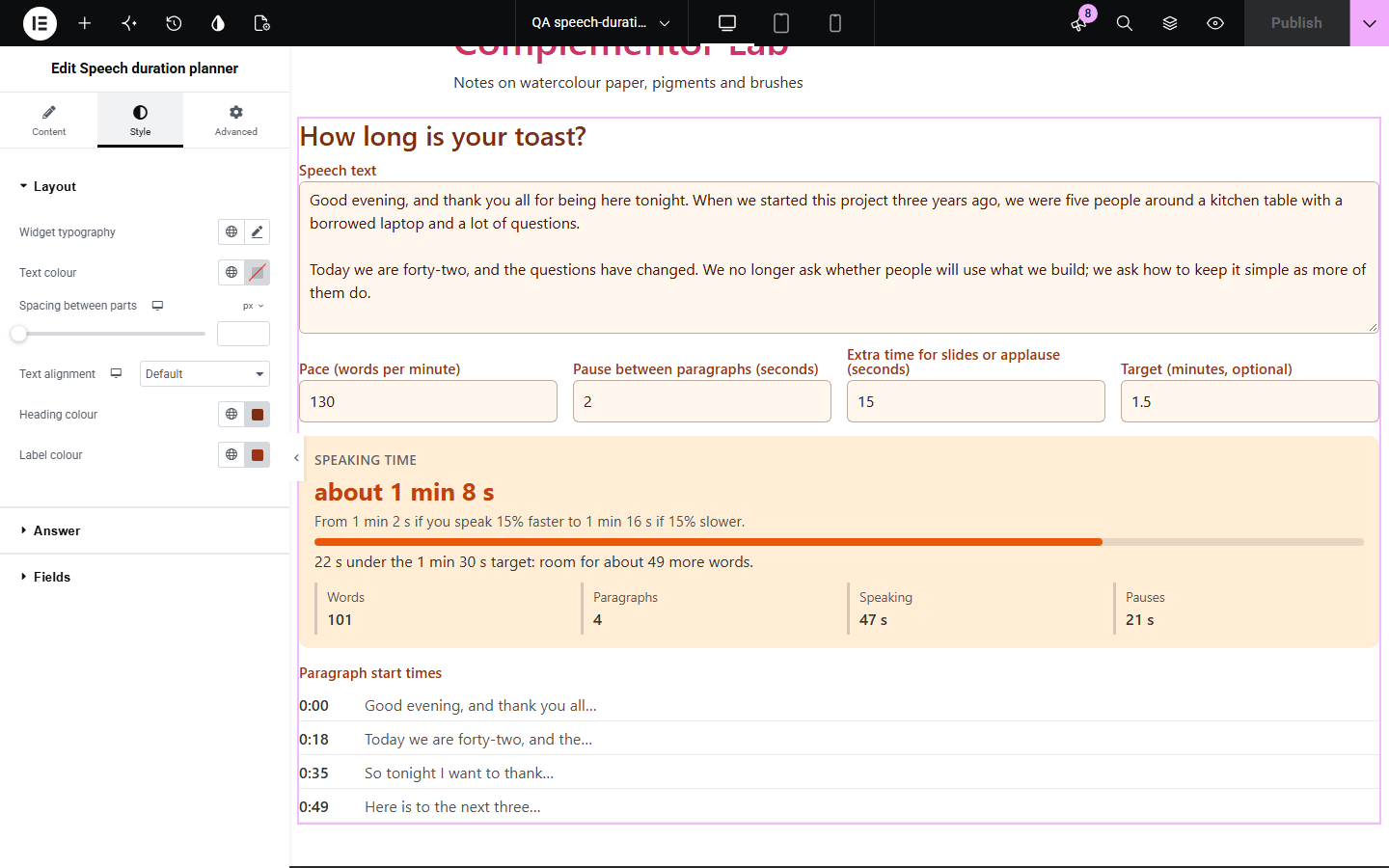
Speakers, wedding guests, podcasters and students all work to a time limit, and reading a draft aloud with a stopwatch every time it changes is slow. Speech duration planner counts the words as the text is typed, turns them into speaking time at a chosen pace with pauses between paragraphs, gives a faster and slower range, checks the time against a target with the number of words to cut or add, and lists when each paragraph starts.
Check a wedding speech or toast fits its slot before the day.
Plan a conference talk with time for slides and know where each part starts.
Time a video, podcast or radio script against its length.
Start with Complementor installed and your license connected. Enable this module in the WordPress library, then configure it in Elementor.
Install Complementor, connect your license and enable Speech duration planner in the Complementor library.
Add the widget to a page for speakers, students or event guests.
Set a starting pace, such as 130 words per minute for a conversational speech.
Set the pause between paragraphs and, if there is a time limit, a target.
Choose what visitors can change, then style the answer.
Configure the settings available for this module to suit the page you are building.
A text box that counts words as visitors type, including languages written without spaces.
A pace in words per minute, a pause between paragraphs and extra time for slides or applause.
A range for speaking 15% faster or slower.
An optional target with a bar and the words to cut or room to add.
Counts of words, paragraphs, speaking time and pauses.
The time each paragraph starts, as a cue sheet.
Compare the existing Elementor workflow with this Complementor module before choosing your setup.
Lists the slots that fit between two times.
Splits text into sentences.
Complementor uses classic Elementor APIs. Atomic-native controls are not implemented. Check your theme, cache and integrations on a staging site before release.
Check these settings if the published page behaves differently from the editor.
Everyone speaks at their own pace. Time one minute of reading aloud, count the words, and use that number as the pace.
The text has one paragraph. Leave a blank line between paragraphs to split them.
The target is empty or 0. Enter the time limit in minutes, such as 5 or 2.5.
No. It works with the free version of Elementor.
No. Everything runs in the visitor’s browser and nothing is stored.
About 110 words per minute is slow, 130 conversational, 150 a presentation and 170 fast.
Yes. Set a pause between paragraphs and extra time for slides, laughter or applause.
Yes. Enter a target and it shows how far over or under the speech is and about how many words that is.
This module is included with all 1007 current Complementor solutions. Choose your production website allowance; every plan includes the same modules.
Renews at $29 USD each year.
Renews at $49 USD each year.
Renews at $99 USD each year.
Applicable taxes extra. Annual subscriptions renew automatically unless canceled in your customer account. Elementor Pro is required for Exclude current post. Read the terms and 14-day technical-issue refund policy.