Open data pages
Origin, licence and checksum beside the download.
 I Build Elementor.
Record where a dataset, file or figure came from: origin, capture date, maintainer, licence, a checksum with a copy button and known limitations, in a source card.
These are the actual published widgets describing the demo paper weights dataset.
Source details sets the heading and its tag, the origin, capture date, maintainer and link, licence and link, checksum and limitations, the copy button, collapsing behind the heading, a card or plain look, labels above or beside values and spacing, text before and after each value, text when nothing is filled in, the value tag and an icon. The Style tab covers the card’s text, colour, alignment, background, border, radius and padding, the icon, and the heading, label, link, checksum and divider styles with label width.
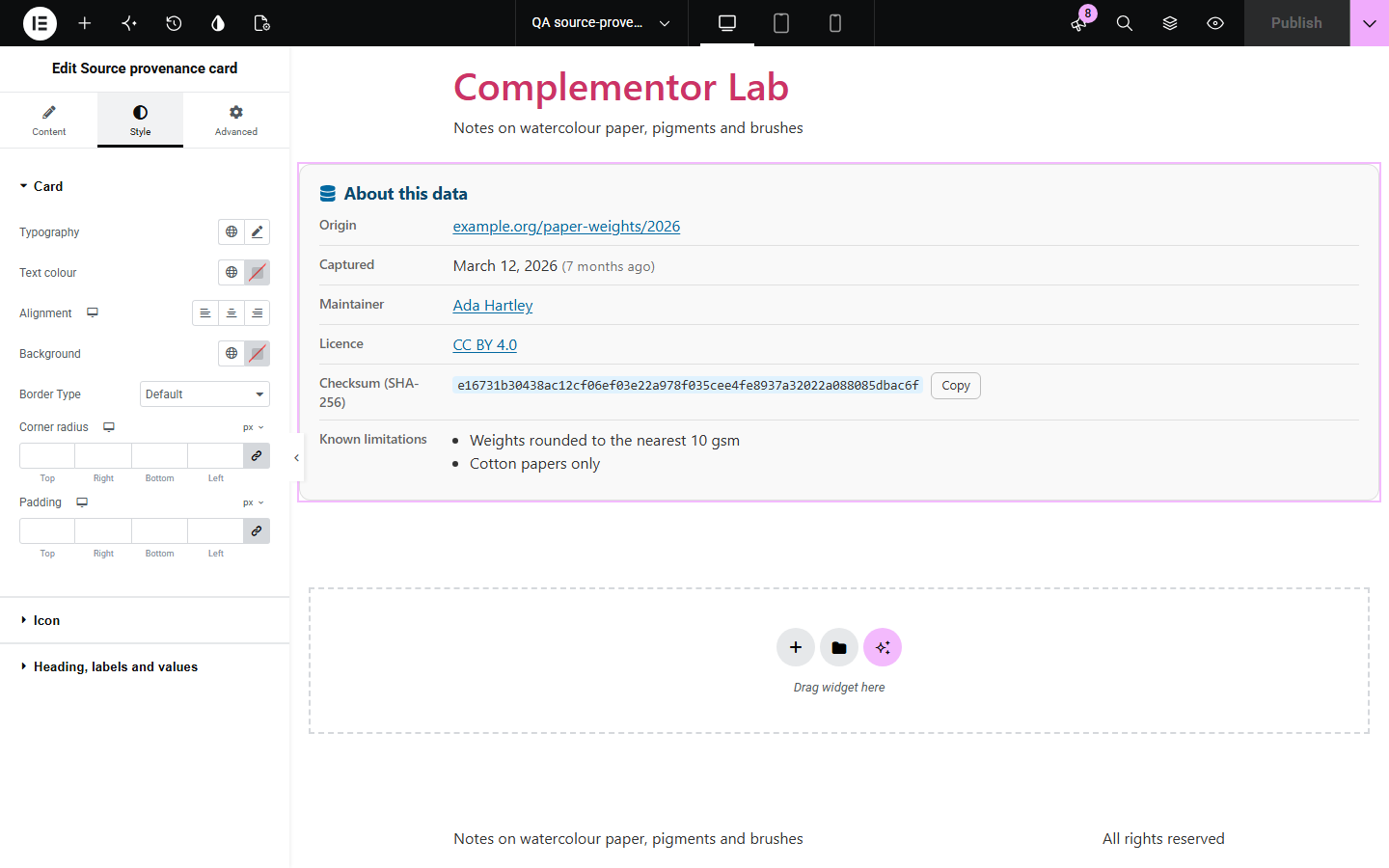
Readers and reviewers trust data more when they can see where it came from, when it was captured, who looks after it and how to check a download, and these details are often scattered or missing. This widget lays them out as a labelled description list: the origin linked when it is a web address, the capture date with how long ago it was, the maintainer and licence with their links, a checksum labelled with its likely algorithm and a copy button, and known limitations as a list. It records what you enter and does not fetch sources or verify checksums.
Origin, licence and checksum beside the download.
Where a figure’s data came from and its limits.
A checksum visitors can copy to check their file.
Start with Complementor installed and your license connected. Enable this module in the WordPress library, then configure it in Elementor.
Install Elementor and Complementor, connect your license and enable Source provenance card in the Complementor library.
Add the widget beside a dataset, download or chart.
Fill in the origin, capture date, maintainer and licence.
Paste the file’s checksum and list known limitations.
Choose a card or plain look and whether it starts collapsed.
Configure the settings available for this module to suit the page you are building.
The origin linked when it is a web address.
The capture date with how long ago it was.
Maintainer and licence with their links.
A checksum labelled MD5, SHA-1, SHA-256 or SHA-512, with a copy button.
Known limitations as a list.
Collapsed behind its heading if you like.
Compare the existing Elementor workflow with this Complementor module before choosing your setup.
Files to download with type and size.
A quotation with its speaker and source.
Complementor uses classic Elementor APIs. Atomic-native controls are not implemented. Check your theme, cache and integrations on a staging site before release.
Check these settings if the published page behaves differently from the editor.
It is not an http or https address; it is shown as text.
The age shows for dates written as year-month-day that are not in the future.
Scripts are off, the browser has no clipboard access on an insecure page, or the button is turned off.
No. It works with the free version of Elementor.
No. It shows the checksum you enter so visitors can compare it with their file.
No. It shows what you type and makes no requests.
Yes. Turn on collapsing and visitors open it from the heading.
Yes. It is a description list with real labels, and copying is announced to screen readers.
This module is included with all 1007 current Complementor solutions. Choose your production website allowance; every plan includes the same modules.
Renews at $29 USD each year.
Renews at $49 USD each year.
Renews at $99 USD each year.
Applicable taxes extra. Annual subscriptions renew automatically unless canceled in your customer account. Elementor Pro is required for Exclude current post. Read the terms and 14-day technical-issue refund policy.