Footers
Say which language the site is written in.
 I Build Elementor.
Show the site's language from Settings > General in words, such as “English (United Kingdom)”, just the language, such as “English”, or the code, such as en-GB.
These are the actual published outputs of the widget.
Content sets what to show, text before and after, the empty text, the HTML tag and an icon. The Style tab covers typography, colours, surface, border, alignment, padding, radius and the icon.
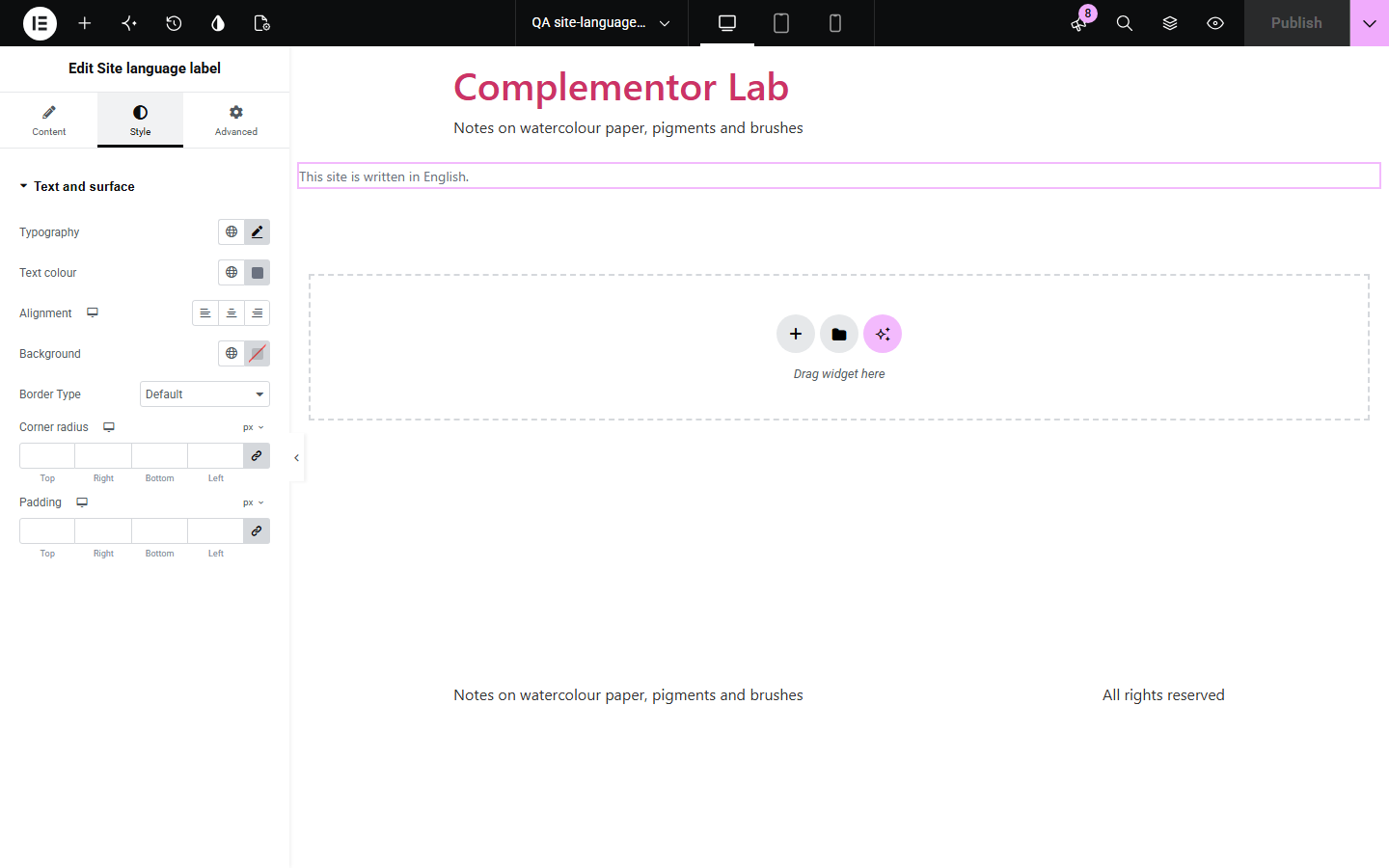
Multilingual readers, accessibility statements and footers often say which language a site is in, and “en-GB” is not friendly. Site language label shows the language from Settings > General in words, written in the language itself, or as a code, and follows multilingual plugins that switch languages.
Say which language the site is written in.
State the content language.
Label the current language.
Start with Complementor installed and your license connected. Enable this module in the WordPress library, then configure it in Elementor.
Install Complementor, connect your license and enable Site language label in the Complementor library.
Check the language in Settings > General.
Add the widget and choose how to show it.
Add text before, such as “Written in”.
Publish and check it on the live page.
Configure the settings available for this module to suit the page you are building.
Language and region in words.
Language only.
Language code.
Written in the language itself.
Follows multilingual plugins.
Falls back to the code.
Compare the existing Elementor workflow with this Complementor module before choosing your setup.
List languages to switch to, not the current one in words.
Has to be changed for each language.
Complementor uses classic Elementor APIs. Atomic-native controls are not implemented. Check your theme, cache and integrations on a staging site before release.
Check these settings if the published page behaves differently from the editor.
The server's PHP has no intl extension, or Language code is chosen.
Names are written in the language itself, as readers of that language would expect.
In Settings > General, Site Language.
It follows the language WordPress is using for the page.
No. It works with the free version of Elementor.
It supplies language names in every language.
Yes. It is ordinary text.
From Settings > General in WordPress.
No. It is read when the page is built, so a change in Settings shows everywhere.
This module is included with all 1007 current Complementor solutions. Choose your production website allowance; every plan includes the same modules.
Renews at $29 USD each year.
Renews at $49 USD each year.
Renews at $99 USD each year.
Applicable taxes extra. Annual subscriptions renew automatically unless canceled in your customer account. Elementor Pro is required for Exclude current post. Read the terms and 14-day technical-issue refund policy.