Workshops and classes
Show the day's running order with rooms and breaks.
 I Build Elementor.
Publish an event's running order as a clean time-and-session list with optional locations and links, in the order you enter it.
These are the actual published outputs of the widget: the default sample agenda, a styled workshop with locations and a linked session, a stacked version with visible location labels, and an agenda without a visible heading.
Content › Sessions is a repeater of start, end, title, location and link. Heading source uses your text, the current post title or no visible heading, with a heading level and an accessible name. Times and wording sets the visible and spoken separators, the word before end-only times, a fallback title, the new-tab notice and the editor empty message. Display shows locations, their label and icon, and a link icon. The Style tab covers time and title layout, time column width, gaps, item padding, alignment and dividers, plus heading, time, title, link states, location and icon styling.
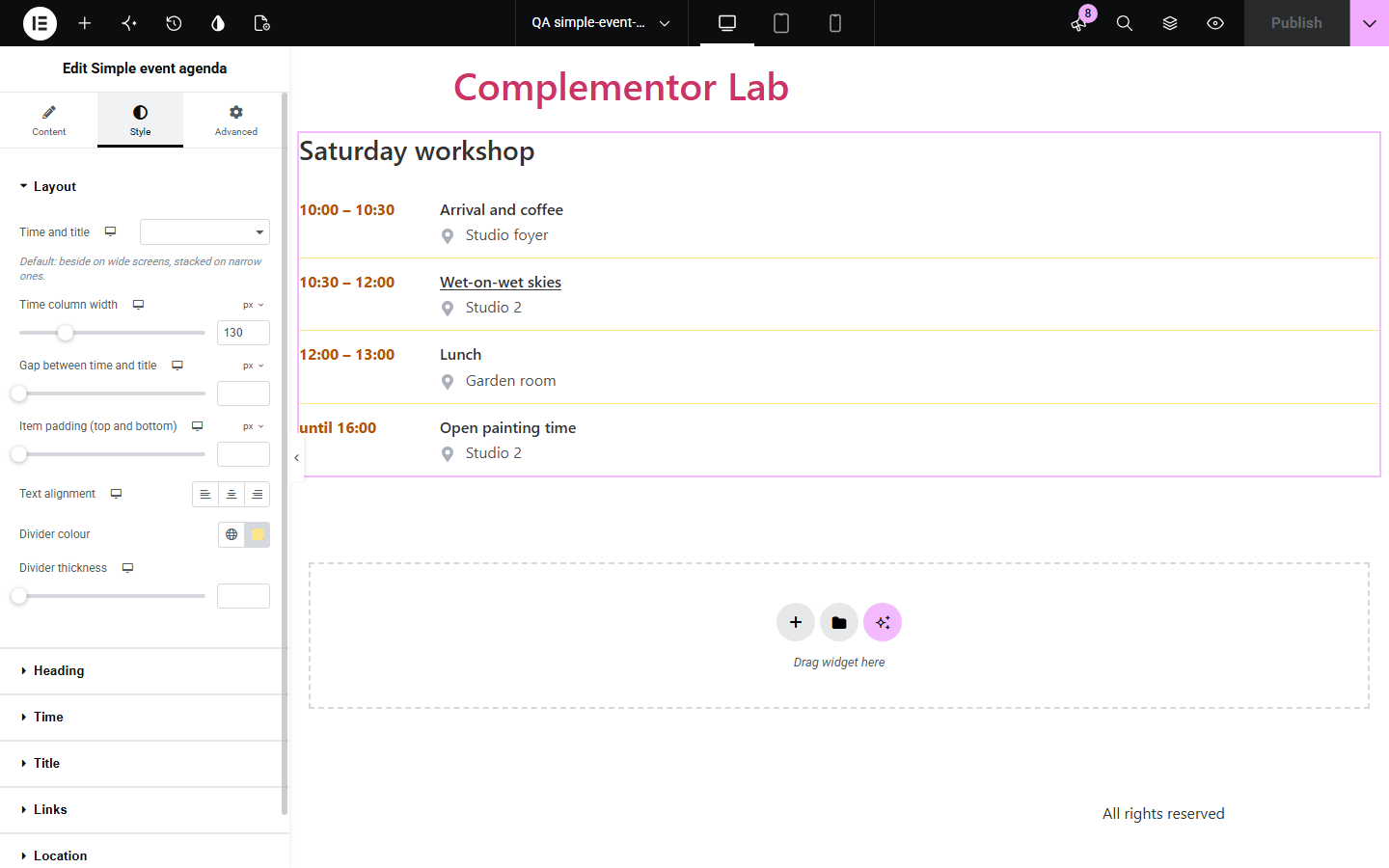
Workshops, meetups and conferences need a running order that is easy to scan on a phone, but building one from text boxes or tables is fiddly and rarely accessible. Simple event agenda lists each session with its time, title, location and an optional link, stacks neatly on small screens and reads start and end times clearly to screen readers.
Show the day's running order with rooms and breaks.
List talks with links to speaker or session pages.
Share the schedule of the day in a clean, readable list.
Start with Complementor installed and your license connected. Enable this module in the WordPress library, then configure it in Elementor.
Install Complementor, connect your license and enable Simple event agenda in the Complementor library.
Add the widget and enter each session's start, end and title in running order.
Add locations and links where useful, such as a room name or a session page.
Choose the heading and wording, for example 'until' for end-only times.
Style times, titles and dividers, publish, and check the agenda on a phone.
Configure the settings available for this module to suit the page you are building.
Repeater of sessions: start, end, title, location and an optional link; shown in your order.
Times shown exactly as typed; a visible dash with a spoken 'to' between start and end.
Heading from your text, the current post title, or none with an accessible list name.
Locations with an optional visible label and icon; links with optional new-tab notice and icon.
Time beside title on wide screens and stacked on phones, or your own choice per device.
Style: time column width, gaps, padding, dividers, alignment, and heading, time, title, link, location and icon styling.
Compare the existing Elementor workflow with this Complementor module before choosing your setup.
A typed list works for a few lines but does not keep times in a column or read time ranges clearly. This widget keeps times aligned and accessible.
Calendar plugins manage dates, tickets and listings. Use them for many events; use this widget for the running order of one event.
Complementor uses classic Elementor APIs. Atomic-native controls are not implemented. Check your theme, cache and integrations on a staging site before release.
Check these settings if the published page behaves differently from the editor.
Items appear in the order you enter them; times are text and are never sorted or converted.
Only http, https, mailto and tel links, or same-site paths and anchors, become links. Check the link starts with one of these.
Narrow screens stack by default. Set Time and title per device in the Layout style section.
Heading is set to No visible heading, or to the post title on a page without a public title.
No. Times are shown exactly as typed; write the time zone in the text if you need it.
No. It works with the free version of Elementor.
Yes. It is an ordered list with a name, time ranges read as '10:00 to 10:30', and location labels are available to screen readers.
Use one widget per day, each with its own heading.
No. It is static HTML and CSS.
This module is included with all 1007 current Complementor solutions. Choose your production website allowance; every plan includes the same modules.
Renews at $29 USD each year.
Renews at $49 USD each year.
Renews at $99 USD each year.
Applicable taxes extra. Annual subscriptions renew automatically unless canceled in your customer account. Elementor Pro is required for Exclude current post. Read the terms and 14-day technical-issue refund policy.