Online course lessons
Move learners from one lesson page to the next without a menu.
 I Build Elementor.
Add Previous and Next links between pages that share the same parent, such as the lessons of a course or the chapters of a guide, with an optional link back to the parent page.
These are the actual published outputs of the widget on lesson 2 of a sample four-lesson course: the default text links, lesson cards with the course page, a Back to link, and labels only.
Content › Source uses the current page or a page you pick. Behaviour hides the missing link on the first and last page or shows a disabled placeholder, and adds a link to the parent page. Display sets the navigation label, the Previous, Next and parent labels, whether page titles show, and the gap. The Style tab covers alignment, link typography, colours, Normal, Hover and Focus states, border, radius and padding, the label and title typography and colours with an underline option, and the disabled state.
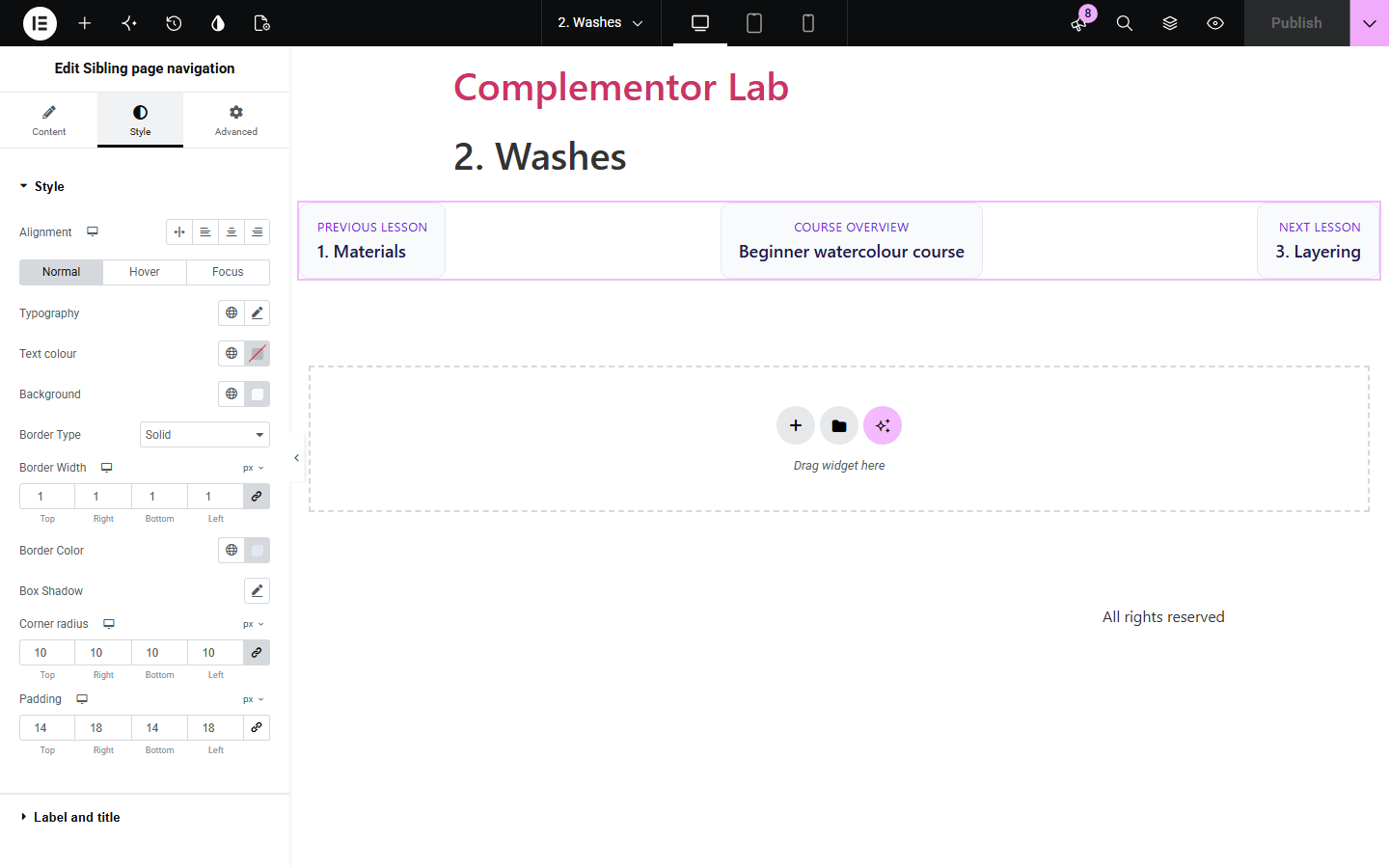
Courses, guides and manuals built as child pages leave readers hunting for the next page once they finish one. Sibling page navigation reads your page hierarchy and links each page to the page before and after it under the same parent, in the order you set, with an optional link back up to the parent page.
Move learners from one lesson page to the next without a menu.
Link the chapters of a guide in the order you set.
Let visitors step through related pages under one section.
Start with Complementor installed and your license connected. Enable this module in the WordPress library, then configure it in Elementor.
Install Complementor, connect your license and enable Sibling page navigation in the Complementor library.
Set the same Parent on each page of your course or guide, and set their Order in Page Attributes.
Add the widget to the bottom of each child page, or to a page template they share.
Choose the labels and whether to show the page titles and a link to the parent page.
Style the links, publish, and check the first and last pages.
Configure the settings available for this module to suit the page you are building.
Previous and Next pages under the same parent, in page order with title as the tie-break.
Current page or a page you pick.
Optional link back to the parent page.
Hide the missing link on the first and last page, or show a disabled placeholder.
Page titles under small labels, or labels only.
Style: alignment, link states, border, radius, padding, label and title typography and colours, underline and disabled state.
Compare the existing Elementor workflow with this Complementor module before choosing your setup.
Post Navigation links posts by date or taxonomy. This widget links pages by their shared parent and page order.
Typed Previous and Next links go stale when pages are added or reordered. This widget reads the hierarchy each time.
Complementor uses classic Elementor APIs. Atomic-native controls are not implemented. Check your theme, cache and integrations on a staging site before release.
Check these settings if the published page behaves differently from the editor.
The page has no published sibling pages, or it is password-protected. The editor shows a note explaining which.
Pages are ordered by the Order field in Page Attributes; pages with the same order are sorted by title.
Drafts, private pages and password-protected pages are left out of the sequence.
Turn on Link to parent page. It shows only when the parent page is published.
No. It works with the free version of Elementor.
No. It works with pages, which have parents and an order.
Yes. The links sit in a labelled navigation, each link reads its label and page title, and focus is outlined.
Yes. Turn off Show page titles to keep just the labels.
Yes. Add it to a template the child pages share and it uses each page's own siblings.
This module is included with all 1007 current Complementor solutions. Choose your production website allowance; every plan includes the same modules.
Renews at $29 USD each year.
Renews at $49 USD each year.
Renews at $99 USD each year.
Applicable taxes extra. Annual subscriptions renew automatically unless canceled in your customer account. Elementor Pro is required for Exclude current post. Read the terms and 14-day technical-issue refund policy.