Topic pages
Link to everything about a subject.
 I Build Elementor.
Link to WordPress search results for a phrase you choose, optionally in one content type such as products, with an optional result count, or on search pages to the visitor's phrase in another section.
These are the actual published outputs of the widget.
Content sets the phrase, the visitor's phrase on search pages, the content type, the link text, the result count and hiding with no results, and the usual text and icon options. The Style tab covers typography, link states, alignment, radius, padding, the count colour and the icon.
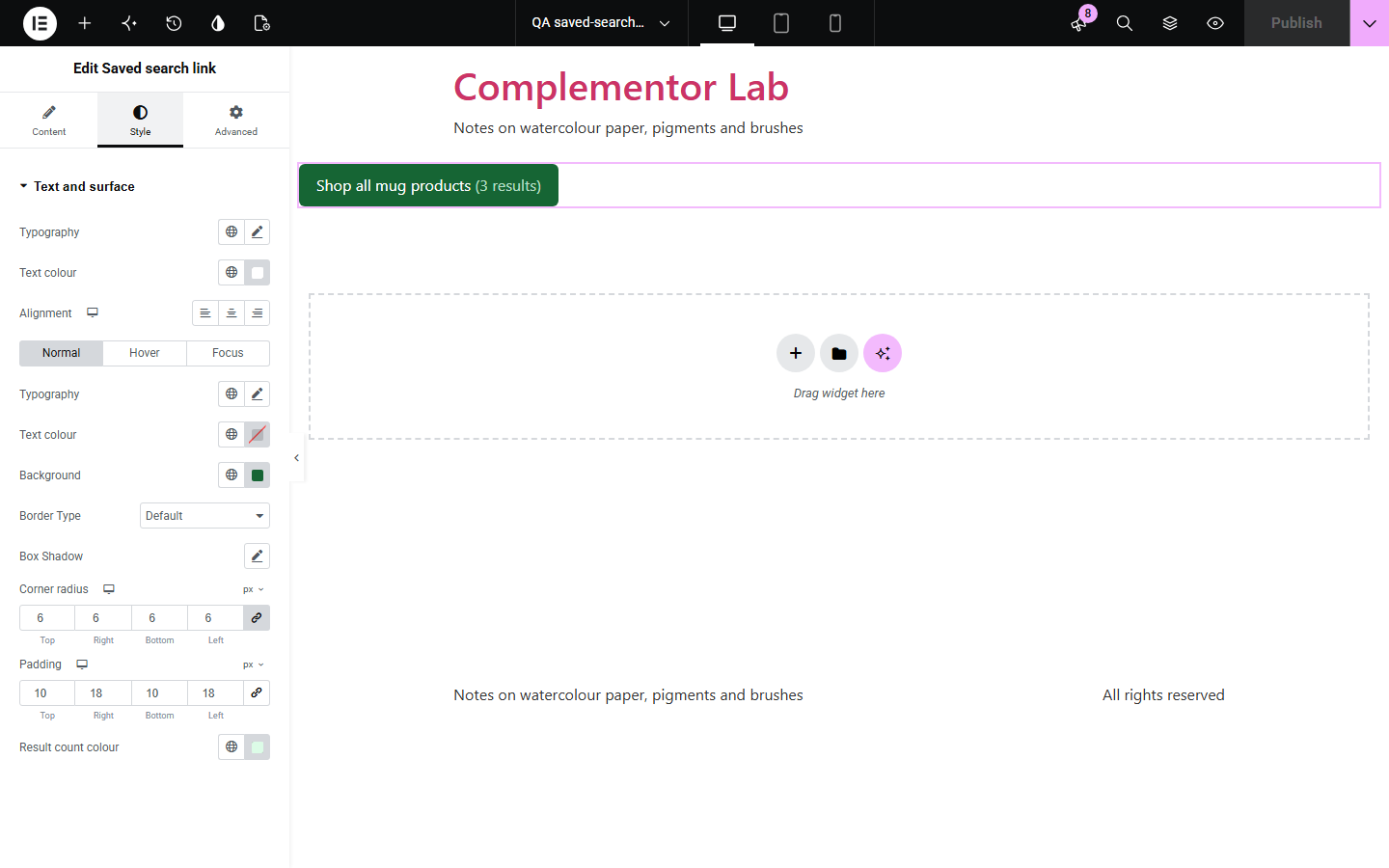
Topic pages, menus and empty-search pages often need “see everything about X” links, and building search URLs by hand breaks when the phrase has spaces or quotes. Saved search link builds the right WordPress or WooCommerce product search URL, can show how many results there are or hide itself when there are none, and on search pages can carry the visitor's phrase to another section.
Link to everything about a subject.
Link to product search for a range, with a count.
Offer “search the shop instead” under blog results.
Start with Complementor installed and your license connected. Enable this module in the WordPress library, then configure it in Elementor.
Install Complementor, connect your license and enable Saved search link in the Complementor library.
Enter the search phrase.
Choose everything or one content type, such as products.
Style the link and optionally show the count.
Publish and check it on the live page.
Configure the settings available for this module to suit the page you are building.
Correct search URLs for any phrase.
Everything or one content type.
Product search for WooCommerce shops.
Optional result count.
Hides itself with no results.
Visitor's phrase on search pages.
Compare the existing Elementor workflow with this Complementor module before choosing your setup.
Breaks with spaces, quotes or accents in the phrase.
Makes the visitor type the phrase again.
Complementor uses classic Elementor APIs. Atomic-native controls are not implemented. Check your theme, cache and integrations on a staging site before release.
Check these settings if the published page behaves differently from the editor.
There is no phrase, or there are no results and Hide the link is on.
The count is worked out when the page is built; cached pages and search plugins can differ.
Choose Products in Search in; WooCommerce shows its product results.
Yes. The phrase supports dynamic tags.
No. It works with the free version of Elementor.
Only to count results when you turn the count on. The link opens the normal search page.
No. Products appear in the list only when WooCommerce is active.
Yes. It is a normal link with a visible focus outline.
No. It is read live each time the page is built, so it stays up to date.
This module is included with all 1007 current Complementor solutions. Choose your production website allowance; every plan includes the same modules.
Renews at $29 USD each year.
Renews at $49 USD each year.
Renews at $99 USD each year.
Applicable taxes extra. Annual subscriptions renew automatically unless canceled in your customer account. Elementor Pro is required for Exclude current post. Read the terms and 14-day technical-issue refund policy.