Schools
Help pupils practise reading and writing numerals.
 I Build Elementor.
Let visitors convert numbers from 1 to 3999 to Roman numerals and back as they type, with a breakdown, strict checks and suggestions for non-standard numerals.
These are the actual published outputs of the widget. Type a number from 1 to 3999 or a Roman numeral; the result updates as you type.
Content sets the starting value, whether the breakdown and Clear button appear, and every label. The Style tab covers the field, the result and its breakdown boxes, the labels and the buttons.
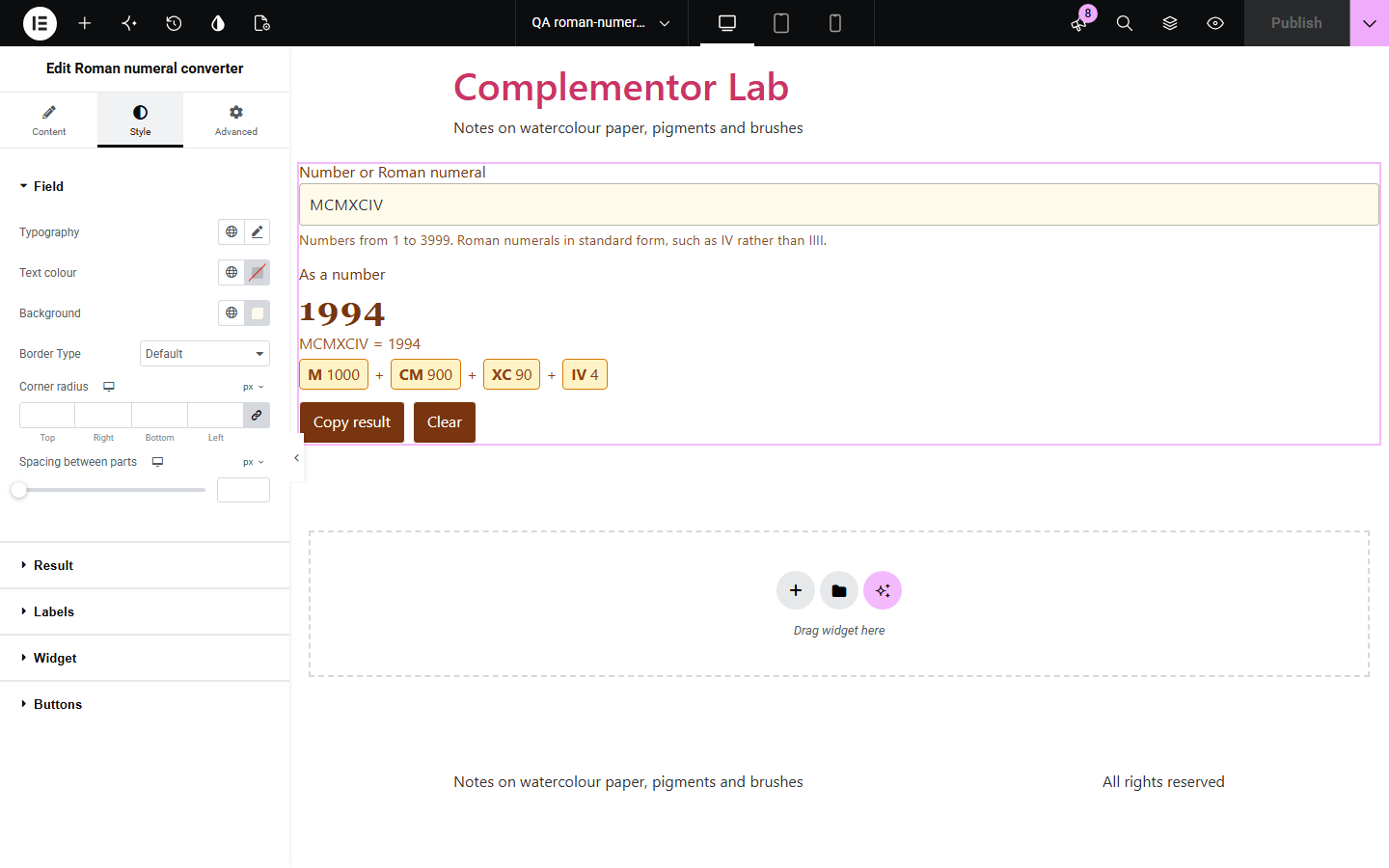
Students, writers, tattoo clients and history fans often need to read or write a Roman numeral, and many converters accept wrong forms such as IIII without comment. Roman numeral converter runs on your own page: one field works both ways, the result updates as visitors type, and a breakdown shows how each symbol adds up. Numerals are checked against the standard rules, and a non-standard one gets a suggestion of the correct form.
Help pupils practise reading and writing numerals.
Let clients turn a date or year into numerals.
Help readers read dates on buildings and in old books.
Start with Complementor installed and your license connected. Enable this module in the WordPress library, then configure it in Elementor.
Install Complementor, connect your license and enable Roman numeral converter in the Complementor library.
Add the widget to a page.
Set a starting value, such as this year or a numeral.
Choose whether to show the breakdown and the Clear button.
Style the result, the breakdown boxes and the buttons.
Configure the settings available for this module to suit the page you are building.
Numbers to numerals and back in one field.
Updates as visitors type.
Breakdown of each symbol's value.
Strict checks for standard numerals.
Suggestions for forms such as IIII.
Copy result button.
Compare the existing Elementor workflow with this Complementor module before choosing your setup.
They take visitors off your page and some accept non-standard forms.
Shows examples but cannot convert any number a visitor types.
Complementor uses classic Elementor APIs. Atomic-native controls are not implemented. Check your theme, cache and integrations on a staging site before release.
Check these settings if the published page behaves differently from the editor.
Standard numerals allow at most three I in a row. The message suggests IV.
Standard Roman numerals go up to 3999. Larger numbers need extra marks that the converter does not use.
Type the number without separators: 1994.
There is no valid result yet. Type a number or a standard numeral.
No. It works with the free version of Elementor.
Whole numbers from 1 to 3999. There is no Roman numeral for zero.
Yes. Lower-case letters are accepted and the result is shown in capitals.
Yes. The field is labelled, errors are linked to it, and each result is announced.
Yes. Without it a short message is shown instead.
This module is included with all 1007 current Complementor solutions. Choose your production website allowance; every plan includes the same modules.
Renews at $29 USD each year.
Renews at $49 USD each year.
Renews at $99 USD each year.
Applicable taxes extra. Annual subscriptions renew automatically unless canceled in your customer account. Elementor Pro is required for Exclude current post. Read the terms and 14-day technical-issue refund policy.