Course lessons
A check at the end of each section.
 I Build Elementor.
Add a check-your-understanding question to a lesson: readers reveal the answer with an explanation, or pick a choice and see at once whether it was right.
These are the actual published widgets. Pick a choice or reveal the answer.
Question sets the label above, the question, whether readers reveal the answer or pick from choices, the choices with which are right and their feedback, the answer, explanation and hint, the reveal button text, text before and after the question, text when something is missing and an icon. The Style tab covers the question text and surface, the accent, card background, padding and corners, right and wrong colours, the answer typography and the icon.
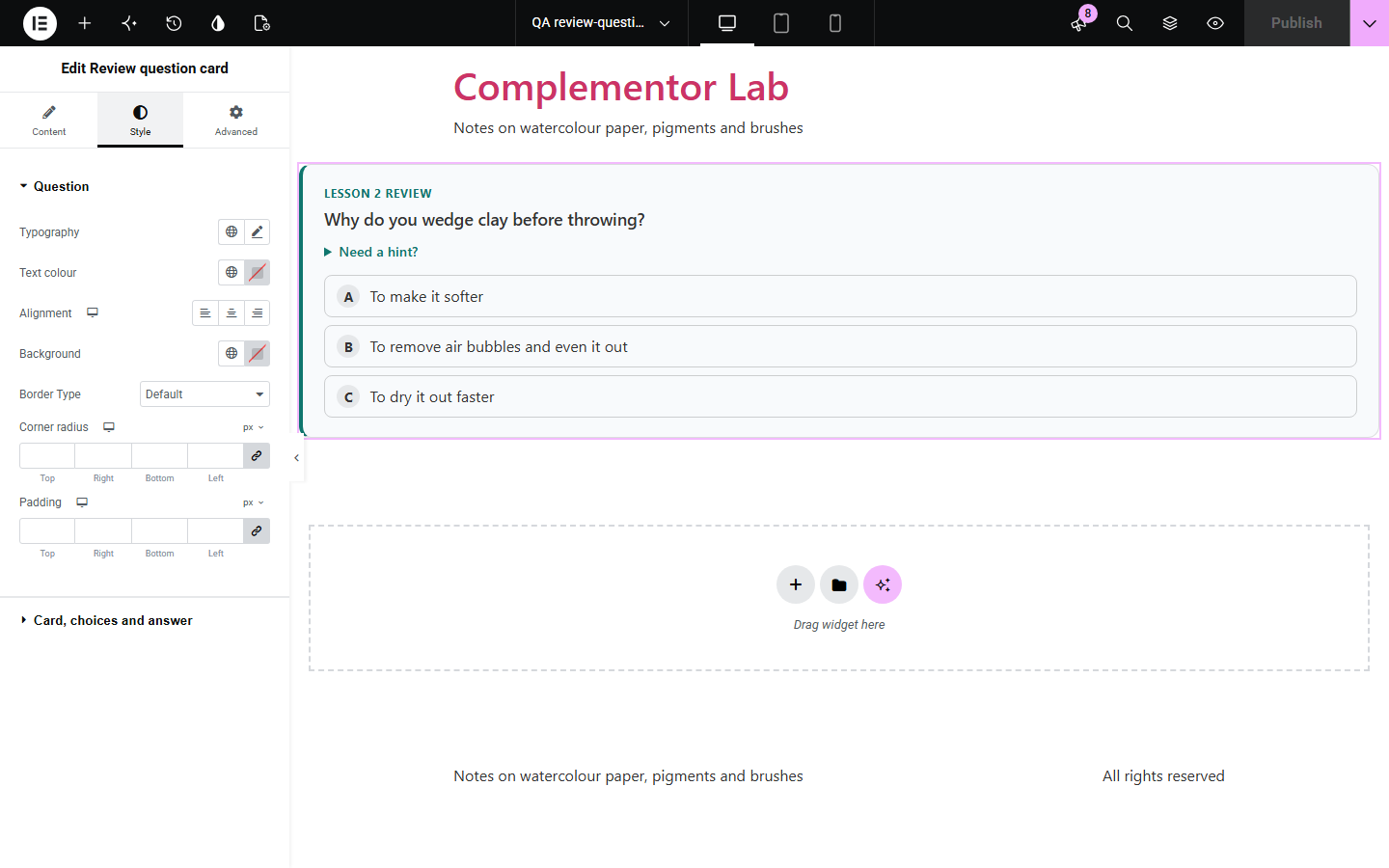
Lessons and how-to articles stick better when readers stop to recall what they just read. This widget adds a question card to the page: readers either think of the answer and reveal it, with an optional hint first, or pick from up to eight choices and are told straight away whether they were right, with feedback for the choice they picked, the answer and an explanation. Nothing is scored or stored.
A check at the end of each section.
A quick recall question.
A run of questions to work through.
Start with Complementor installed and your license connected. Enable this module in the WordPress library, then configure it in Elementor.
Install Complementor, connect your license and enable Review question card in the Complementor library.
Add the widget after the part of the lesson it checks.
Type the question and the answer, and an explanation if it helps.
To use choices, pick “Picks from choices”, add them and mark the right ones.
Add a hint and set the accent colour.
Configure the settings available for this module to suit the page you are building.
Reveal the answer, or pick from choices.
Feedback for each choice.
An answer and explanation after answering.
An optional hint the reader can open.
Try again after a wrong pick.
Works without scripts by revealing the answer.
Compare the existing Elementor workflow with this Complementor module before choosing your setup.
A few numbers as bars.
The first filled-in field.
Complementor uses classic Elementor APIs. Atomic-native controls are not implemented. Check your theme, cache and integrations on a staging site before release.
Check these settings if the published page behaves differently from the editor.
Choices need at least two, with one marked right; the editor says so.
The question or the answer is empty.
Scripts are blocked on the page; the answer can be revealed instead.
No. It works with the free version of Elementor.
No. Nothing is stored; it is for readers to check themselves.
Yes. Mark each right choice; picking any of them counts.
Up to eight.
Yes. Choices are buttons that work with the keyboard, the result is announced and receives focus, and right and wrong are written as well as coloured.
This module is included with all 1007 current Complementor solutions. Choose your production website allowance; every plan includes the same modules.
Renews at $29 USD each year.
Renews at $49 USD each year.
Renews at $99 USD each year.
Applicable taxes extra. Annual subscriptions renew automatically unless canceled in your customer account. Elementor Pro is required for Exclude current post. Read the terms and 14-day technical-issue refund policy.