Design systems
Publish the fluid type scale with its CSS.
 I Build Elementor.
Let visitors generate CSS clamp() values that scale type and spacing between two screen widths, with a preview and a table of values.
These are the actual published widgets running in your browser; change a size to see the CSS update.
Sizes sets the starting sizes and screen widths, the property, the output unit, the root font size, whether visitors can change the property and unit, and presets. Behaviour turns the preview, its text, the table and live updates on or off. Labels sets the heading and every label and button. The Style tab covers the layout, preview and table, fields, CSS panel and buttons.
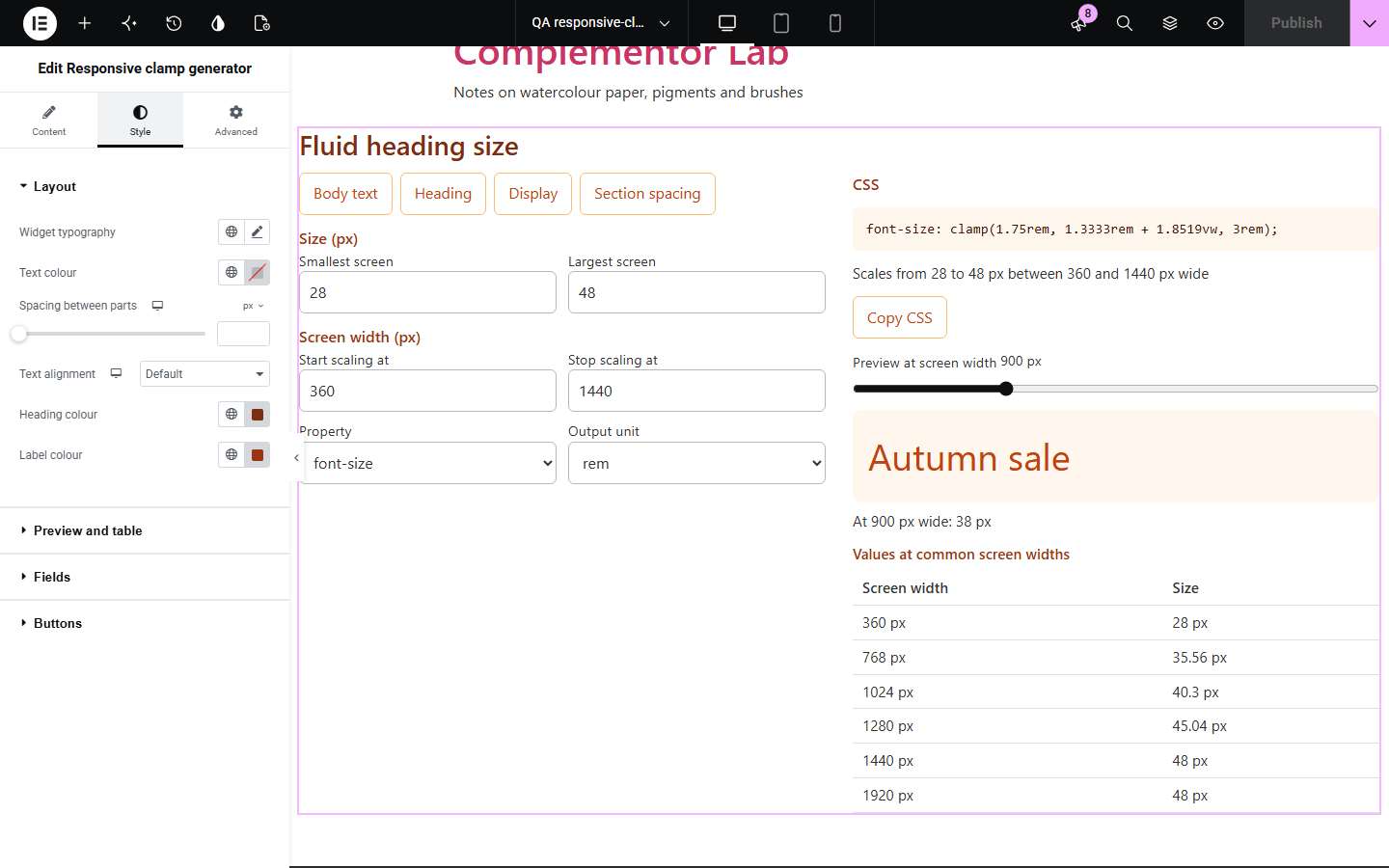
Fluid type and spacing with clamp() needs a slope and an intercept worked out from two sizes and two screen widths, then converted to rem. Responsive clamp generator does the maths, writes the clamp(), and shows the size at any screen width so visitors can check it before using it.
Publish the fluid type scale with its CSS.
Offer visitors a quick clamp() calculator.
See how clamp() changes a size across screen widths.
Start with Complementor installed and your license connected. Enable this module in the WordPress library, then configure it in Elementor.
Install Complementor, connect your license and enable Responsive clamp generator in the Complementor library.
Add the widget to a design system or developer tools page.
Set the starting sizes, such as 16, 24, and screen widths, such as 320, 1280.
Choose the property and unit, and whether visitors can change them.
Style the preview, table and CSS panel, then check a size with the preview slider.
Configure the settings available for this module to suit the page you are building.
Size on the smallest and largest screen, and where scaling starts and stops.
Growing or shrinking sizes, and a plain value when both match.
Output in rem (with your root font size) or px.
font-size, padding, margin, gap, width, height, border-radius or a custom property.
Presets for body text, headings, display text and section spacing.
A preview at any screen width and a table at 360 to 1920 px.
A note when fluid text may stop zooming to 200%, and Copy CSS.
Compare the existing Elementor workflow with this Complementor module before choosing your setup.
Set fixed sizes per breakpoint; clamp() scales smoothly between them.
Another Complementor CSS tool.
Complementor uses classic Elementor APIs. Atomic-native controls are not implemented. Check your theme, cache and integrations on a staging site before release.
Check these settings if the published page behaves differently from the editor.
The preview works out the size for the width on the slider; vw in the CSS uses the real window width.
When the largest size is more than 2.5 times the smallest, text set with vw may not reach 200% when visitors zoom (WCAG 1.4.4); a narrower range zooms more reliably.
Scaling needs a start and a later stop; equal or reversed widths cannot make a slope.
When both sizes match there is nothing to scale, so the size is written on its own.
No. It works with the free version of Elementor.
No. Everything runs in the visitor’s browser.
rem follows the visitor’s font size setting; px is available when you need it.
Yes. Make the first size larger and the clamp() shrinks between the widths.
No. vw is the browser window width, as in all CSS.
This module is included with all 1007 current Complementor solutions. Choose your production website allowance; every plan includes the same modules.
Renews at $29 USD each year.
Renews at $49 USD each year.
Renews at $99 USD each year.
Applicable taxes extra. Annual subscriptions renew automatically unless canceled in your customer account. Elementor Pro is required for Exclude current post. Read the terms and 14-day technical-issue refund policy.