Help centres
Point customers to the right guide or video.
 I Build Elementor.
Gather guides, downloads, videos and printed resources in one place, grouped by topic, with format tags and jump links.
These are the actual published outputs of the widget with sample studio resources.
Content sets the resources in a repeater (title, topic, link, format, description and where to find it), A to Z sorting, the topic for unsorted items, jump links, counts, the topic tag and topics side by side. The Style tab covers topic text and panels, resource titles, links, descriptions and format tags.
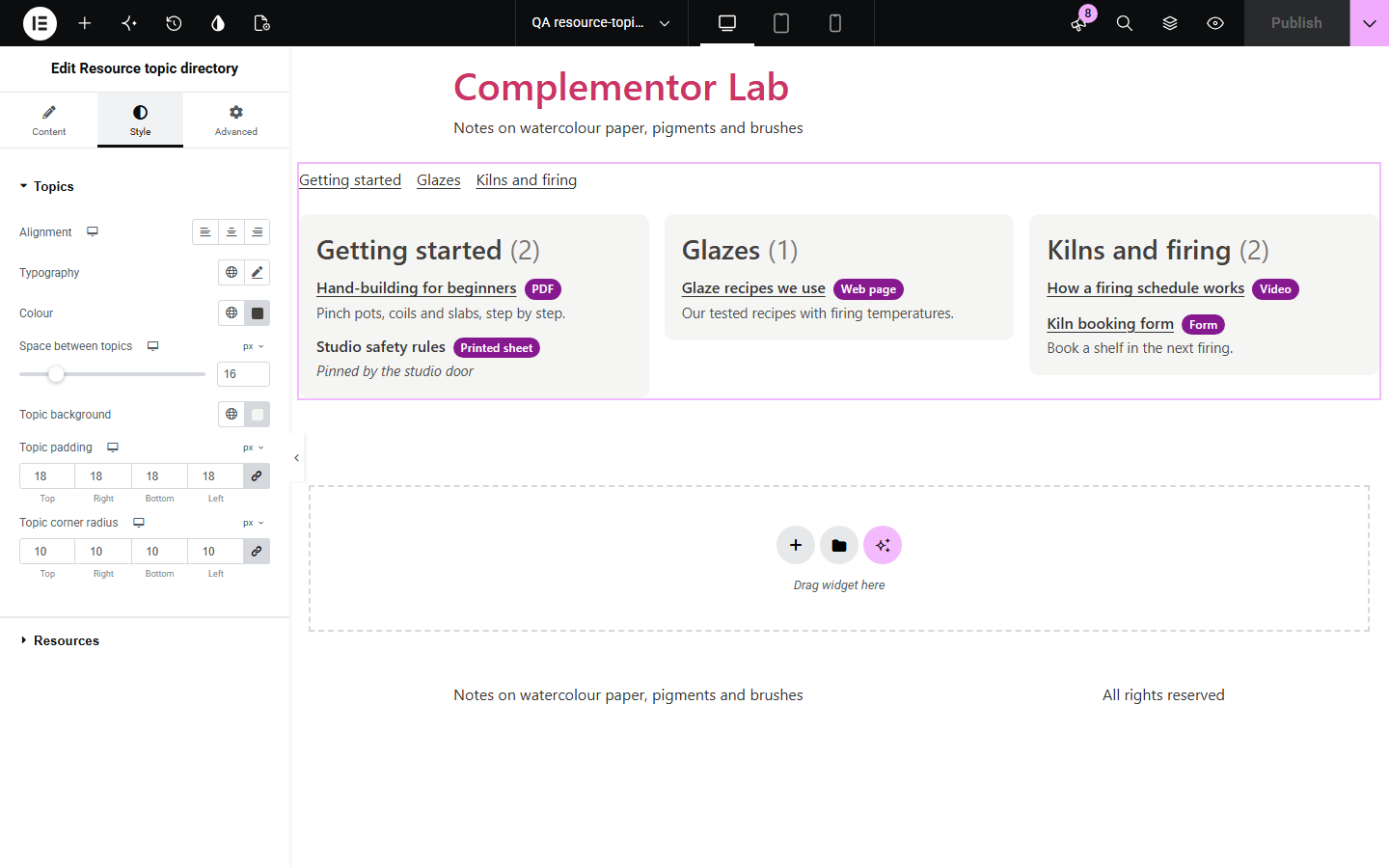
Help pages and member areas collect guides, downloads, videos and forms over time, and they end up as one long list that nobody can scan. Resource topic directory groups each resource under its topic, adds a format tag such as PDF or Video and a short note, and shows where to find printed items. Optional “jump to topic” links take readers straight to the group they need.
Point customers to the right guide or video.
Keep course handouts and forms in one tidy place.
List policies, forms and reading by subject.
Start with Complementor installed and your license connected. Enable this module in the WordPress library, then configure it in Elementor.
Install Complementor, connect your license and enable Resource topic directory in the Complementor library.
Add the widget to a help, members or resources page.
Add each resource with its topic, link and format.
Turn on jump links or sorting if you need them.
Style the topics, titles and tags.
Configure the settings available for this module to suit the page you are building.
Resources grouped by topic.
Format tags and short notes.
Where to find printed items.
Jump to topic links.
A to Z sorting.
Topics side by side.
Compare the existing Elementor workflow with this Complementor module before choosing your setup.
Quick to add but hard to scan once it grows.
Manages files but adds much more than a page of links needs.
Complementor uses classic Elementor APIs. Atomic-native controls are not implemented. Check your theme, cache and integrations on a staging site before release.
Check these settings if the published page behaves differently from the editor.
Links must start with http:// or https://, or be a path on your site such as /guides/.
Rows without a title are skipped. Add the title.
They appear only when the directory has two or more topics.
Resources without a topic are listed under “Other resources”. You can rename it.
No. It works with the free version of Elementor.
No. It checks the address format only and never contacts the linked site.
Yes. Use the link options, and screen readers are told the link opens a new tab.
Yes. Each topic is a labelled section with a real list, and the jump links sit in a named navigation.
No. The directory is plain HTML.
This module is included with all 1007 current Complementor solutions. Choose your production website allowance; every plan includes the same modules.
Renews at $29 USD each year.
Renews at $49 USD each year.
Renews at $99 USD each year.
Applicable taxes extra. Annual subscriptions renew automatically unless canceled in your customer account. Elementor Pro is required for Exclude current post. Read the terms and 14-day technical-issue refund policy.