News and blog posts
Show '2 hours ago' under the headline so readers see how fresh it is.
 I Build Elementor.
Show when a post was published as elapsed time, such as '3 days ago', with your own wording and the exact date as a tooltip.
These are the actual published outputs of the widget, exported on 6 October 2026: default wording, your own wording with an icon, a custom exact-date format, and a widget with no post chosen.
Content › Source shows the date for the current post or a selected public post, with an optional exact Post ID. Behaviour sets the wording for past dates and for published posts dated in the future. Display adds the exact date as a tooltip with an optional format, and an icon with its position. The Style tab sets typography, text colour, alignment, background, border, radius, padding, and icon size and gap.
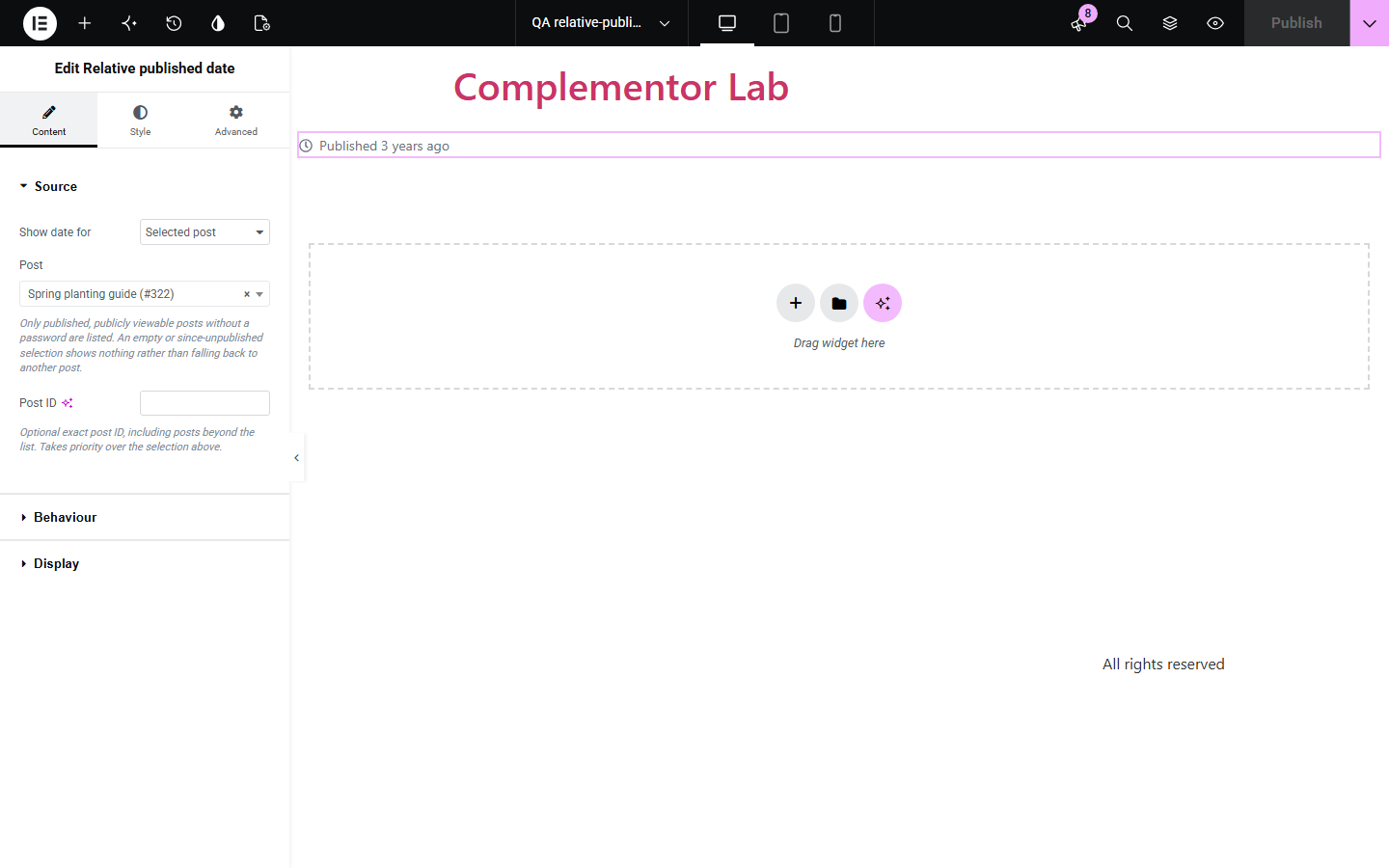
Readers judge freshness faster from '3 days ago' than from a full date, especially on news, blog and changelog pages. Relative published date shows a post's real publish time as elapsed time in a proper time element, with your own wording and the exact date available on hover and to screen readers.
Show '2 hours ago' under the headline so readers see how fresh it is.
Add elapsed time to post cards in a loop template.
Point to a selected post and show how long ago it went out.
Start with Complementor installed and your license connected. Enable this module in the WordPress library, then configure it in Elementor.
Install Complementor, connect your license and enable Relative published date in the Complementor library.
Add the widget to a single post template, archive card or page.
Keep Current post, or choose Selected post and pick a published post.
Edit the past wording, such as 'Published %s ago', and turn on the exact date tooltip if you want it.
Style the text and icon, publish, and hover the date to check the exact date.
Configure the settings available for this module to suit the page you are building.
Source: the current post, a selected public post, or an exact Post ID.
Elapsed time from WordPress, such as '5 hours' or '3 days', rounded by WordPress.
Editable past and future wording using %s for the duration.
Exact date as a tooltip and as hidden text for screen readers, in the site format or your own.
Optional icon before or after the date.
Style: typography, colour, alignment, background, border, radius, padding, icon size and gap.
Compare the existing Elementor workflow with this Complementor module before choosing your setup.
Elementor Pro's Post Info shows the date in a fixed date format. This widget shows elapsed time with your own wording and the exact date on hover.
Most themes print a full date in their post meta. Use this widget where you want relative time instead or as well.
Complementor uses classic Elementor APIs. Atomic-native controls are not implemented. Check your theme, cache and integrations on a staging site before release.
Check these settings if the published page behaves differently from the editor.
WordPress rounds elapsed time to the nearest unit. The exact date is available in the tooltip.
It is calculated when the page is generated. With page caching, it updates when the cache is refreshed.
The post must be published, publicly viewable and without a password. A selected post that is later unpublished shows nothing; the editor shows a hint.
Check Settings › General › Timezone. Publish times use your site timezone.
No. It works with the free version of Elementor; Elementor Pro lets you use it in theme templates and loops.
You can change the wording, but the time is always the publish date, not the last modified date.
Yes. With the tooltip on, screen readers also hear the exact date, and the element has a machine-readable datetime.
Yes. Any public post type can be the current or selected post.
No. The text is generated on the server.
This module is included with all 1007 current Complementor solutions. Choose your production website allowance; every plan includes the same modules.
Renews at $29 USD each year.
Renews at $49 USD each year.
Renews at $99 USD each year.
Applicable taxes extra. Annual subscriptions renew automatically unless canceled in your customer account. Elementor Pro is required for Exclude current post. Read the terms and 14-day technical-issue refund policy.