Help centres
Find out which answers leave readers stuck.
 I Build Elementor.
Ask readers “Was this page helpful?” with Yes and No links to your own form, page or email, telling it which page the answer is about.
These are the actual published outputs of the widget, pointing to example addresses.
Question and links holds the question and its tag, the Yes and No labels and destinations, the parameter that carries the page address, new-tab links, layout and spacing, text before and after each label, a fallback text and the icons. The Style tab covers the question, the links with Normal, Hover and Focus states, and the icons.
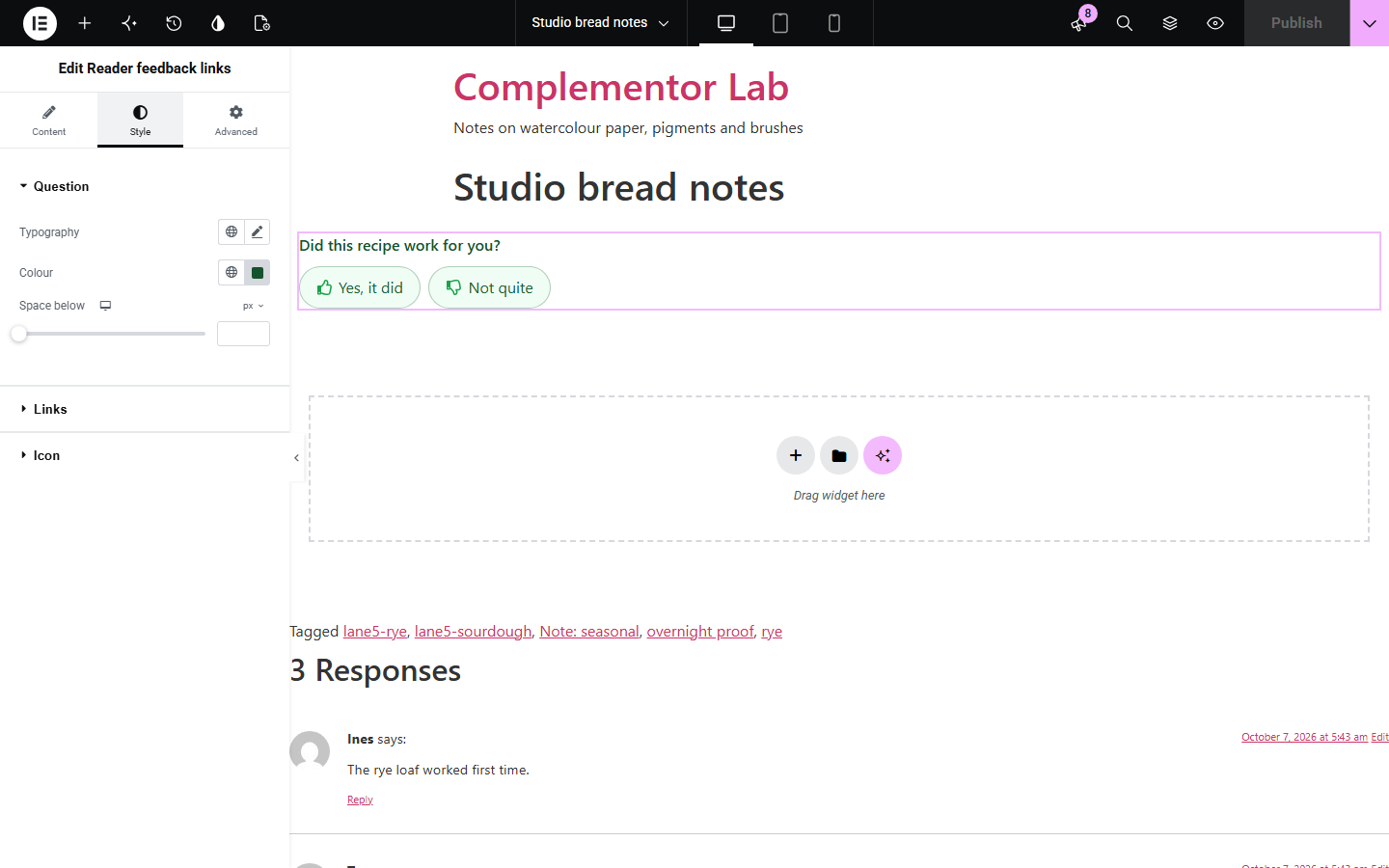
Help pages, guides and articles rarely tell you which pages readers found useful, and a full feedback form under every page is heavy. Reader feedback links adds a short “Was this page helpful?” question with Yes and No links. Each link goes where you choose: a thank-you page, a feedback form or an email address. The page's own address is added to the link, so your form or inbox knows which page the answer is about.
Find out which answers leave readers stuck.
Ask whether the steps worked, and collect what went wrong.
Send “No” answers to an issue form that already knows the page.
Start with Complementor installed and your license connected. Enable this module in the WordPress library, then configure it in Elementor.
Install Complementor, connect your license and enable Reader feedback links in the Complementor library.
Add the widget to the end of a page, a post or a single template.
Under Question and links, write the question and the Yes and No labels.
Enter a destination for each link: a page or form address, or mailto: with an email address.
Keep or rename the page parameter, then style the question and links under Style.
Configure the settings available for this module to suit the page you are building.
A question above the links, with its own HTML tag, or none.
Yes and No labels, each with its own web or email destination; a link without one is hidden.
The page address added as a parameter you name, for example a Google Form entry field.
Email links open with the page title as the subject and the page address in the message.
Side by side or stacked links, spacing, text before and after each label, and a fallback text.
Thumbs icons by default, with separate icons, size, gap, colour and position.
Question typography, colour and spacing; link typography, colours, background, border, radius and padding for Normal, Hover and Focus.
Compare the existing Elementor workflow with this Complementor module before choosing your setup.
Collects the answer on the page itself and stores submissions; prefer it when you want the whole form in place.
Counts votes in your database; prefer it when you need totals rather than links to your own form.
Two plain buttons work, but they do not add the page address or build the email subject for you.
Complementor uses classic Elementor APIs. Atomic-native controls are not implemented. Check your theme, cache and integrations on a staging site before release.
Check these settings if the published page behaves differently from the editor.
Its destination is empty or not a valid https:// address or mailto: email address. The editor shows it with a dashed outline.
The parameter name must match a field your form reads. For a Google Form, use the pre-filled link's entry.123456789 name.
Addresses are only passed on for published, public pages, so drafts and private pages are not revealed.
When the mailto: address already has a subject or body, the widget leaves it as it is.
No. It works with the free version of Elementor.
No. It only links to your destinations; your form, page or inbox receives the answers.
Yes. Leave the other label or destination empty.
Yes. On category and other archives the archive's own address is passed on.
No. The links are part of the page as it is built.
This module is included with all 1007 current Complementor solutions. Choose your production website allowance; every plan includes the same modules.
Renews at $29 USD each year.
Renews at $49 USD each year.
Renews at $99 USD each year.
Applicable taxes extra. Annual subscriptions renew automatically unless canceled in your customer account. Elementor Pro is required for Exclude current post. Read the terms and 14-day technical-issue refund policy.