Debugging links
See exactly what a link sends to the server.
 I Build Elementor.
Let visitors paste a query string or link and see every parameter decoded, with repeats and problems flagged, as JSON, lines or CSV.
These are the actual published widgets running in your browser; paste your own link to try them.
Query string sets the starting text, reading + as a space, bracket nesting, the output format and whether visitors can change them. Behaviour turns the table, the output and live updates on or off. Labels sets the heading and every label and button. The Style tab covers the layout, box height, table and output, fields and buttons.
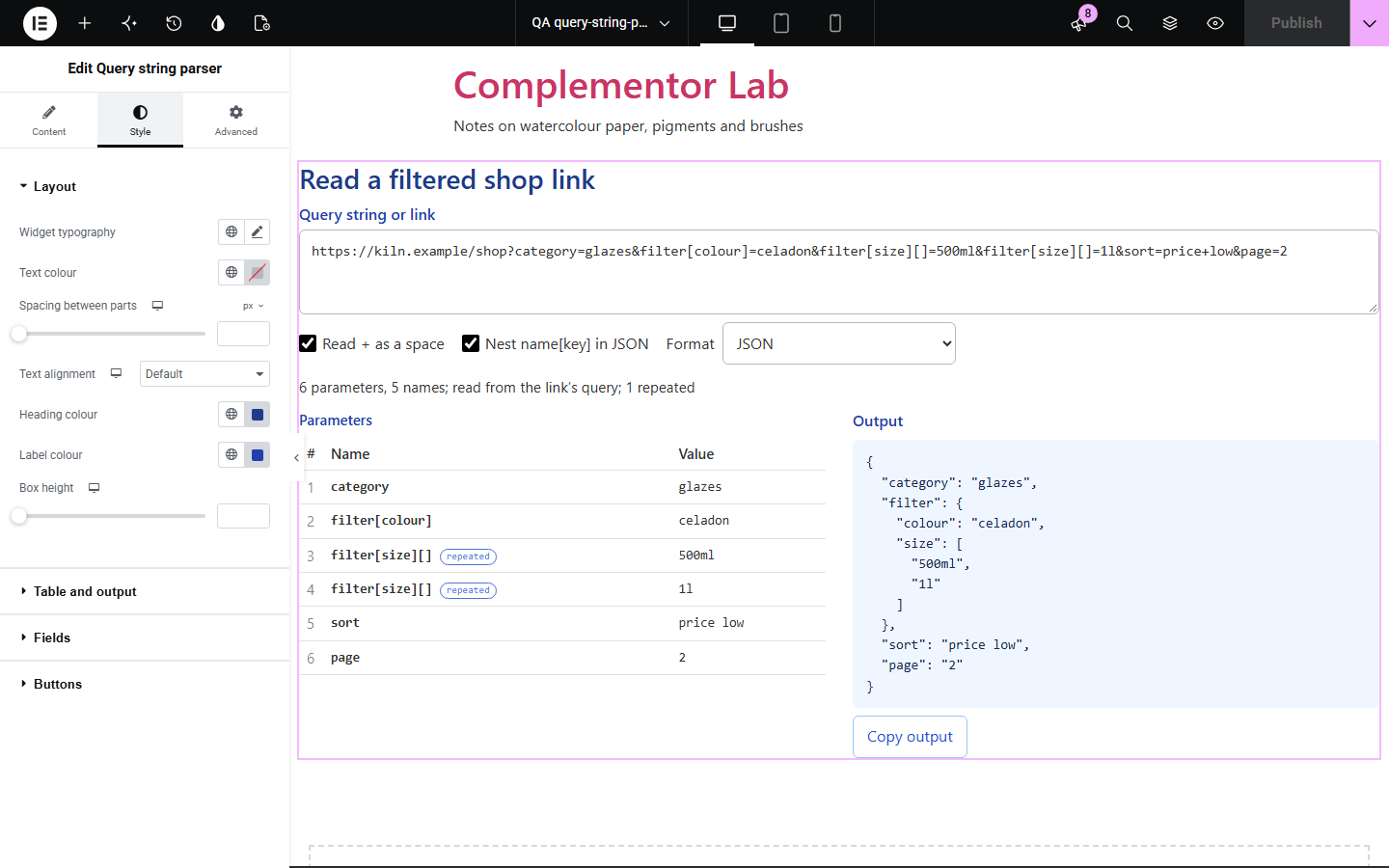
Encoded query strings are hard to read: %20, + and %C3%A9 hide the real values, repeated names are easy to miss and bracketed names such as filter[size][] hide a structure. Query string parser decodes every parameter, flags repeats, empty values and broken escapes, and turns the whole query into JSON, lines or CSV.
See exactly what a link sends to the server.
Read campaign and filter parameters at a glance.
Show how a framework will read bracketed names.
Start with Complementor installed and your license connected. Enable this module in the WordPress library, then configure it in Elementor.
Install Complementor, connect your license and enable Query string parser in the Complementor library.
Add the widget to a developer, marketing or support page.
Paste a starting query string or link to show visitors an example.
Choose whether + is a space, whether brackets nest, and the output format.
Style the table and output, then copy the result to check it.
Configure the settings available for this module to suit the page you are building.
Accepts ?a=1&b=2, a=1&b=2 or a whole link (the # fragment is ignored).
Decoded names and values in a numbered table.
Repeated names, empty values, names without = and broken % escapes flagged.
+ read as a space, or kept.
JSON with repeats as arrays, optionally nested from name[key] and name[] brackets.
name=value lines or CSV, and Copy output.
Live updates or a Parse button.
Compare the existing Elementor workflow with this Complementor module before choosing your setup.
Builds encoded query strings from names and values.
Reads every part of a link, not just the query.
Complementor uses classic Elementor APIs. Atomic-native controls are not implemented. Check your theme, cache and integrations on a staging site before release.
Check these settings if the published page behaves differently from the editor.
The escape is broken (for example %E0%A4%A is cut short), so it is shown as written and flagged.
Form-encoded queries use + for spaces; turn off Read + as a space to keep it.
Nesting reads filter[size][] as a list inside filter, as PHP and many frameworks do; turn it off for flat names.
Only the part after ? is read; text after # is a fragment and is ignored.
No. It works with the free version of Elementor.
No. Everything runs in the visitor’s browser.
As separate rows marked repeated, and as an array in JSON.
Yes. Its query is read and the rest ignored.
Yes. Choose CSV and copy it.
This module is included with all 1007 current Complementor solutions. Choose your production website allowance; every plan includes the same modules.
Renews at $29 USD each year.
Renews at $49 USD each year.
Renews at $99 USD each year.
Applicable taxes extra. Annual subscriptions renew automatically unless canceled in your customer account. Elementor Pro is required for Exclude current post. Read the terms and 14-day technical-issue refund policy.