Maths lessons
Let students check homework answers next to the explanation.
 I Build Elementor.
Let visitors solve ax² + bx + c = 0 with an exact discriminant, real or complex roots, exact forms and the vertex, live in the browser.
These are the actual published outputs of the widget. Change a, b or c in any of them; the roots update as you type.
Content sets the decimal places, exact forms, the vertex, starting values for a, b and c, and every label and message. The Style tab covers the fields, the result box, the labels and the Clear button.
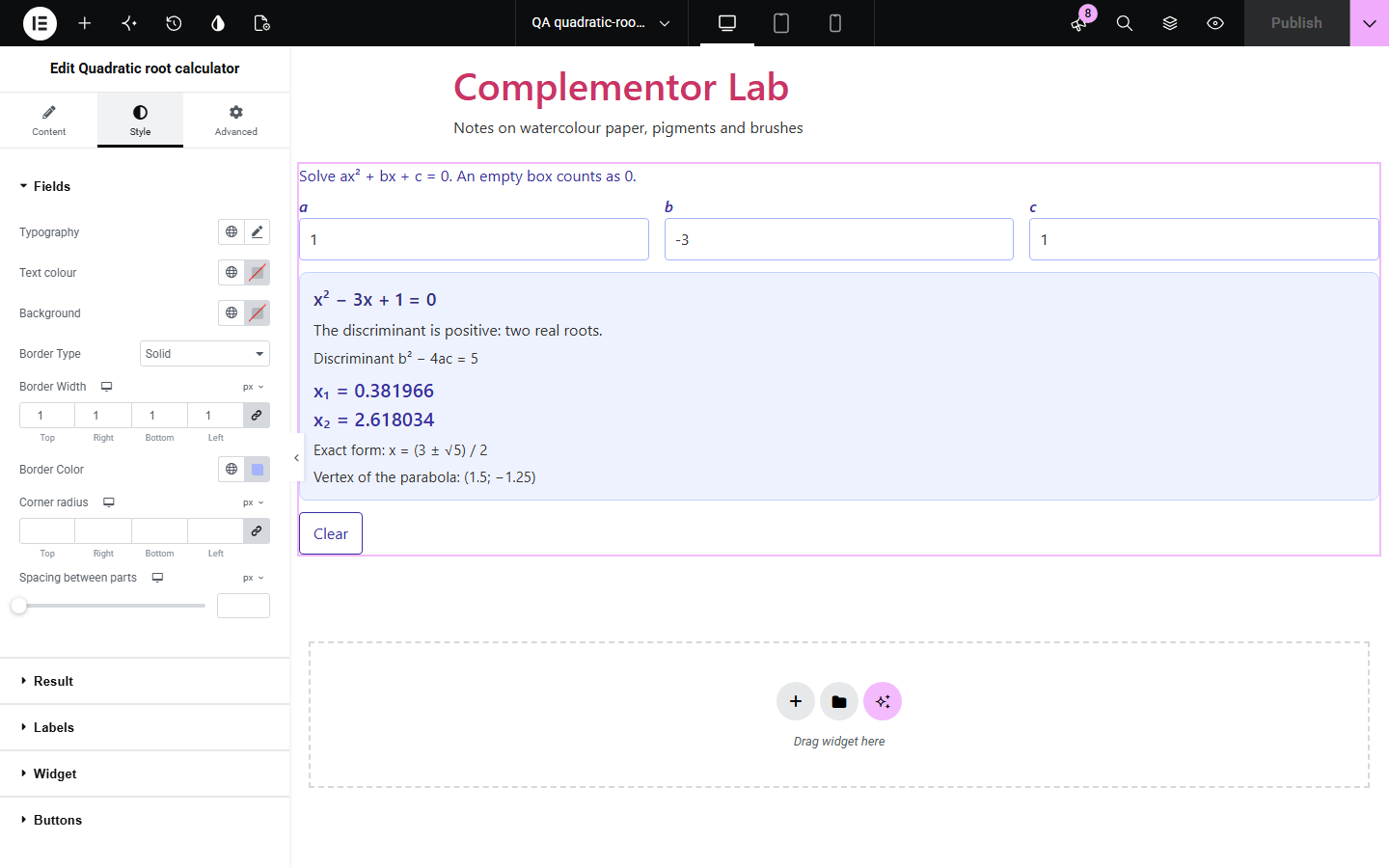
Students and teachers often want to check a quadratic equation quickly, but many calculators stop at “no real roots”, hide the discriminant or show rounding noise where a root should repeat. Quadratic root calculator runs on your own page: visitors type a, b and c and see the equation, the exact discriminant, the real or complex roots, an exact form such as (3 ± √5) / 2 and the vertex, as they type. When a is 0 it solves the linear equation instead. Nothing is sent anywhere.
Let students check homework answers next to the explanation.
Show how the discriminant decides the kind of roots.
Give learners a calculator that shows exact answers.
Start with Complementor installed and your license connected. Enable this module in the WordPress library, then configure it in Elementor.
Install Complementor, connect your license and enable Quadratic root calculator in the Complementor library.
Add the widget to a page.
Choose the decimal places and whether exact forms and the vertex are shown.
Optionally enter starting values for a, b and c.
Style it and try an equation.
Configure the settings available for this module to suit the page you are building.
Live roots while typing.
Exact discriminant b² − 4ac.
Real and complex roots.
Exact fractions and root forms.
Vertex of the parabola.
Linear case when a is 0.
Compare the existing Elementor workflow with this Complementor module before choosing your setup.
Shows the curve but often only decimal roots.
Take visitors off your page, often with adverts.
Complementor uses classic Elementor APIs. Atomic-native controls are not implemented. Check your theme, cache and integrations on a staging site before release.
Check these settings if the published page behaves differently from the editor.
Rational roots are shown as fractions beside the root, and terminating decimals need no exact form.
An empty box counts as 0, so x² − 4 can be entered with b left empty.
Each coefficient is limited to 30 significant digits between 10^-50 and 10^50.
Very large or very small values are shown that way so no digits are hidden.
No. It works with the free version of Elementor.
Yes. A negative discriminant gives two complex roots written as p ± qi.
No. Calculation happens in the visitor's browser and nothing is saved.
Yes. The boxes are labelled and the kind of solution is announced to screen readers.
Yes. Without it a short message is shown instead.
This module is included with all 1007 current Complementor solutions. Choose your production website allowance; every plan includes the same modules.
Renews at $29 USD each year.
Renews at $49 USD each year.
Renews at $99 USD each year.
Applicable taxes extra. Annual subscriptions renew automatically unless canceled in your customer account. Elementor Pro is required for Exclude current post. Read the terms and 14-day technical-issue refund policy.