Blogs and magazines
Help readers cite each article.
 I Build Elementor.
Show a ready-made citation of the current post in APA 7, MLA 9 or Chicago style, so readers can reference it correctly.
Each example below is the actual published output of the Published post citation widget, placed in a sample post. Links point to the sample site.
Content sets the citation style, the date, the site name, whether to include the author and link the address, and the text around the citation. The Style tab covers the citation, its link and the optional icon.
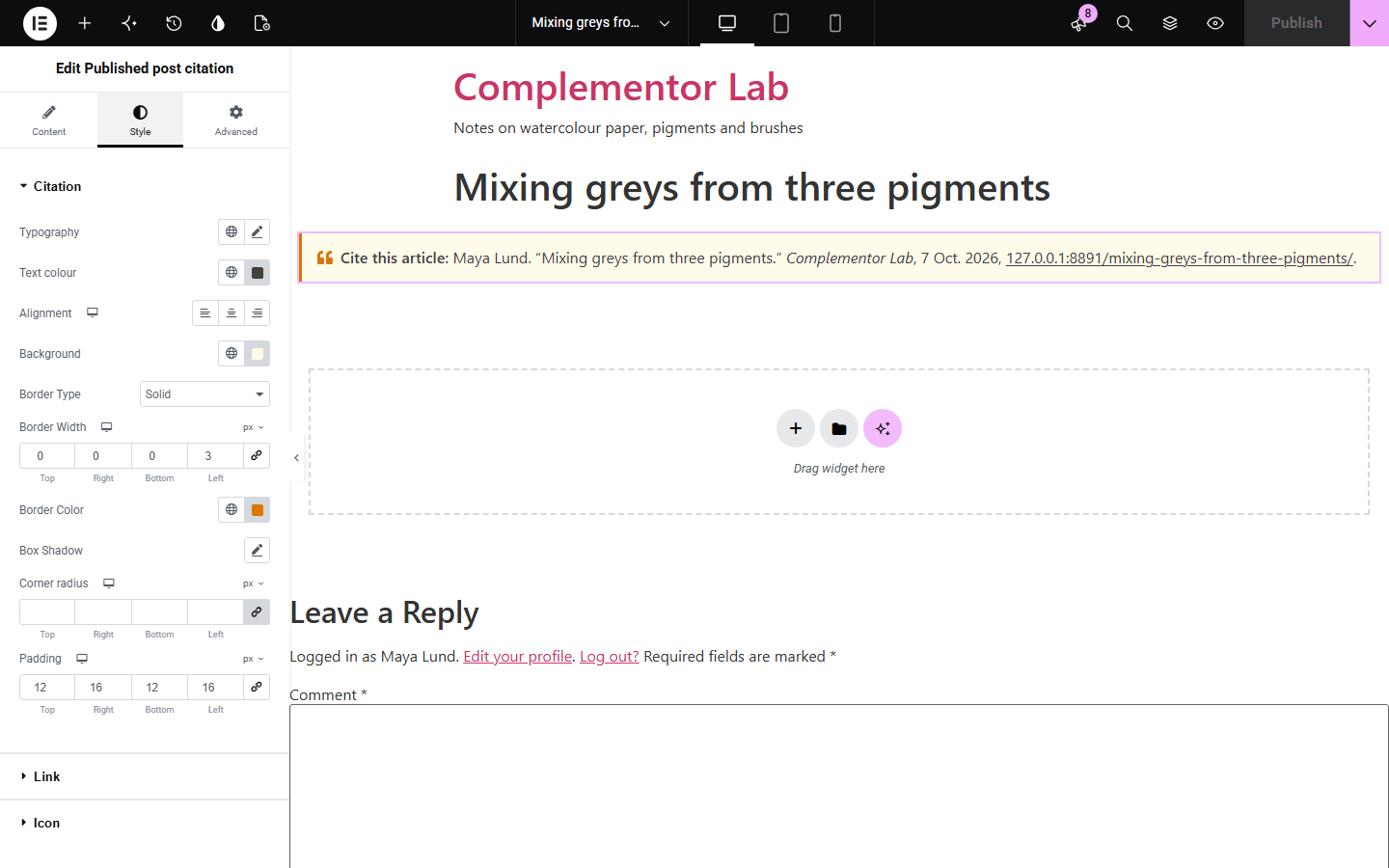
Students, researchers and journalists who quote your articles need a correct citation, and they often get the date, title or address wrong when they build it themselves. Published post citation shows a ready-made citation of the post it sits in, in APA 7, MLA 9 or Chicago style, built from the post's author, title, site name, date and permalink, so it stays right when the title or address changes.
Help readers cite each article.
Offer the style students need.
Cite pages with their last update.
Start with Complementor installed and your license connected. Enable this module in the WordPress library, then configure it in Elementor.
Install Complementor, connect your license and enable Published post citation in the Complementor library.
Open a single post template, or a post, in Elementor.
Add the widget where readers look for references, such as after the article.
Choose APA 7, MLA 9, Chicago or Simple and the date to use.
Style the citation and its link.
Configure the settings available for this module to suit the page you are building.
APA 7, MLA 9, Chicago.
Published or updated date.
Own site name.
Author on or off.
Address as a link.
No script.
Compare the existing Elementor workflow with this Complementor module before choosing your setup.
Goes stale when titles change.
Readers must leave your site.
Complementor uses classic Elementor APIs. Atomic-native controls are not implemented. Check your theme, cache and integrations on a staging site before release.
Check these settings if the published page behaves differently from the editor.
It appears on published posts. Use it in a post or single post template.
The name is only a login or e-mail. Set a display name in the user profile.
Yes. Type it under Site name.
Names are shown as the site shows them; the widget does not rewrite them.
No, but a single post template needs Elementor Pro or a theme builder; it also works placed in a post.
APA 7, MLA 9, Chicago notes and bibliography, and a simple one.
Yes. It reads the title, date and address each time the page is shown.
Yes. Choose Date last updated.
No. It shows the citation as text; readers select it to copy.
This module is included with all 1007 current Complementor solutions. Choose your production website allowance; every plan includes the same modules.
Renews at $29 USD each year.
Renews at $49 USD each year.
Renews at $99 USD each year.
Applicable taxes extra. Annual subscriptions renew automatically unless canceled in your customer account. Elementor Pro is required for Exclude current post. Read the terms and 14-day technical-issue refund policy.