Price lists
Let buyers take the list into their own spreadsheet.
 I Build Elementor.
Add a Download CSV button that saves a table on the page as a spreadsheet file, built in the visitor’s browser.
These are the actual published outputs of the widget. Try each one on this page.
Content sets which table to save, the file name and date, the separator, the byte order mark, hidden rows and columns, formula protection, the button text, the message and the icon. The Style tab covers the button and the message.
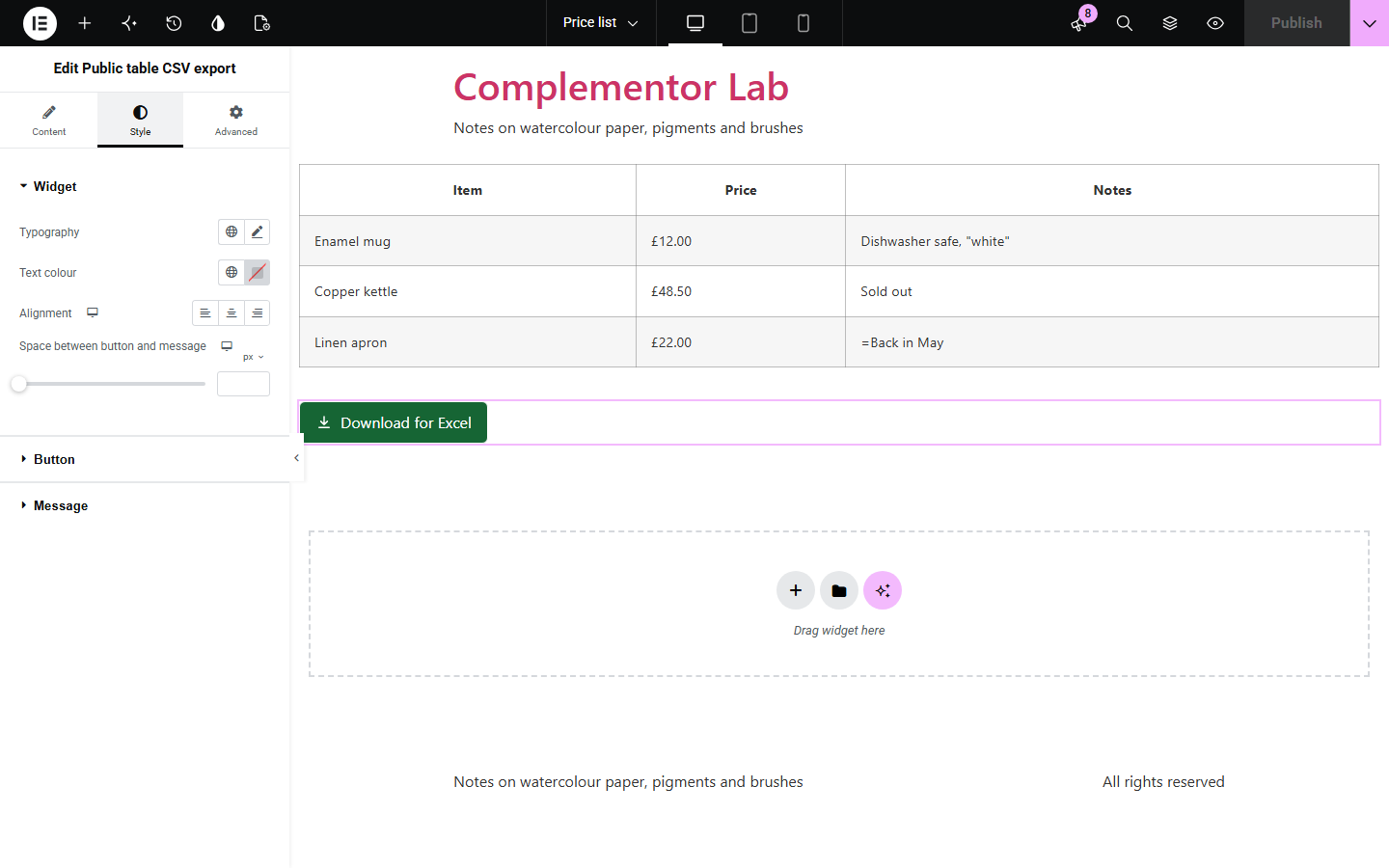
Price lists, timetables and results tables are easy to read on a page but awkward to copy into a spreadsheet: merged cells break, accents turn into odd symbols in Excel and cells that start with = can run as formulas. Public table CSV export adds a button that saves the table as a proper CSV file in the visitor’s browser, with the separator and file name you choose.
Let buyers take the list into their own spreadsheet.
Save opening hours or schedules.
Download league tables or survey results.
Start with Complementor installed and your license connected. Enable this module in the WordPress library, then configure it in Elementor.
Install Complementor, connect your license and enable Public table CSV export in the Complementor library.
Place the widget in the same container as the table, or give the table a CSS ID.
Set the file name and the separator.
Style the button.
Publish the page and try it.
Configure the settings available for this module to suit the page you are building.
RFC 4180 quoting with CRLF line ends.
Comma, semicolon or tab.
Byte order mark for Excel.
Merged cells repeated.
Formula protection.
No button when there is no table.
Compare the existing Elementor workflow with this Complementor module before choosing your setup.
Works for small tables but loses structure with merged cells.
Need their own table format; this works with any HTML table.
Complementor uses classic Elementor APIs. Atomic-native controls are not implemented. Check your theme, cache and integrations on a staging site before release.
Check these settings if the published page behaves differently from the editor.
No table was found in the widget’s container or at the CSS ID. The editor shows a note.
Turn on the byte order mark.
Your Excel expects semicolons. Choose Semicolon.
It started with =, +, - or @ and formula protection is on.
No. It works with the free version of Elementor and any HTML table, such as one in a Text Editor or HTML widget.
No. The file is built in the visitor’s browser.
The first table in the widget’s container, or the one with the CSS ID you enter.
Not by default. Switch off Leave out hidden rows and columns to include them.
Yes. Their text is repeated in each row and column they cover.
This module is included with all 1007 current Complementor solutions. Choose your production website allowance; every plan includes the same modules.
Renews at $29 USD each year.
Renews at $49 USD each year.
Renews at $99 USD each year.
Applicable taxes extra. Annual subscriptions renew automatically unless canceled in your customer account. Elementor Pro is required for Exclude current post. Read the terms and 14-day technical-issue refund policy.