Campaign landing pages
Greet visitors by the campaign they clicked.
 I Build Elementor.
Show the value of one named address parameter inside your own text, with sensitive names refused, values checked and output written as text in the browser.
These are the actual published outputs of the widget; add ?offer=summer to the address to see them change.
Content sets the parameter name, the allowed values (with your own texts), whether case matters, the text with {value}, a fallback, and an optional heading and label. The Style tab covers typography, colour, background, border, alignment, padding, radius, the value's own style, the label colour and the heading.
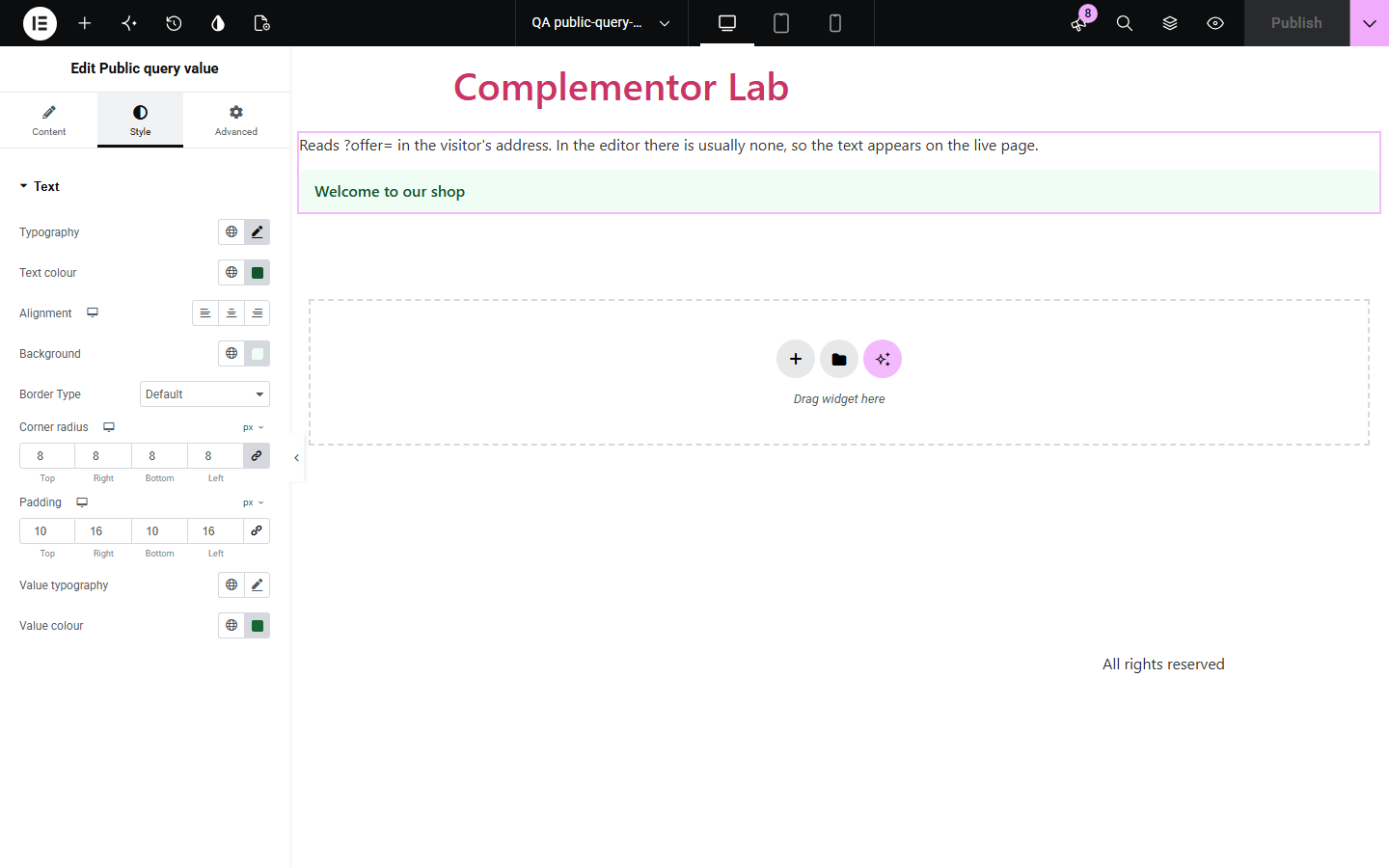
Campaign and newsletter links often carry a word, such as ?offer=summer, that the landing page could echo to feel personal, but printing address values is a classic security hole and breaks with page caching. Public query value reads only the parameter you name, refuses sensitive names, shows only allowed or plain values (or your own text for them), and writes them as text in the browser, so cached pages stay correct.
Greet visitors by the campaign they clicked.
Match the page text to the email link.
Repeat the chosen topic in a heading.
Start with Complementor installed and your license connected. Enable this module in the WordPress library, then configure it in Elementor.
Install Complementor, connect your license and enable Public query value in the Complementor library.
Add the widget to a landing page.
Enter the parameter name, for example offer.
List the allowed values and your texts for them.
Write the text and a fallback, then style it.
Configure the settings available for this module to suit the page you are building.
One named parameter only.
Sensitive names refused.
Allowed values with your own texts.
Plain words only otherwise.
Written as text, never HTML.
Correct on cached pages.
Compare the existing Elementor workflow with this Complementor module before choosing your setup.
Easy to get wrong and open to cross-site scripting.
One page per campaign to build and maintain.
Complementor uses classic Elementor APIs. Atomic-native controls are not implemented. Check your theme, cache and integrations on a staging site before release.
Check these settings if the published page behaves differently from the editor.
Names that could carry personal or secret data, such as email or code, are refused on purpose.
It is not on your list, or it contains characters other than letters, digits, spaces and . , - _ & + '.
The editor's address has no such parameter; the text appears on the live page.
Yes. Write value|text lines in the allowed values.
No. It works with the free version of Elementor.
No. The value is read from the visitor's own address bar in the browser and nothing is sent or saved.
Yes. The visitor-specific part is done in the browser, so a cached page stays correct.
Yes, for the live part. Without it the widget falls back gracefully, as described above.
Values are checked and written as text nodes, never as HTML, and the server never prints them.
This module is included with all 1007 current Complementor solutions. Choose your production website allowance; every plan includes the same modules.
Renews at $29 USD each year.
Renews at $49 USD each year.
Renews at $99 USD each year.
Applicable taxes extra. Annual subscriptions renew automatically unless canceled in your customer account. Elementor Pro is required for Exclude current post. Read the terms and 14-day technical-issue refund policy.