Courses and tutorials
Lessons read in order.
 I Build Elementor.
Help readers follow a multi-part series: “Part 3 of 4”, links to the previous and next parts, and the whole series with the current part marked.
Each example below is the actual published output of the Public post series navigation widget, placed in part 3 of a sample four-part series. Links point to the sample site.
Content holds the series name, the parts in order, what to show and the wording. The Style tab covers the box, the current part, the links and the icon.
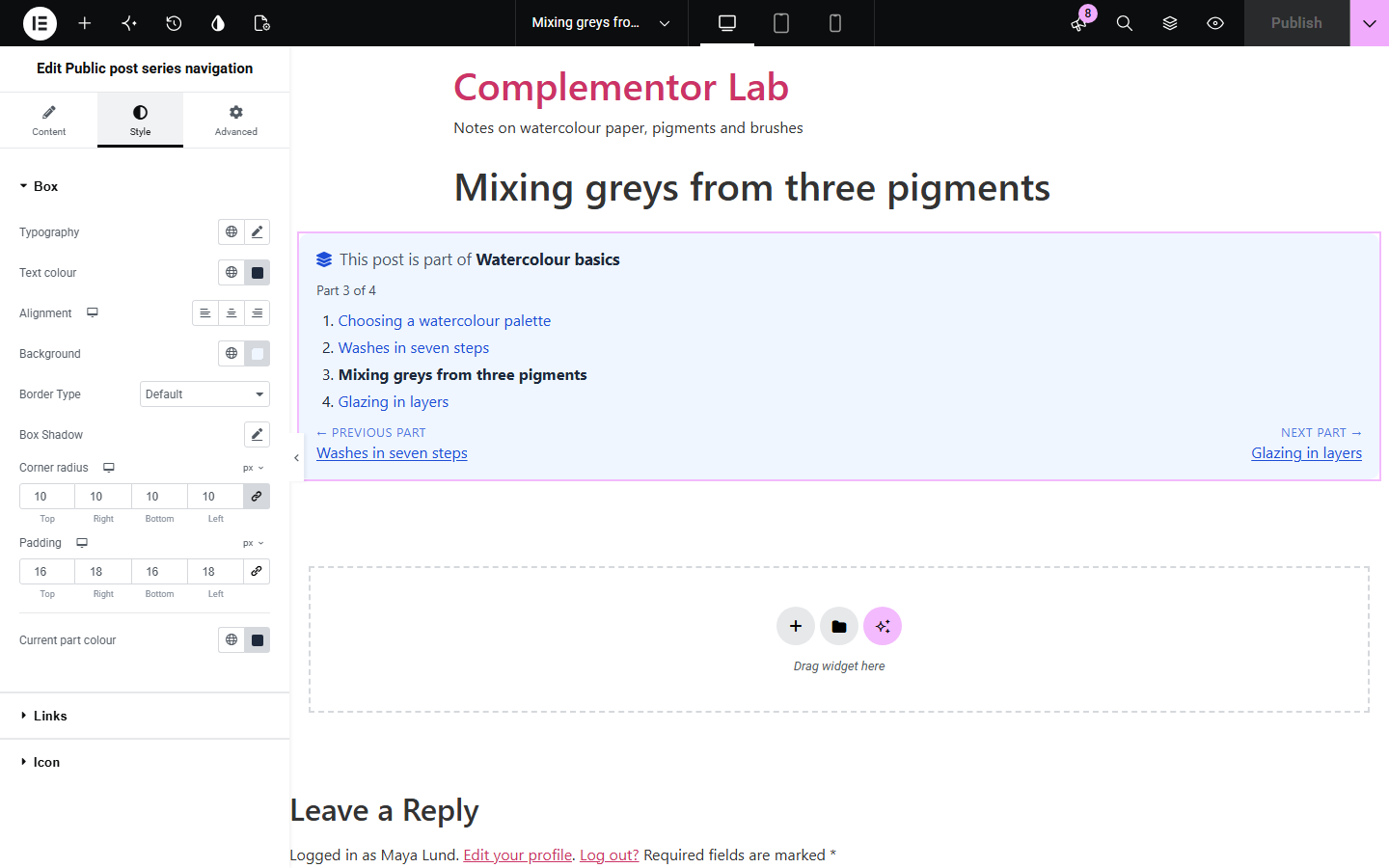
Courses, tutorials and long stories split across several posts lose readers between parts: WordPress's previous and next links follow the publish date, not the series, and readers cannot see how far along they are. Public post series navigation lets you put the parts in order once and shows, on every part, where the reader is, the whole series and links to the previous and next parts.
Lessons read in order.
Chapters across several posts.
Step-by-step series.
Start with Complementor installed and your license connected. Enable this module in the WordPress library, then configure it in Elementor.
Install Complementor, connect your license and enable Public post series navigation in the Complementor library.
Open a single post template, or the first post of the series, in Elementor.
Add the widget and name the series.
Add each part and drag them into reading order.
Choose what to show and style the box and links.
Configure the settings available for this module to suit the page you are building.
Parts in your order.
Part 3 of 4.
Previous and next part.
Whole series list.
Current part marked.
Posts and pages.
Compare the existing Elementor workflow with this Complementor module before choosing your setup.
Follow dates, not the series.
Break when parts change.
Complementor uses classic Elementor APIs. Atomic-native controls are not implemented. Check your theme, cache and integrations on a staging site before release.
Check these settings if the published page behaves differently from the editor.
This post is not one of the parts. The editor says so.
It is a draft, private or password-protected.
Drag the parts in the list.
Use a single post template, or add it to each part.
Not when added to each post; a single post template needs a theme builder.
Yes. Posts and pages can both be parts.
Yes. It is a named navigation landmark and the current part is marked.
Yes. Choose Previous and next only.
No. The links are made on the server.
This module is included with all 1007 current Complementor solutions. Choose your production website allowance; every plan includes the same modules.
Renews at $29 USD each year.
Renews at $49 USD each year.
Renews at $99 USD each year.
Applicable taxes extra. Annual subscriptions renew automatically unless canceled in your customer account. Elementor Pro is required for Exclude current post. Read the terms and 14-day technical-issue refund policy.