Blog series
Link every part of a series in order.
 I Build Elementor.
Hand-pick posts into a numbered reading path with reading times, excerpts and images; on a post in the path, show which part it is and link to the next.
These are the actual published widgets listing the demo site’s watercolour basics series.
Reading list sets the heading and its tag, the posts in reading order, numbering, excerpts, reading time and speed, dates, featured images, the part-of line with the next link, stacked or inline layout and spacing, text before and after each title, text when nothing can be shown, the title tag and an icon. The Style tab covers each item’s text, colours, background, border and hover and focus states, the icon, and the heading, number, details and current part colours with image width.
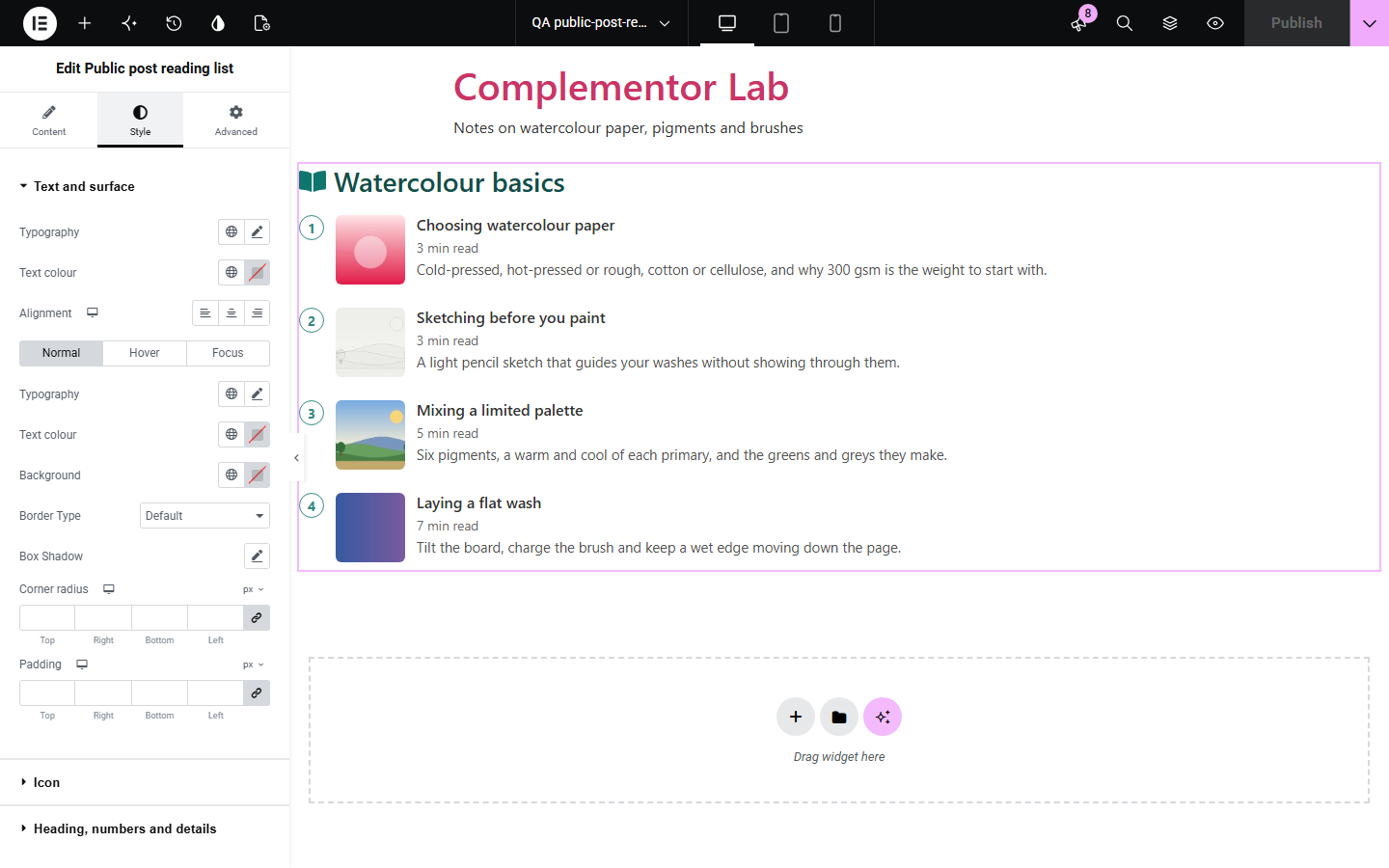
Series and guides need readers to go in order, and category archives list posts newest first. This widget lists the posts and pages you choose in the order you choose, numbered, with reading times worked out from each post and optional excerpts, dates and featured images. Placed on the posts themselves, it marks the part being read, says “You are reading part 2 of 4” and links to the next part.
Link every part of a series in order.
A “start here” path through your best posts.
Lessons in order with reading times.
Start with Complementor installed and your license connected. Enable this module in the WordPress library, then configure it in Elementor.
Install Elementor and Complementor, connect your license and enable Public post reading list in the Complementor library.
Add the widget to a guide page or your single post template.
Choose the posts in the order they should be read.
Turn on excerpts, dates or images if you want them.
Style the numbers, titles and the current part.
Configure the settings available for this module to suit the page you are building.
Posts and pages in your own order, up to 20.
Numbered steps or a plain list.
Reading time from each post’s word count, at a speed you set.
Excerpts, dates and featured images.
The part being read marked, with “part 2 of 4” and a next link.
Unpublished, private and password-protected posts left out.
Compare the existing Elementor workflow with this Complementor module before choosing your setup.
A menu of product categories.
Explain star ratings.
Complementor uses classic Elementor APIs. Atomic-native controls are not implemented. Check your theme, cache and integrations on a staging site before release.
Check these settings if the published page behaves differently from the editor.
It is not published, is private or has a password, or it is past the first 20.
The picker lists the 100 most recent published posts and pages.
It only shows on a post that is in the list, with the series line turned on.
No. It works with the free version of Elementor.
Yes. Posts show in the order you add them.
From each post’s word count at 220 words a minute, which you can change.
Yes. Any public, published post type can be added.
Yes. It is a navigation landmark named by its heading, with an ordered list and the current part marked for screen readers.
This module is included with all 1007 current Complementor solutions. Choose your production website allowance; every plan includes the same modules.
Renews at $29 USD each year.
Renews at $49 USD each year.
Renews at $99 USD each year.
Applicable taxes extra. Annual subscriptions renew automatically unless canceled in your customer account. Elementor Pro is required for Exclude current post. Read the terms and 14-day technical-issue refund policy.