Glossaries
Terms from A to Z.
 I Build Elementor.
List published posts, pages or products from A to Z under letter headings, with a bar of letters to jump to, optionally limited to categories.
These are the actual published widgets listing the demo site’s posts and products.
Index picks the post type, categories, the most items, ignoring a leading word, the letter bar and faded letters, counts, the letter heading tag, columns, the items’ layout and gap, text before and after each title, text when nothing is listed, the title tag and an icon. The Style tab covers the titles in normal, hover and focus states, the accent, letter headings and letter bar, and the icon.
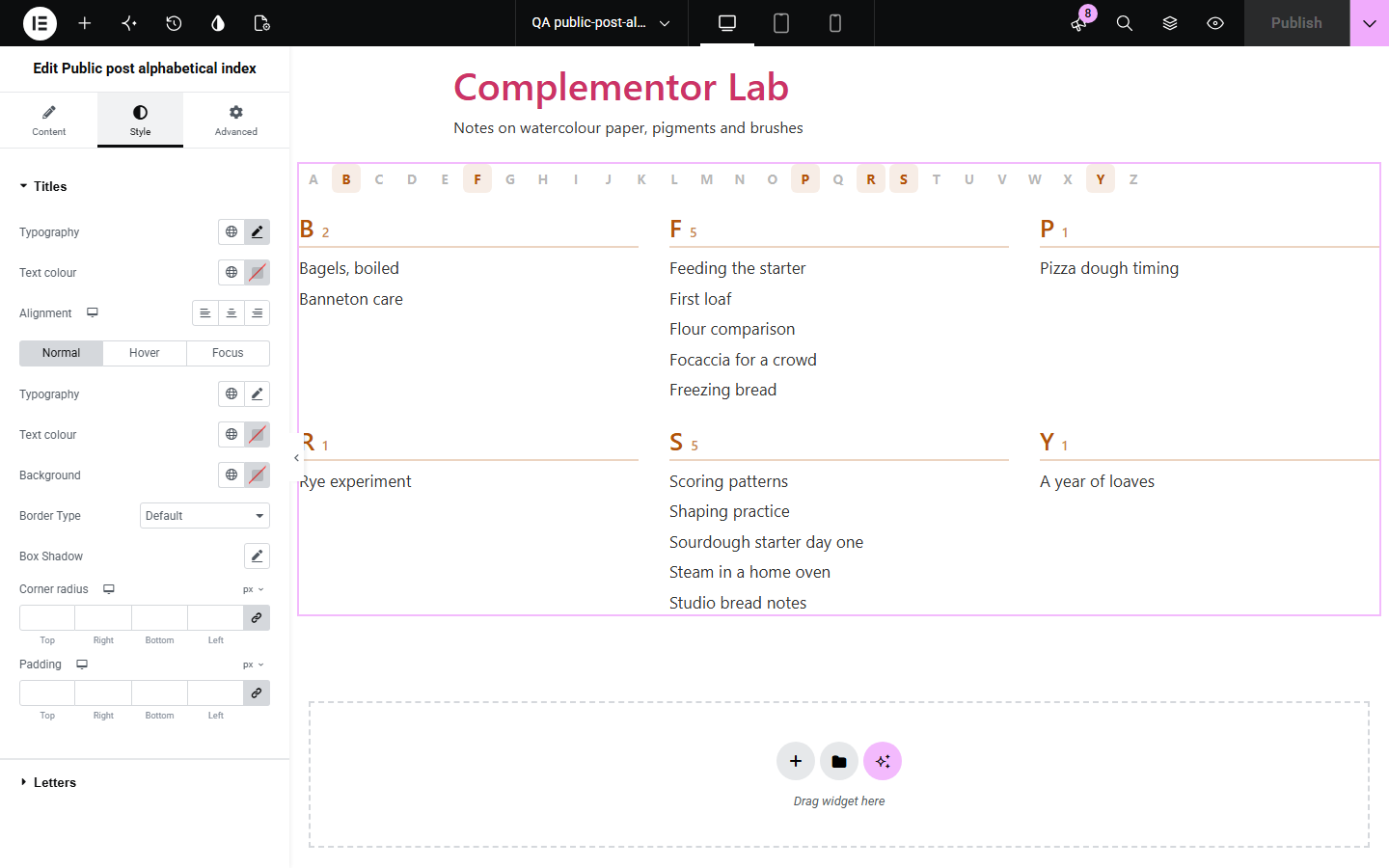
Glossaries, recipe collections, directories and shops grow until visitors cannot find a title by scrolling. This widget lists the published posts, pages or products you choose from A to Z under letter headings, with a bar of letters that jump down the page, optionally only from some categories, filing accented titles under their plain letter, numbers under # and, if you like, ignoring a leading The or A.
Terms from A to Z.
Every title in a category.
Products by name.
Start with Complementor installed and your license connected. Enable this module in the WordPress library, then configure it in Elementor.
Install Complementor, connect your license and enable Public post alphabetical index in the Complementor library.
Add the widget to a page, such as a glossary or directory.
Choose posts, pages or products, and categories if you like.
Turn on ignoring a leading word if titles start with The or A.
Choose the columns and accent colour.
Configure the settings available for this module to suit the page you are building.
Posts, pages, products or other public types.
Only some categories, if you like.
Letter headings with a bar of letters to jump to.
Accents filed under their plain letter, numbers under #.
Ignore a leading The, A or An when sorting.
One to four columns, with counts per letter.
Compare the existing Elementor workflow with this Complementor module before choosing your setup.
The first filled-in text field.
Links for ticked choices.
Complementor uses classic Elementor APIs. Atomic-native controls are not implemented. Check your theme, cache and integrations on a staging site before release.
Check these settings if the published page behaves differently from the editor.
It is not published, has a password, is outside the chosen categories, or the most-items limit was reached.
Ignoring a leading word may be on; “A year of loaves” then files under Y.
Nothing is filed under them; turn off showing letters with nothing under them to hide them.
No. It works with the free version of Elementor.
Yes. Choose products, and product categories if you like.
Up to 500; 200 by default.
No. The letters are ordinary links to the headings on the page.
Yes. The letter bar is a labelled navigation, each letter is a heading, and faded letters are hidden from screen readers.
This module is included with all 1007 current Complementor solutions. Choose your production website allowance; every plan includes the same modules.
Renews at $29 USD each year.
Renews at $49 USD each year.
Renews at $99 USD each year.
Applicable taxes extra. Annual subscriptions renew automatically unless canceled in your customer account. Elementor Pro is required for Exclude current post. Read the terms and 14-day technical-issue refund policy.