Busy blog posts
Keep long comment threads quick to load and easy to browse.
 I Build Elementor.
Show older, newer and numbered comment page links for the current post, following the comment paging settings in WordPress.
These are the actual published outputs of the widget on a sample post with comments split into pages of two.
Content chooses older and newer links, page numbers or both, the link text, arrows, how many page numbers sit either side of the current page, a “Page 2 of 5” line and the navigation name for screen readers. The Style tab covers link typography, alignment, spacing, colours for normal, hover and current page, border, radius and padding.
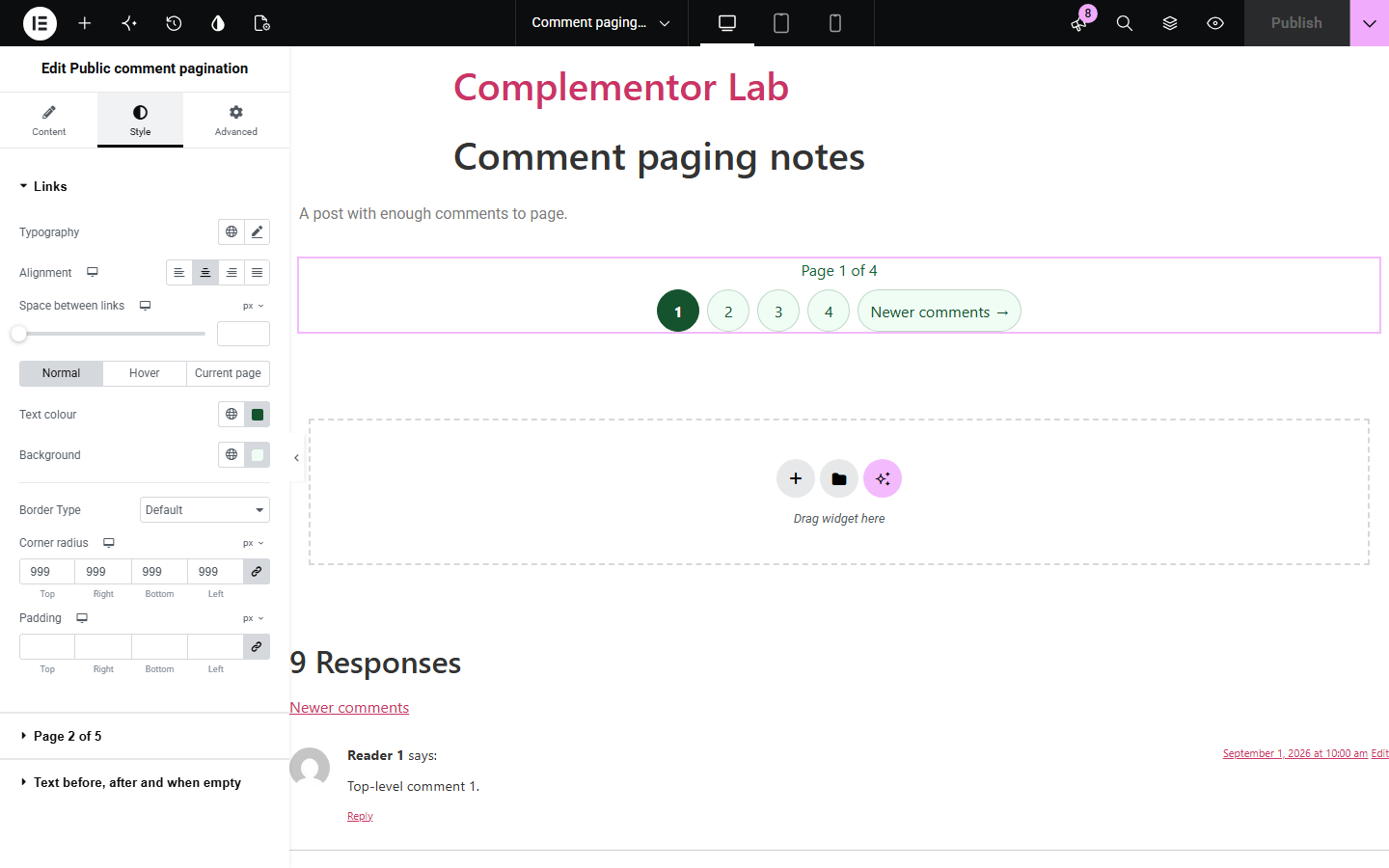
WordPress can split long comment threads into pages, but on pages built with Elementor the links between those pages are often missing or hard to place. Public comment pagination adds older, newer and numbered links wherever you put the widget. It reads the paging settings from Settings > Discussion, counts only approved comments, and stays hidden when all comments fit on one page.
Keep long comment threads quick to load and easy to browse.
Let readers reach older questions and answers.
Place comment page links exactly where your design needs them.
Start with Complementor installed and your license connected. Enable this module in the WordPress library, then configure it in Elementor.
Install Complementor, connect your license and enable Public comment pagination in the Complementor library.
In Settings > Discussion, turn on “Break comments into pages” and set the number per page.
Add the widget near the comments of a post or post template.
Choose links, numbers or both, and the link text.
Style the links and preview a post with several comment pages.
Configure the settings available for this module to suit the page you are building.
Older and newer links.
Page numbers with gaps.
Follows Discussion settings.
Approved comments only.
Current page marked for screen readers.
44px link targets.
Compare the existing Elementor workflow with this Complementor module before choosing your setup.
Shows its own links, but only where the theme prints comments.
Simple, but very long threads make the page slow and long.
Complementor uses classic Elementor APIs. Atomic-native controls are not implemented. Check your theme, cache and integrations on a staging site before release.
Check these settings if the published page behaves differently from the editor.
The links appear only when comment paging is on in Settings > Discussion and there are more comments than fit on one page.
With threaded comments on, WordPress pages by top-level comments, and replies stay with their thread.
Settings > Discussion can show the last comment page by default. The widget follows that setting.
Only approved comments are counted, so held, spam and deleted comments never change the pages.
No. It works with the free version of Elementor.
No. It shows only the links between comment pages. Use it with your comments area.
Yes. It works on any published, public post or page whose comments are paged.
Yes. The links sit in a named navigation landmark and the current page is announced.
No. The links are plain HTML from the server.
This module is included with all 1007 current Complementor solutions. Choose your production website allowance; every plan includes the same modules.
Renews at $29 USD each year.
Renews at $49 USD each year.
Renews at $99 USD each year.
Applicable taxes extra. Annual subscriptions renew automatically unless canceled in your customer account. Elementor Pro is required for Exclude current post. Read the terms and 14-day technical-issue refund policy.