Product reviews
Close a review with a clear summary of strengths and weaknesses.
 I Build Elementor.
Show a review's benefits and tradeoffs as two labelled lists with plus and minus markers and an optional verdict.
These are the actual published outputs of the widget for a sample product review: the default lists, green and red markers with a verdict, a stacked version with custom icons, and a box with only benefits.
Content › Benefits and Tradeoffs each have a heading, a repeater of items and an optional custom marker icon. Verdict holds a label and your conclusion. Display sets the heading level, hides headings visually, turns markers on or off and sets 1 or 2 columns per device. The Style tab covers gaps, group padding, verdict spacing, marker size and gap, heading, item and verdict typography and colours, a shared marker colour with optional benefits and tradeoffs colours, alignment, and group background, border and radius.
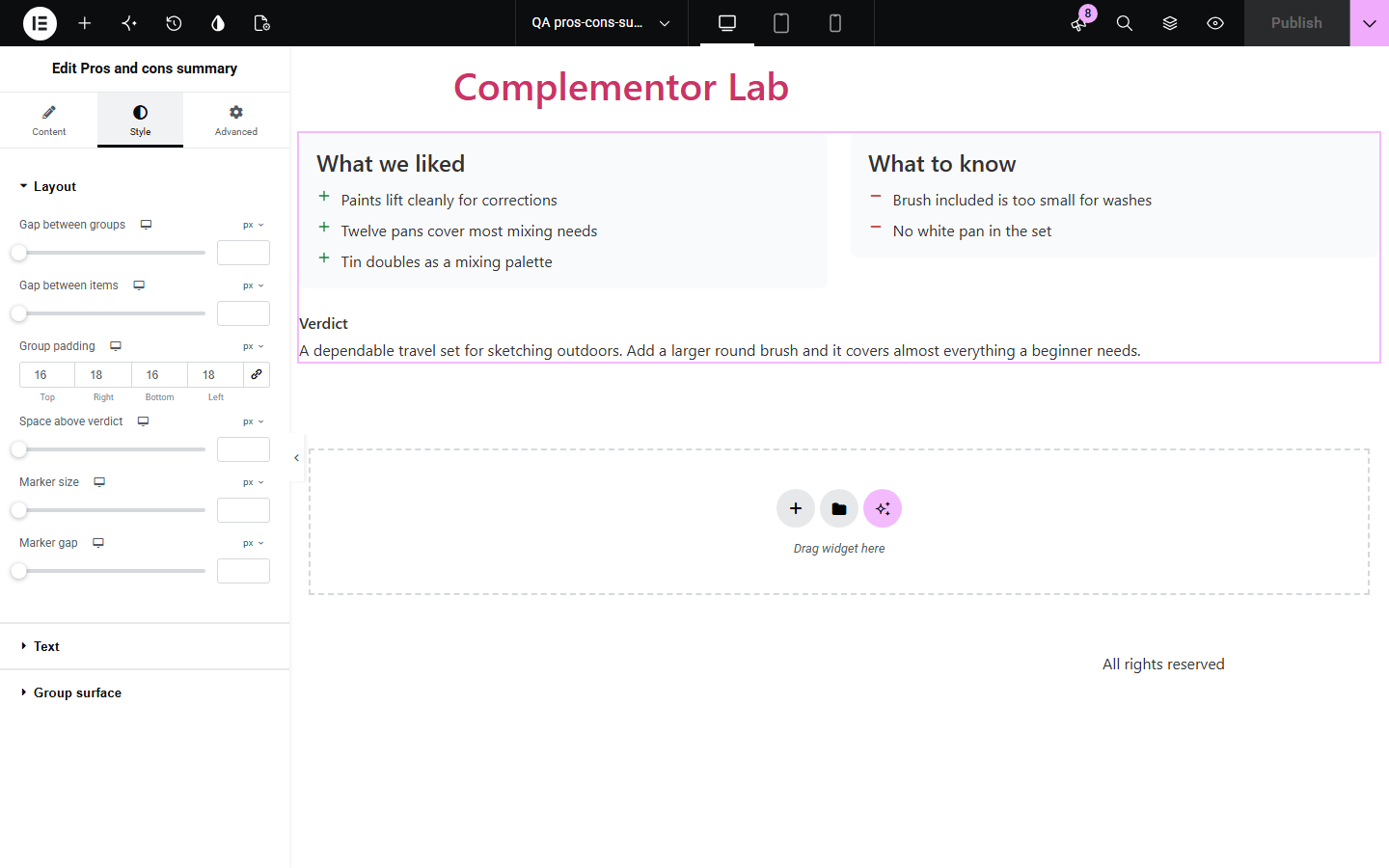
Reviews and buying guides usually end with a pros and cons box, but building one in Elementor takes several containers, headings and icon lists that must be kept in step. Pros and cons summary puts both lists and a verdict in one widget, labels each list for screen readers, stacks them on phones and hides any list you leave empty.
Close a review with a clear summary of strengths and weaknesses.
Give each recommended product its own pros and cons box.
List what a plan does well and what to watch out for.
Start with Complementor installed and your license connected. Enable this module in the WordPress library, then configure it in Elementor.
Install Complementor, connect your license and enable Pros and cons summary in the Complementor library.
Add the widget and type your benefits and tradeoffs as list items.
Rename the headings if you like, and pick the heading level that fits your page outline.
Write a short verdict, or leave it empty to hide it.
Choose marker colours and panel styling, then publish and check it on a phone.
Configure the settings available for this module to suit the page you are building.
Two lists, benefits and tradeoffs, each with its own heading and items.
Neutral plus and minus markers, or your own icons, with separate colours per list.
Optional verdict with a label; blank lines start new paragraphs.
Heading level H2 to H6 or a paragraph, and headings that can be hidden visually.
Two columns on wide screens and one on phones by default, or 1 or 2 per device.
Style: gaps, padding, typography, colours, alignment, and panel background, border and radius.
Compare the existing Elementor workflow with this Complementor module before choosing your setup.
Two containers, two headings and two Icon Lists can look the same, but take around ten steps and leave the headings unconnected to their lists. This widget is one element with labelled groups.
Dedicated review plugins add scores and schema. This widget is a simple, honest summary box without ratings.
Complementor uses classic Elementor APIs. Atomic-native controls are not implemented. Check your theme, cache and integrations on a staging site before release.
Check these settings if the published page behaves differently from the editor.
Lists without items are not shown. Add at least one item to show the list.
The default switches to two columns at 768px wide. Set Columns per device in Display to choose.
Set Benefits marker colour and Tradeoffs marker colour in the Text style section.
Use the level just below the heading above the widget, so the page outline has no gaps.
No. It shows your lists and verdict only; nothing is scored or marked up as a review.
No. It works with the free version of Elementor.
Yes. Each list is a named group with a real list, and markers are hidden from screen readers so the headings carry the meaning.
Yes. Each heading is editable, for example 'What we liked' and 'What to know'.
No. It is static HTML and CSS.
This module is included with all 1007 current Complementor solutions. Choose your production website allowance; every plan includes the same modules.
Renews at $29 USD each year.
Renews at $49 USD each year.
Renews at $99 USD each year.
Applicable taxes extra. Annual subscriptions renew automatically unless canceled in your customer account. Elementor Pro is required for Exclude current post. Read the terms and 14-day technical-issue refund policy.