Brand and product names
Show customers how to say your brand name correctly.
 I Build Elementor.
Show a word with its written pronunciation and a button that plays a short audio clip of it from your Media Library.
These are the actual published outputs of the widget with a short spoken clip of the word gouache: the default term, pronunciation and button, an indigo pill with icons, and the term with a button only.
Content › Term sets the word and its written pronunciation. Audio picks the clip from the Media Library and whether visitors see a note when it is unavailable. Behaviour pauses other clips when one starts and sets the play, pause, unavailable and error texts. Display shows or hides the term and pronunciation and adds play and pause icons before or after the label. The Style tab covers the term, pronunciation, button states, icons and status text.
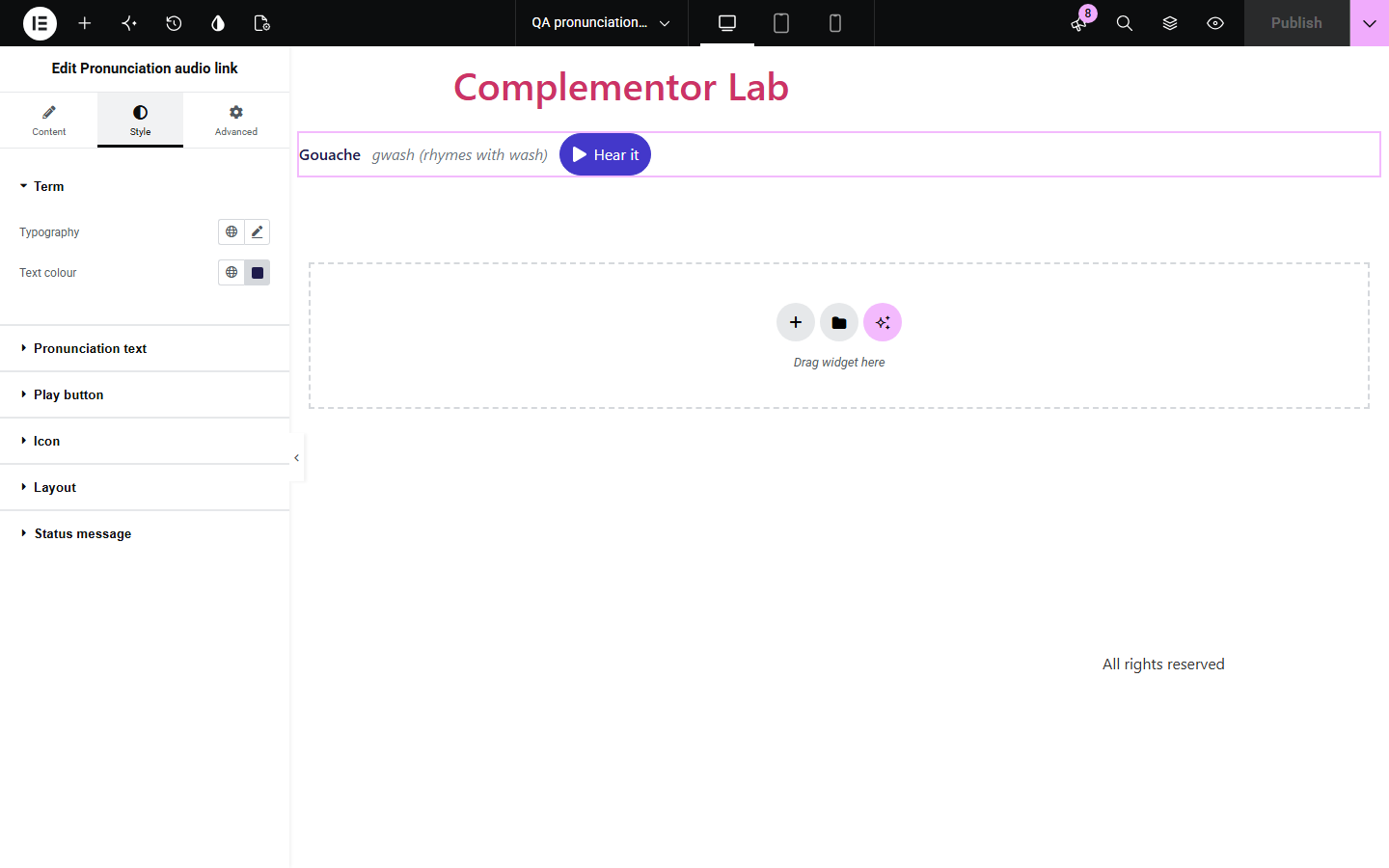
Names, brands and specialist words are often mispronounced, and a written guide alone does not settle it. Pronunciation audio link shows the word, an optional written pronunciation and a play button for a short clip you upload, loading the audio only when someone presses play.
Show customers how to say your brand name correctly.
Help visitors pronounce people's names before they meet.
Pair specialist or foreign words with a recording.
Start with Complementor installed and your license connected. Enable this module in the WordPress library, then configure it in Elementor.
Install Complementor, connect your license and enable Pronunciation audio link in the Complementor library.
Record a short clip of the word and upload it to the Media Library.
Add the widget, enter the term and a written pronunciation.
Choose the clip and the button text.
Publish and press play to check the clip.
Configure the settings available for this module to suit the page you are building.
Term and written pronunciation side by side.
Play and pause button for a Media Library audio clip.
Audio loads only when the visitor presses play.
Pauses other pronunciation clips on the page when one starts.
Clear message if the clip cannot be played.
Style: term, pronunciation, button states, play and pause icons, status text.
Compare the existing Elementor workflow with this Complementor module before choosing your setup.
A full audio player takes space and shows a timeline. This widget is a compact play button next to the word.
Written guides help, but many readers cannot read phonetic notation. A clip removes the doubt.
Complementor uses classic Elementor APIs. Atomic-native controls are not implemented. Check your theme, cache and integrations on a staging site before release.
Check these settings if the published page behaves differently from the editor.
No audio clip is chosen, or it is not a public Media Library file. The editor explains which.
The file is missing or in a format the browser cannot play. MP3 and WAV work in all major browsers.
Pause other players is on. Turn it off to let clips overlap.
No. Nothing is fetched until the visitor presses play.
No. It works with the free version of Elementor.
Yes. The button is named with the word it plays, changes to Pause while playing, and errors are announced.
Yes. A standard audio control is shown instead of the button.
Yes. Each has its own clip and button.
No. Audio only plays when the visitor presses the button.
This module is included with all 1007 current Complementor solutions. Choose your production website allowance; every plan includes the same modules.
Renews at $29 USD each year.
Renews at $49 USD each year.
Renews at $99 USD each year.
Applicable taxes extra. Annual subscriptions renew automatically unless canceled in your customer account. Elementor Pro is required for Exclude current post. Read the terms and 14-day technical-issue refund policy.