Client project pages
Show clients what could delay delivery and what you are doing about it.
 I Build Elementor.
Publish a project's risks with coloured likelihood and impact badges, mitigation and owner, as a table that stacks on phones.
These are the actual published outputs of the widget, built from sample risks.
Risks holds one row per risk: description, likelihood, impact, mitigation and owner. Layout chooses a table, blocks in one to three columns, or one line per risk. Heading and text adds a heading, introduction, note, column labels and a message when there are no risks. The Style tab covers the entries, risk and label colours, the High, Medium and Low badges, table lines and header, heading and text, and an optional icon.
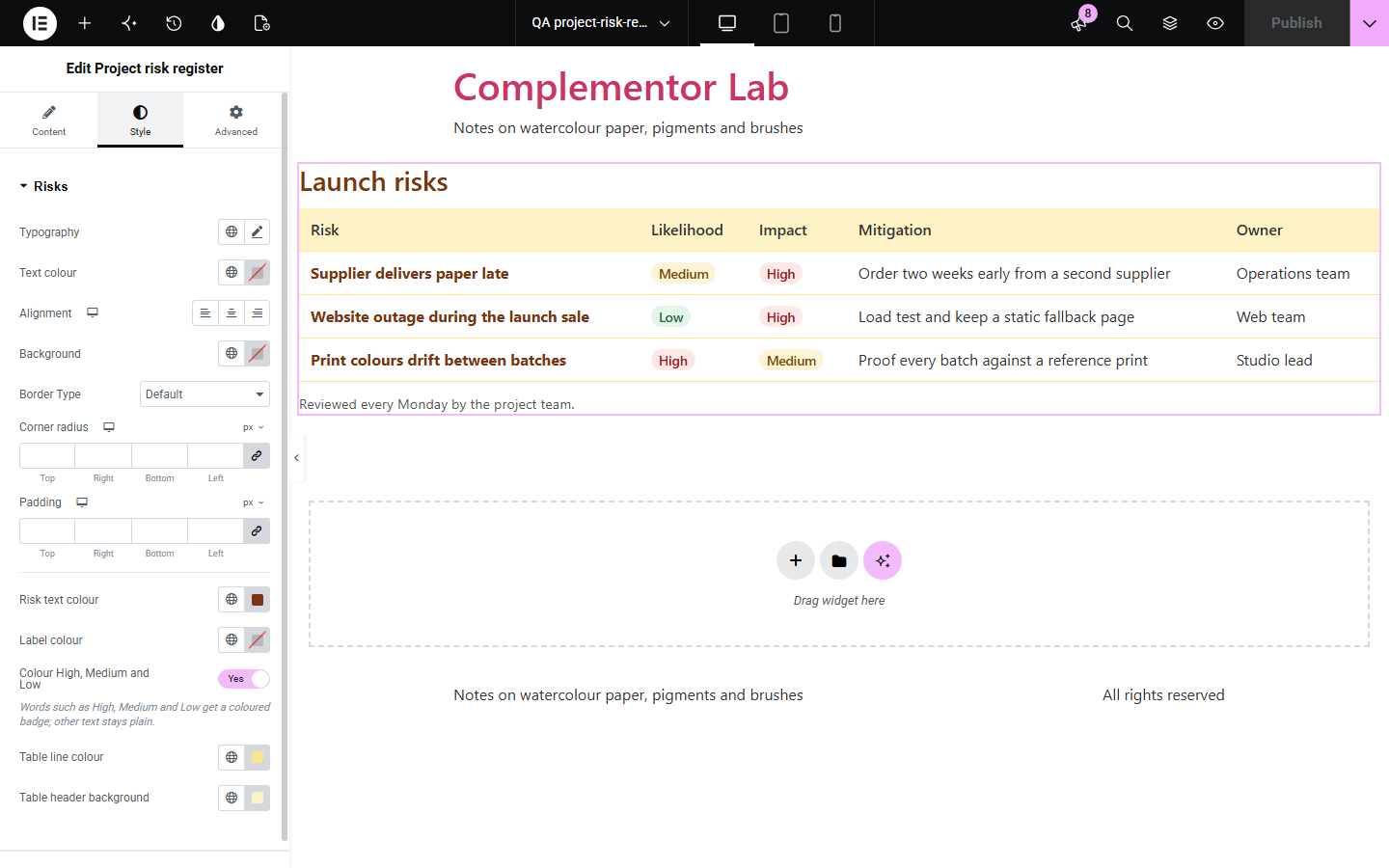
Clients, funders and community members trust a project more when they can see the risks it is managing. A spreadsheet export is hard to read on a web page. Project risk register shows each risk with its likelihood, impact, mitigation and owner in a readable table, with High, Medium and Low picked out in colour.
Show clients what could delay delivery and what you are doing about it.
Publish the risk register funders and members ask for.
Share weather, supplier and safety risks with volunteers.
Start with Complementor installed and your license connected. Enable this module in the WordPress library, then configure it in Elementor.
Install Complementor, connect your license and enable Project risk register in the Complementor library.
Add the widget to your project, status or governance page.
In Risks, add each risk with its likelihood, impact, mitigation and owner.
In Layout choose the table, blocks or one line each; in Heading and text add a heading and a note such as when the register was reviewed.
Style the table, badges and text on the Style tab, then check it on a phone.
Configure the settings available for this module to suit the page you are building.
Up to 40 risks, each with likelihood, impact, mitigation and owner.
High, Medium and Low in Likelihood and Impact get red, amber and green badges; other wording stays as typed.
Table with row and column headers that stacks into labelled blocks under 600 pixels.
Columns nobody filled in are left out, and empty cells are hidden on phones.
Blocks with labelled details in one to three columns, or one line per risk.
Editable column labels, heading, introduction and a note underneath.
Colours for risk text, labels, table lines and header.
Compare the existing Elementor workflow with this Complementor module before choosing your setup.
Fine for a one-off table you format by hand; it does not colour levels or stack on phones.
Better for scoring, assigning and tracking risks over time; use this widget to publish the summary.
Complementor uses classic Elementor APIs. Atomic-native controls are not implemented. Check your theme, cache and integrations on a staging site before release.
Check these settings if the published page behaves differently from the editor.
Only High, Medium and Low (and Critical, Severe, Moderate, Minor, Very high, Very low) get a badge. Other words show as typed, or turn badges off.
There are no risks with a description. Add one under Risks, or set Text when there are no risks.
Columns that are empty for every risk are left out. Fill in that part for at least one risk.
The default is now a table. Choose One line per risk under Layout for the earlier layout.
No. It works with the free version of Elementor.
No. It shows the likelihood and impact you type; nothing is scored or ranked.
Yes. Any wording is shown; only the common levels get a coloured badge.
Yes. It has column and row headers and a caption from the heading, and labels repeat on phones.
Up to 40 per widget.
This module is included with all 1007 current Complementor solutions. Choose your production website allowance; every plan includes the same modules.
Renews at $29 USD each year.
Renews at $49 USD each year.
Renews at $99 USD each year.
Applicable taxes extra. Annual subscriptions renew automatically unless canceled in your customer account. Elementor Pro is required for Exclude current post. Read the terms and 14-day technical-issue refund policy.