Order pages
Show ordered, packed, shipped and delivered.
 I Build Elementor.
Show a process as numbered steps with the completed, current and upcoming ones marked, such as an order, an application or a course.
These are the actual published outputs of the widget. Try each one on this page.
Content sets the steps, the current step (a number or a dynamic tag), the summary line, the direction, stacking on phones, markers and status words, and every label. The Style tab covers the marker colours, size and line, and the step, description and summary text.
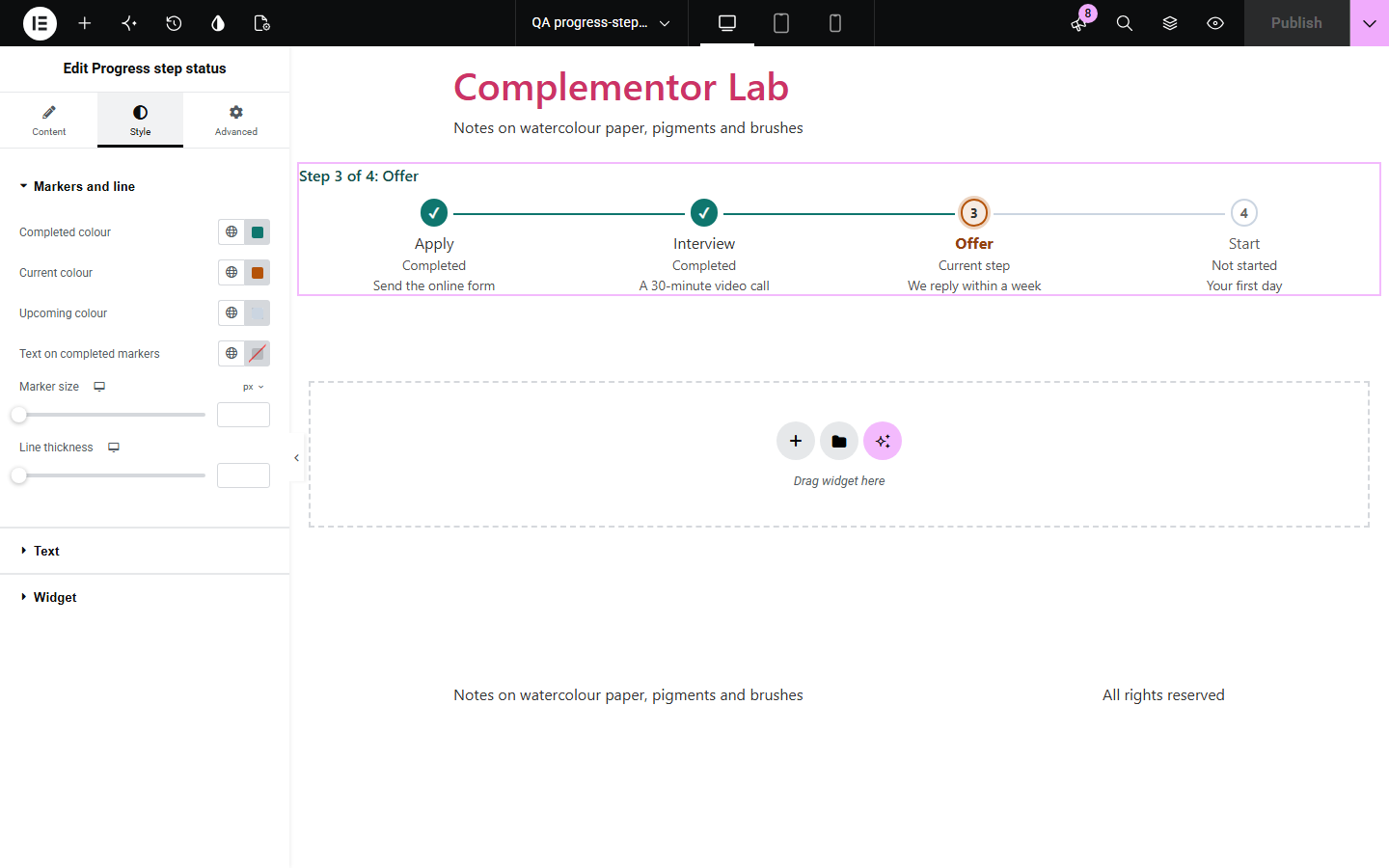
Customers and applicants want to know where they are: ordered, packed or shipped; applied, interviewed or offered. A plain list does not show it, and a progress bar hides the step names. Progress step status shows each step with a clear state, a tick for completed steps and a summary line. It is plain HTML, works without JavaScript, and the current step can come from a custom field so it updates per order or per page.
Show ordered, packed, shipped and delivered.
Show where an application or booking stands.
Show progress through modules or lessons.
Start with Complementor installed and your license connected. Enable this module in the WordPress library, then configure it in Elementor.
Install Complementor, connect your license and enable Progress step status in the Complementor library.
Add the widget and list the steps in order.
Set the current step, or bind it to a custom field with a dynamic tag.
Choose across or down and style the markers.
Publish the page and try it.
Configure the settings available for this module to suit the page you are building.
Completed, current and upcoming states.
Current step from a number or a dynamic tag.
Summary line such as “Step 2 of 4”.
Across or down, stacked on phones.
Status words so colour is not the only cue.
No JavaScript needed.
Compare the existing Elementor workflow with this Complementor module before choosing your setup.
Shows how far along, but not the names of the steps.
Lists the steps but does not mark which are done.
Complementor uses classic Elementor APIs. Atomic-native controls are not implemented. Check your theme, cache and integrations on a staging site before release.
Check these settings if the published page behaves differently from the editor.
The current step is empty, 0 or not a whole number. The editor shows a hint when it is not a number.
Set the current step to one more than the number of steps.
Stack on phones is on, so long names stay readable below 600 pixels wide.
Yes. Use a dynamic tag, for example a custom field that holds the step number.
No. It works with the free version of Elementor.
No. It is plain HTML and CSS.
Yes. It is an ordered list, the current step has aria-current="step", and each step has a status word for screen readers.
Up to 20.
Yes. Each copy works on its own.
This module is included with all 1007 current Complementor solutions. Choose your production website allowance; every plan includes the same modules.
Renews at $29 USD each year.
Renews at $49 USD each year.
Renews at $99 USD each year.
Applicable taxes extra. Annual subscriptions renew automatically unless canceled in your customer account. Elementor Pro is required for Exclude current post. Read the terms and 14-day technical-issue refund policy.