Product pages
Reassure shoppers that an item can be bought today.
 I Build Elementor.
Say whether a WooCommerce product can be bought right now, using the same rule as WooCommerce's add-to-cart button, with your own wording.
These are the actual published outputs of the widget for real WooCommerce products: the default note on an in-stock mug, a green “ready to ship” note, and a sold-out kettle.
Content sets the product (the current one or a product ID), the text for products that can be bought, the optional text for those that cannot, and an optional icon. The Style tab covers typography, colour, alignment, background, border, radius and padding, plus icon colour, size, gap and position.
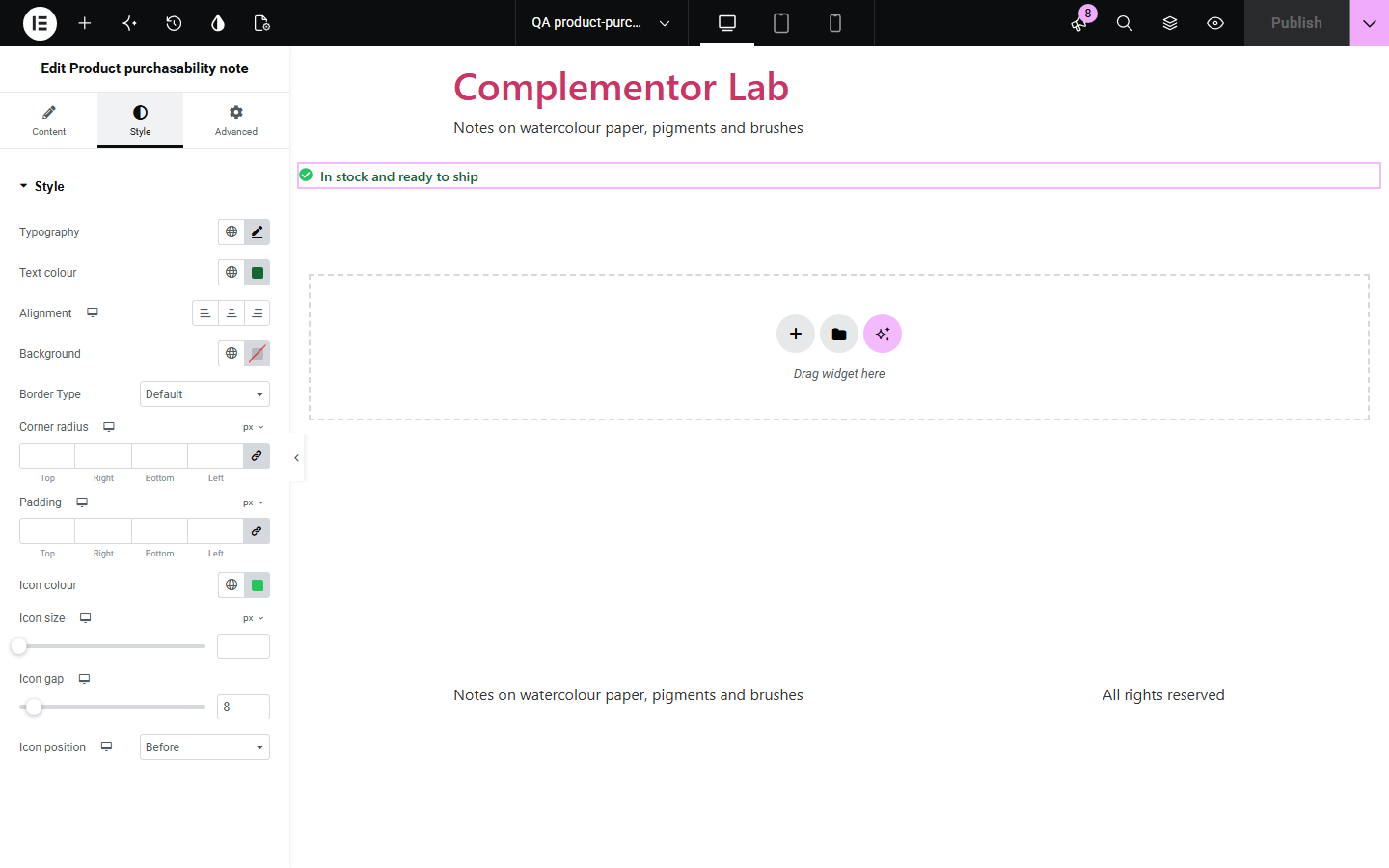
Shoppers want to know at a glance whether they can buy a product, and a typed “Available” note stays up after it sells out. Product purchasability note follows the same rule as WooCommerce's add-to-cart button — a price and stock or backorders — handles grouped and external products, and shows your wording for each case.
Reassure shoppers that an item can be bought today.
Say clearly when something is unavailable.
Show availability on each product card.
Start with Complementor installed and your license connected. Enable this module in the WordPress library, then configure it in Elementor.
Install Complementor, connect your license and enable Product purchasability note in the Complementor library.
Add the widget to your product template, or choose a product by ID.
Write the text for products that can be bought.
Optionally write the text for products that cannot.
Style it and check an in-stock and a sold-out product.
Configure the settings available for this module to suit the page you are building.
Matches WooCommerce's add-to-cart rule.
Backorderable products count as available.
Grouped products checked through their child products.
Optional text for unavailable or external products.
Kept out of the page's saved text.
Style: typography, colour, surface, icon.
Compare the existing Elementor workflow with this Complementor module before choosing your setup.
The stock line shows quantity or status, not whether the product can be bought now.
Typed notes stay up after a product sells out. This follows the live state.
Complementor uses classic Elementor APIs. Atomic-native controls are not implemented. Check your theme, cache and integrations on a staging site before release.
Check these settings if the published page behaves differently from the editor.
It cannot be bought and the cannot-be-bought text is empty. Set that text to show a message.
WooCommerce only sells in-stock or backorderable products, and the note follows that rule.
External products are sold on another site, so they cannot be bought in your shop.
They count as available when any of their child products can be bought.
No. It works with the free version of Elementor and WooCommerce.
Yes. Backorderable products can be added to the cart.
No. It only shows a note.
Yes. It is plain text, and the optional icon is hidden from screen readers.
No. It is plain HTML and CSS.
This module is included with all 1007 current Complementor solutions. Choose your production website allowance; every plan includes the same modules.
Renews at $29 USD each year.
Renews at $49 USD each year.
Renews at $99 USD each year.
Applicable taxes extra. Annual subscriptions renew automatically unless canceled in your customer account. Elementor Pro is required for Exclude current post. Read the terms and 14-day technical-issue refund policy.